See a student's wellbeing notes
Quick answer
- Open the student's profile and select the Wellbeing tab.
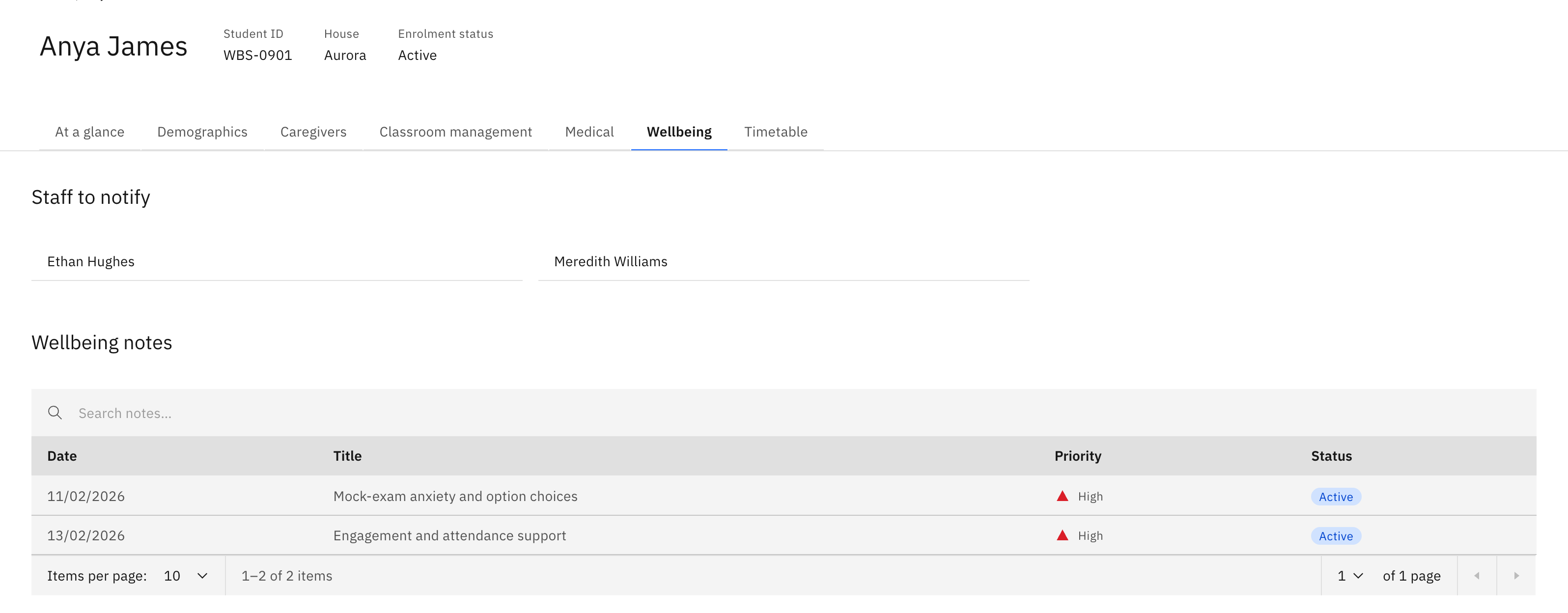
- See Staff to notify plus the Wellbeing notes table — Date, Title, Priority, Status.
- Search and page the list; the tab is read-only.
The Wellbeing tab on a student's profile is a read-only roll-up of every wellbeing note raised for that one student.
Open the Wellbeing tab
Go to the student's profile and select the Wellbeing tab.
Check who gets notified
Staff to notify lists the student's escalation contacts.
Browse the notes
Wellbeing notes is a table of every note raised for the student, showing Date, Title, Priority and Status. Search the list and page through the results. This tab is read-only — there are no create or edit controls here, so to raise a new note or change an existing one, work from the Wellbeing area itself.