Add a comment to a case
Quick answer
- On the case detail page, in the Comments tile click the +.
- Add a Title and Notes, and optionally attach a file.
- Click Save to log it in the case timeline.
Comments are the follow-up timeline on a wellbeing case. Use them to log an update, an action you took, or anything worth recording against the case.
Open the comment form
On the case detail page, in the Comments tile, click the + (Add comment).
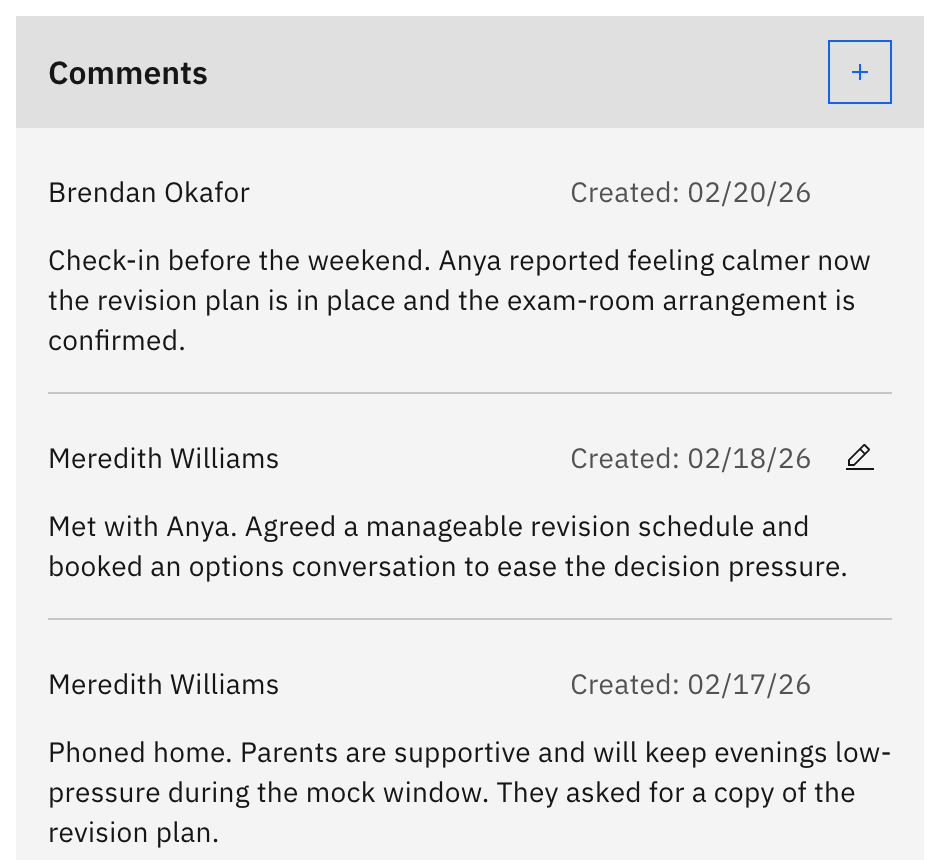
Note: The + only appears for staff with wellbeing write access, and it is hidden once a case is resolved or cancelled. Reopen the case to comment again.
Write the comment
In Add comment, enter a Title (up to 100 characters) and the Notes text (up to 250 characters). Optionally attach one supporting file (max 10 MB, any file type).
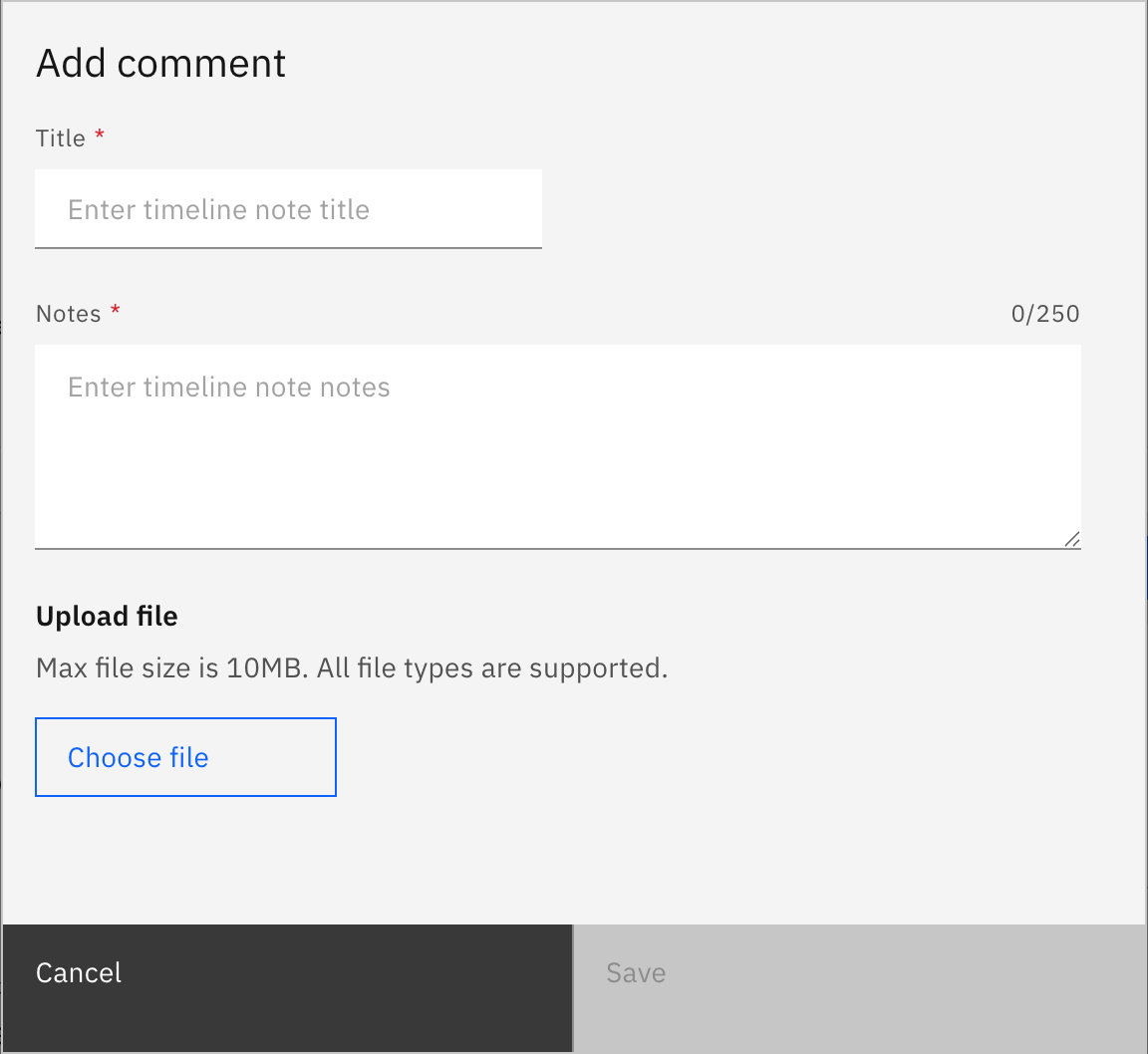
Save it
Click Save. The comment appears at the top of the timeline, which shows newest-first. Once there are more than five comments, Show older comments reveals the rest. To change a comment later, use the pencil icon on that comment.