View wellbeing notes
Quick answer
- On a student profile, open the Wellbeing tab.
- Staff to notify lists who to escalate to; Wellbeing notes is a searchable table of every note raised.
- Read-only — note columns are Date, Title, Priority and Status.
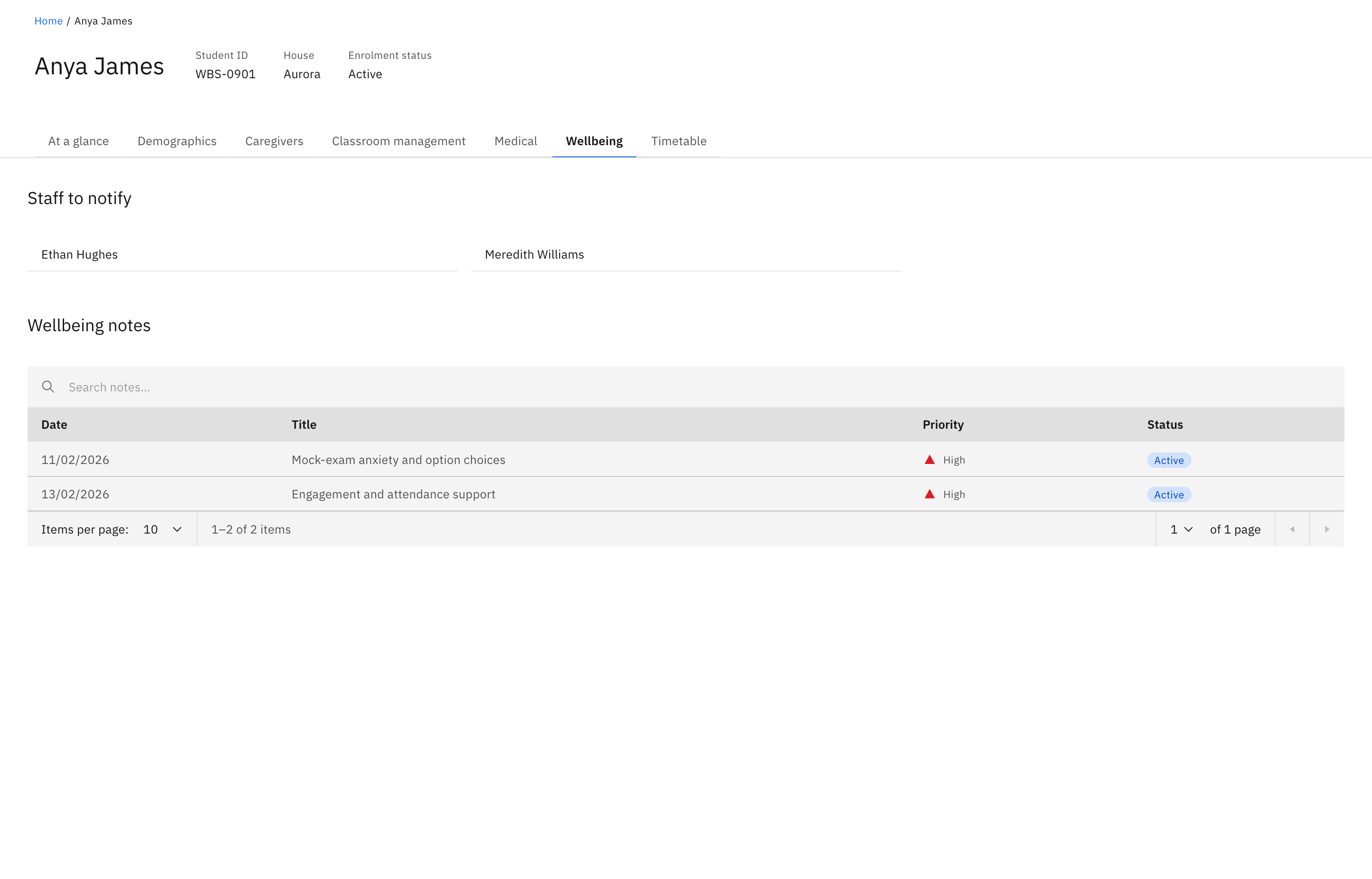
The Wellbeing tab on a student profile gathers every wellbeing note raised for that student, plus the contacts to escalate to. Like the rest of the profile, it is read-only — you view and copy here, you don't raise or manage a case from this page.
Open the Wellbeing tab
On the student profile, click the Wellbeing tab.
Check who to notify
Staff to notify lists the escalation contacts for this student. If no one is set, it reads No staff to notify.
Read the wellbeing notes
Wellbeing notes is a searchable table of every note raised for the student. Each row shows the Date, the Title, the Priority (Low, Medium, High or Critical, shown as an icon) and the Status of the wellbeing case (shown as a coloured tag). Type in the search box to filter, and set how many rows show per page — 10, 25, 50 or 100. When there are no notes the table reads No wellbeing notes yet.

This table only shows notes. To raise a note or manage a case, work in the Wellbeing feature rather than here.