View timetable
Quick answer
- On a student profile, open the Timetable tab to see what they have on today.
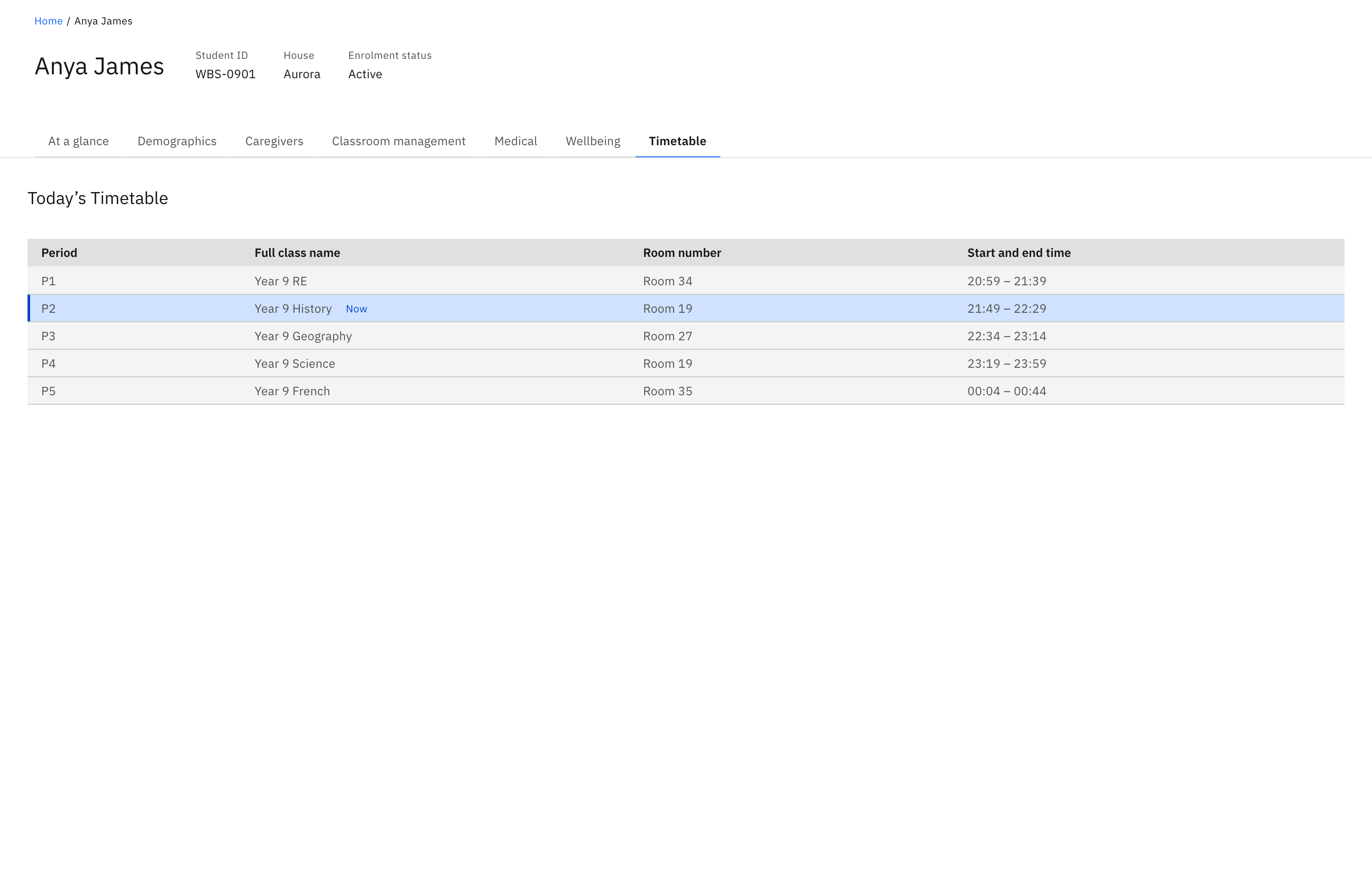
- Today's Timetable lists each class by Period, Full class name, Room number and Start and end time.
- The class happening right now carries a blue Now tag.
See what a student has on today — the day's classes, where they are, and what they're in right now. The timetable is read-only, like the rest of the profile.
Open the Timetable tab
On the student's profile, open the Timetable tab. It opens to Today's Timetable, the list of classes scheduled for the current day.
Read the day's classes
Each row shows the Period, Full class name, Room number, and Start and end time. Any field with no value shows a dash. If the student has no classes scheduled, the tab shows a "nothing scheduled" message instead of a list.
Spot the class happening now
The class in progress is tagged Now — a blue tag next to the class name — worked out from the current time against each class's start and end time, so it's an at-a-glance answer to where the student should be right now.