View classroom & learning
Quick answer
- Open a student profile, then the Classroom management tab.
- Read Learning programs for curriculum, mode and a Courses table.
- Check the Attendance percentage and the Disability and learning difficulties detail.
The Classroom management tab gathers a student's learning programme, the courses they're enrolled in, their overall attendance, and any diagnosed disability or learning difficulty. Like the rest of the profile, it's read-only — you view and copy, you don't edit here.
Open the Classroom management tab
On a student profile, open the Classroom management tab.
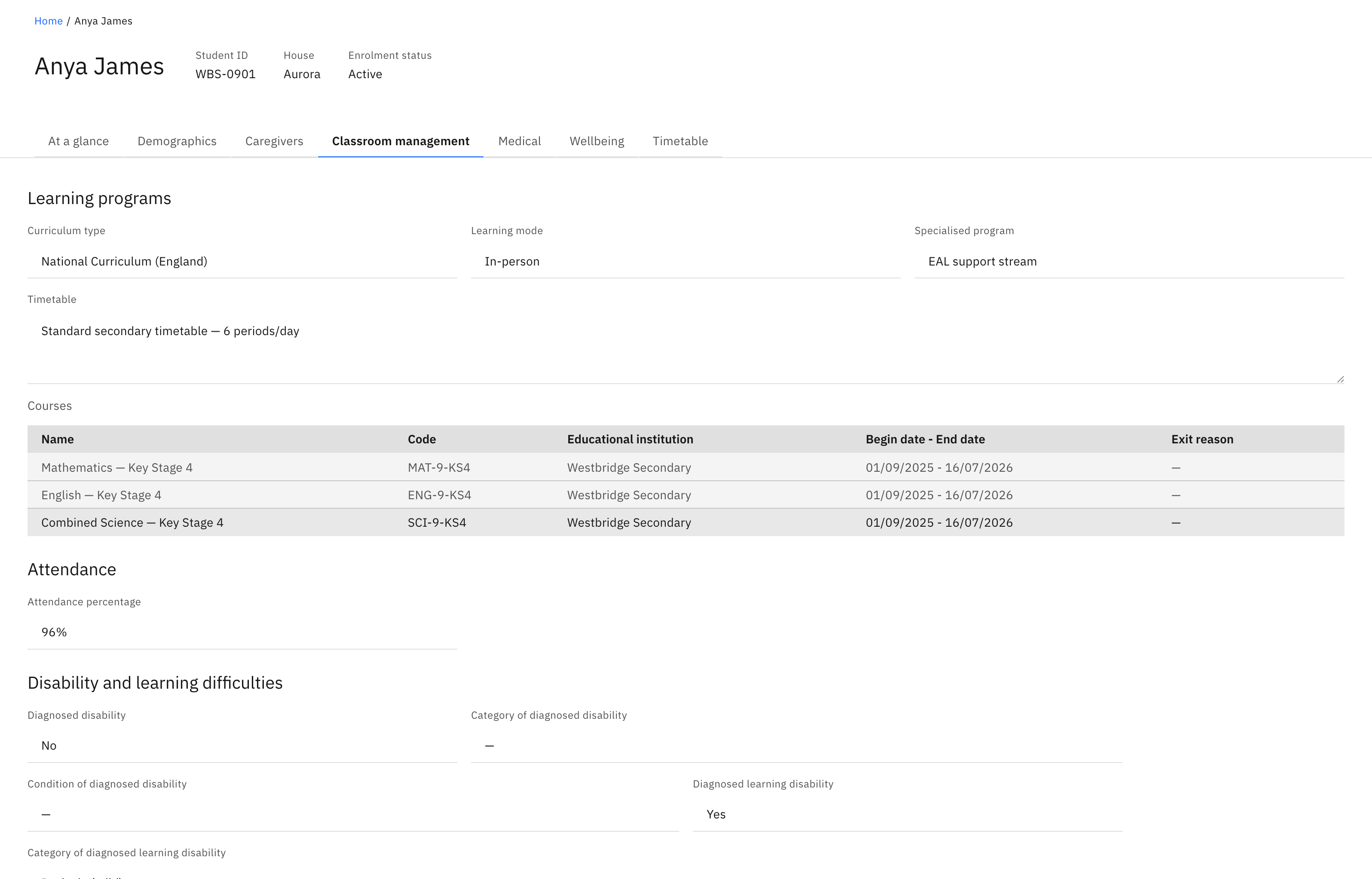
Read the learning programme
Learning programs shows the Curriculum type, Learning mode, Specialised program, and a free-text Timetable. Below them, the Courses table lists each course with its Name, Code, Educational institution, Begin date – End date, and Exit reason. The table reads No courses when the student has none enrolled.
Check attendance
Attendance shows the student's overall Attendance percentage.
Read disability and learning difficulty detail
Disability and learning difficulties records Diagnosed disability (Yes/No) with its Category and Condition, and Diagnosed learning disability (Yes/No) with its Category. Where a diagnosed learning disability document is on file, a link to it appears here; otherwise the section shows a "none attached" line. Any field with no value shows a dash (—) — that's normal, not an error.
