Dismiss all notifications
Quick answer
- Clear your whole notification list in one go.
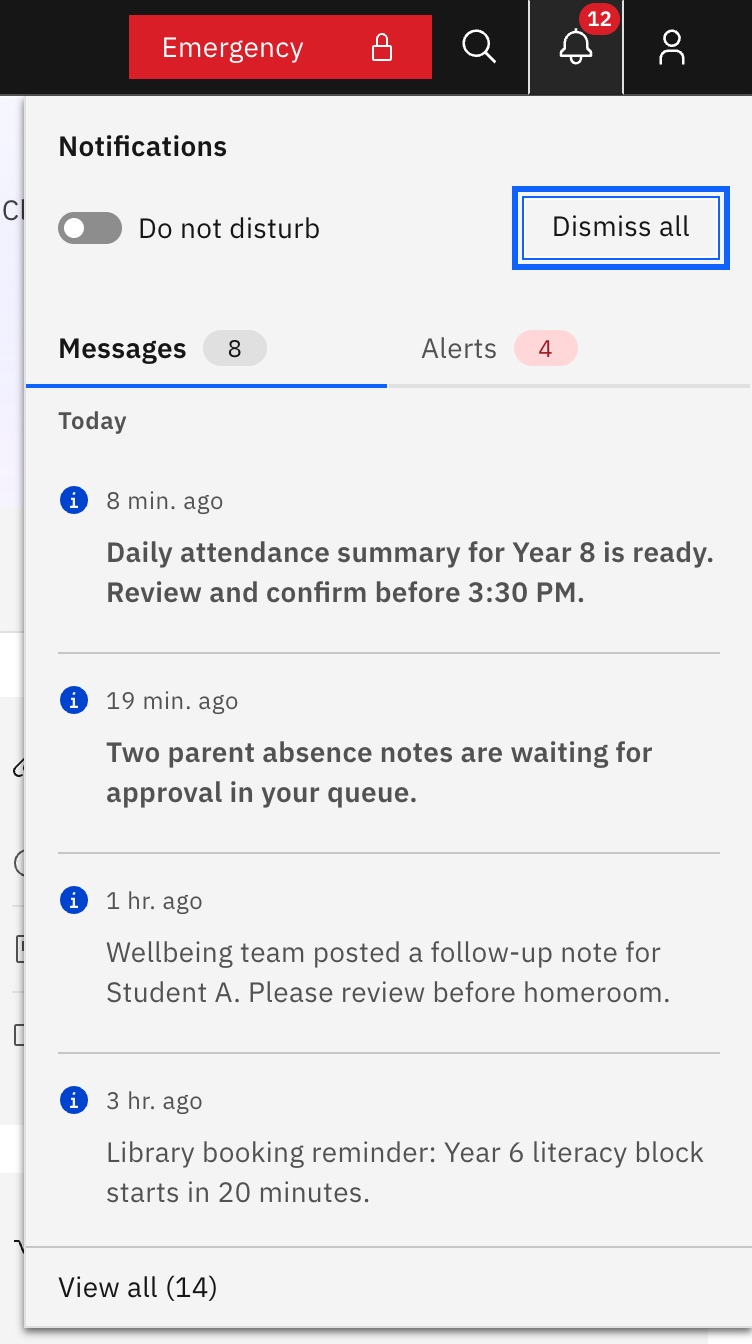
- From the bell panel, click Dismiss all in the header to clear instantly.
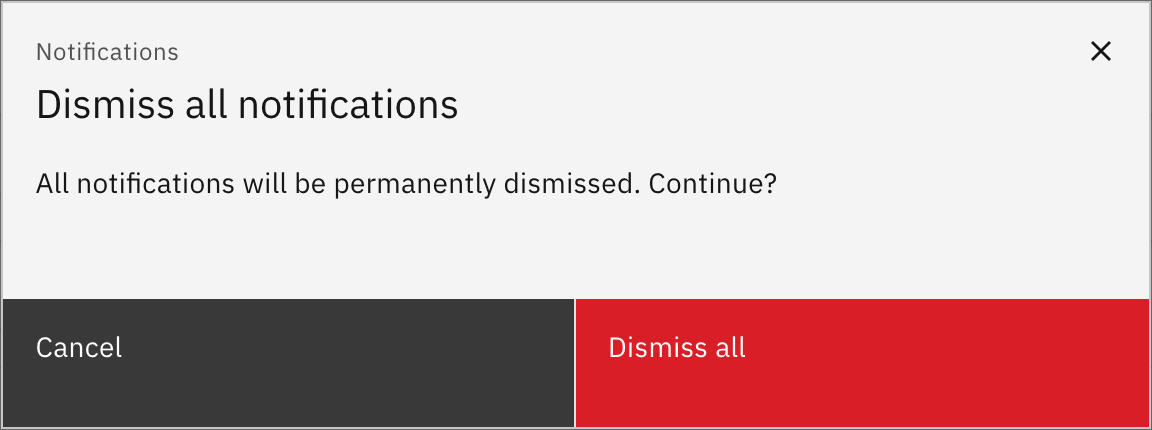
- From the Notifications page, click Dismiss all (top right) and confirm.
- Any favourited notifications are kept; everything else is cleared.
Clear your whole notification list in one go. Every signed-in staff member can do this; the controls are the same for everyone.
From the bell panel
Click the bell icon (top right of the header) to open the Notifications panel, then click Dismiss all in the panel header. The list clears straight away, with no confirmation step.
From the Notifications page
Open the bell panel, click View all at the bottom, then on the Notifications page click Dismiss all (top right). This version asks first: a pop-up reads "All notifications will be permanently dismissed. Continue?" — click Dismiss all to confirm or Cancel to back out. Dismiss all is disabled when there is nothing left to clear.
What gets cleared
Dismissing only affects your own list — it does not notify or change anything for anyone else. Any favourited notifications are kept; everything else is removed.