Manage your notices
Quick answer
- On the Notices board, click Manage notices.
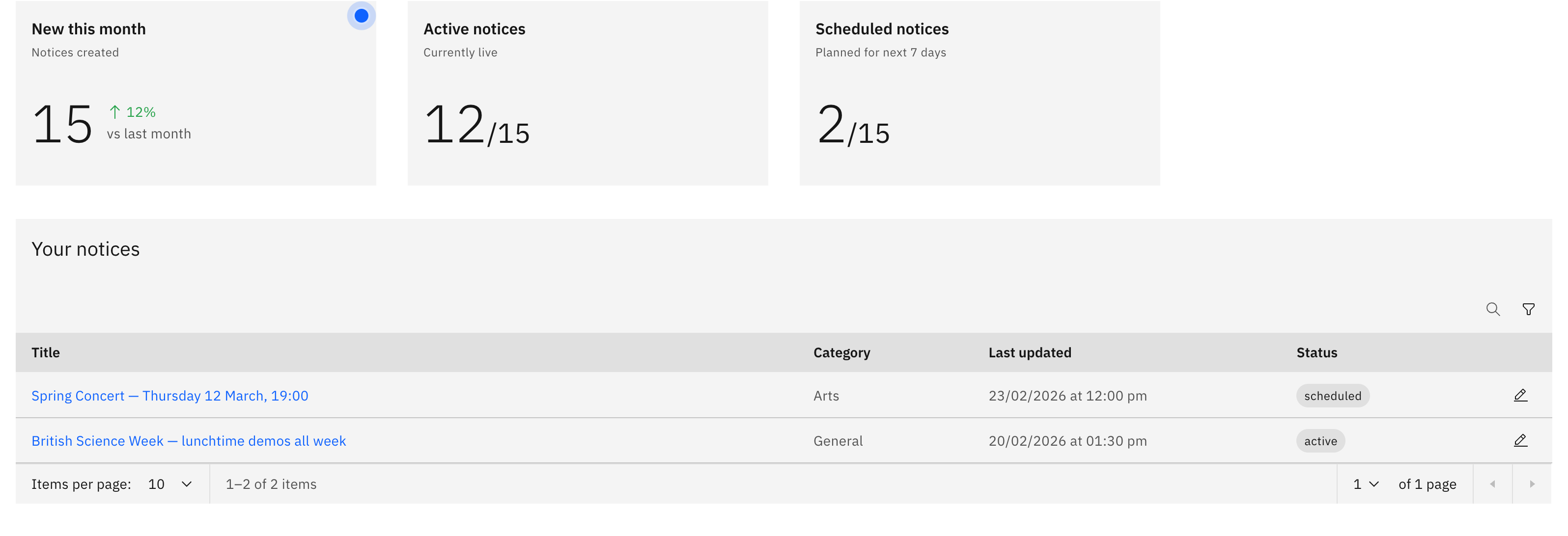
- Use the stat tiles, Search, and Filter to find a notice.
- Click a title to open it, or use a row's edit icon.
Manage notices has the table of notices you've created. Here, you can find, open, edit and feature them.
Note: If you can see Manage notices, you have editing access. You see the notices you created; school leaders also see everyone's notices.
Open Manage notices
On the Notices board, click Manage notices in the top right corner.
Find a notice
The stat tiles at the top double as filters. Click Active notices or Scheduled notices to filter the table. Click the tile again to clear the filter. You can also Search by the notice title or Fliter by status and category. Click a notice's title to open its full details, or use a row's edit icon to change it.