Your MyDay home page
Quick answer
- MyDay is your home page — return to it via StaffXP in the nav bar.
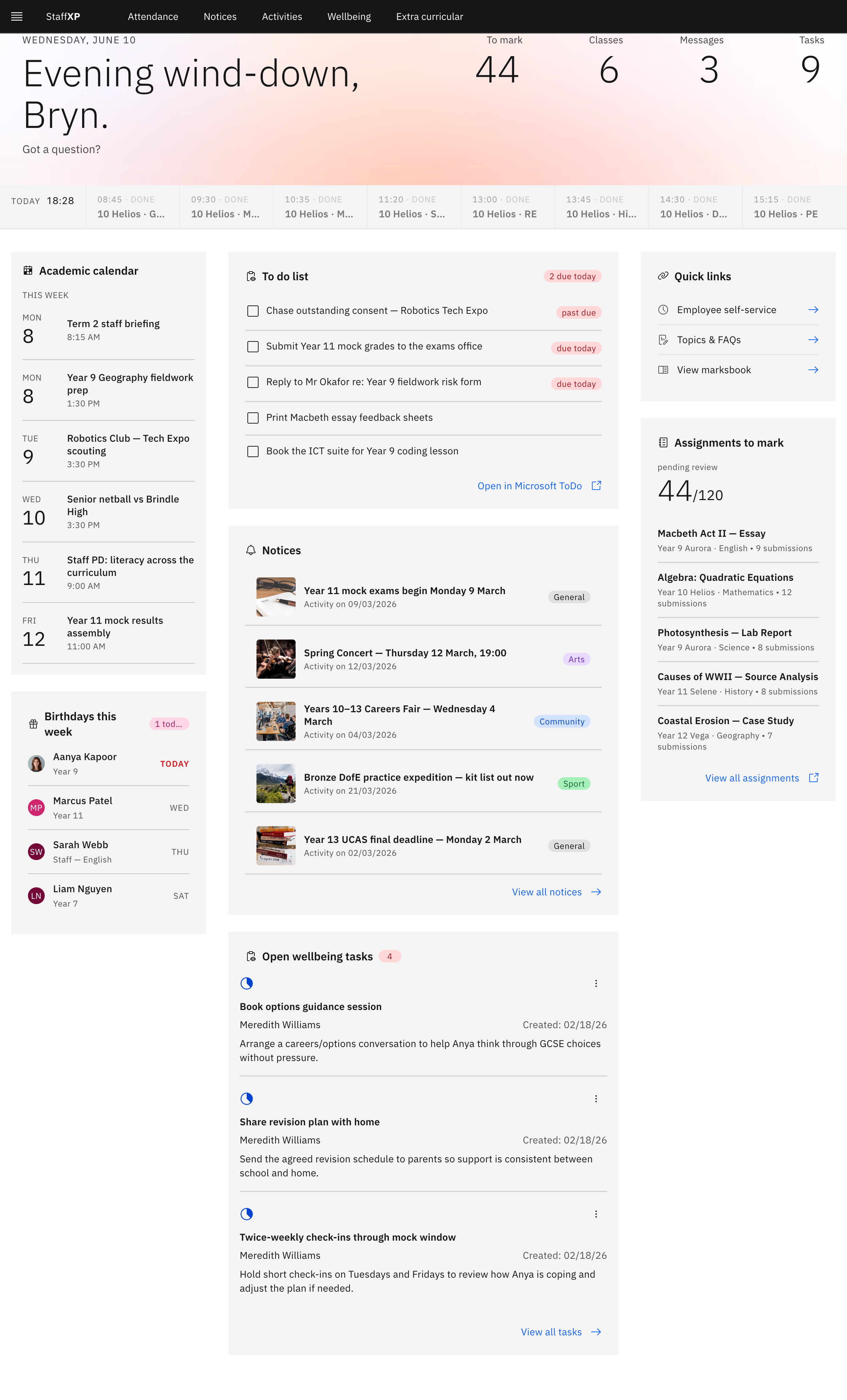
- Tiles show your schedule, assignments to mark, to-do list, notices, and more.
- Quick links jumps to Employee Self-Service, Topics & FAQs, and your markbook.
MyDay is the StaffXP landing page — your quick view of the day. Return to it any time by clicking StaffXP in the navigation bar.
What's on it
The tiles display what you need for the day: Today's schedule and timetable, assignments to mark, your to-do list, notices, this week's birthdays, and open wellbeing tasks.
Quick links
The Quick links tile is the fast way into Employee Self-Service, Topics & FAQs, and View markbook.
Note: MyDay's look shifts through the day — morning, midday, and evening — to match when you're using it.