Change the theme
Quick answer
- Click the User icon.
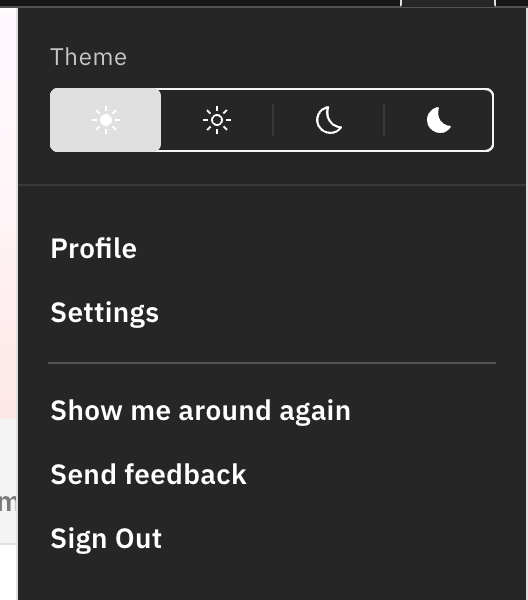
- Under Theme, pick Light, Subtle light, Subtle dark, or Dark.
- The change applies instantly.
Switch the StaffXP theme between light and dark to suit your screen preferences and lighting conditions.
Open the theme picker in the User menu
Click the User icon (top right). The Theme row sits at the top of the menu.
Pick a theme
Choose Light, Subtle light, Subtle dark, or Dark — it applies instantly across the platform.
Note: Light mode reads best in bright rooms, dark mode in dim ones — but it's whatever's comfortable for you. You can also set this in Settings.