Search and filter the roll
Quick answer
- Type a name into Search students… in the roll toolbar to filter the roll.
- Use the filter control to show only students carrying an alert.
- Filters combine with search; reset clears the alert filters.
When a roll is open, the toolbar lets you jump to one student or narrow the roll down to just the students carrying an alert.
Search by name
Type into Search students… in the roll toolbar. The roll filters to matching names as you type.

Show only flagged students
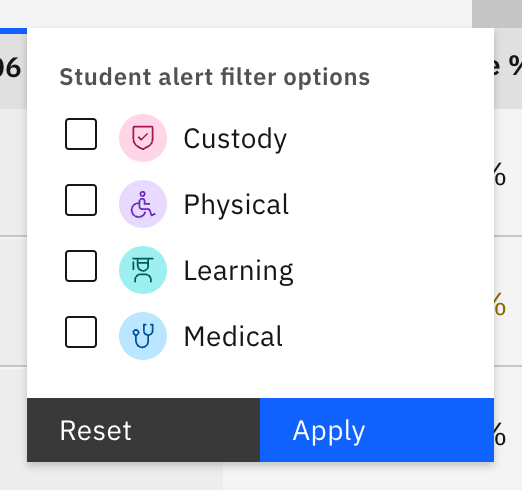
Use the filter control to show only students carrying an alert — Physical / wellbeing, Medical, Custody, or Learning.
Combine and reset
The alert filters combine with whatever is in Search students…, so you can search a name and an alert at once. Reset clears the alert filters and shows the full roll again.