View the activities calendar
Quick answer
- On the Activities overview, click the Calendar view card (or open Calendar view from the navigation).
- Switch between Month, Week and Day, and page through dates.
- Activities show as coloured blocks; click an event to see its details.
The activities calendar is a month, week or day view of scheduled activities — handy for checking whether a date is free before you submit a request.
Open the calendar
On the Activities overview, click the Calendar view card ("Check your preferred date before submitting request"), or open Calendar view from the navigation.

Choose how to view dates
Switch between Month, Week and Day, and page forward or back through dates to find the period you need.
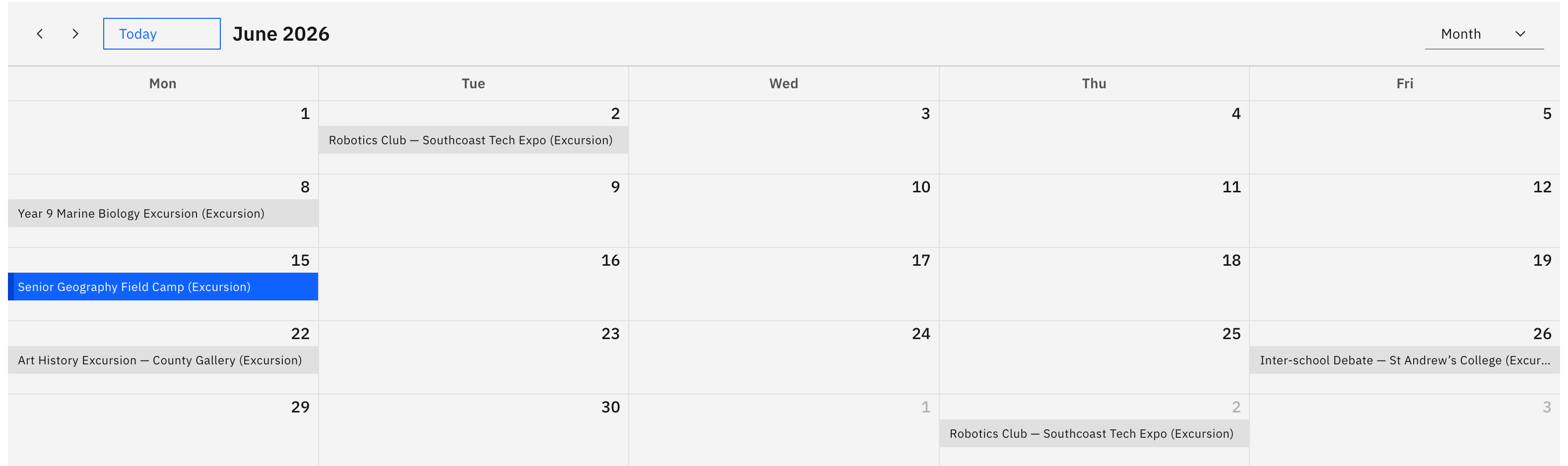
Read an activity
Activities are shown as coloured blocks, with the colour set by activity type. Click an event to open a pop-up with its name, type, dates, and the year group, house or class it's for.
Note: The calendar is read-only — you can't create or edit an activity from it; it's only there to help you pick an available date.