Review parent volunteers
Quick answer
- On the Activities overview, open Parent volunteers to action parent helper sign-ups.
- Review a volunteer to see their documents, then Approve or Decline — or select several and use the batch Approve / Decline actions.
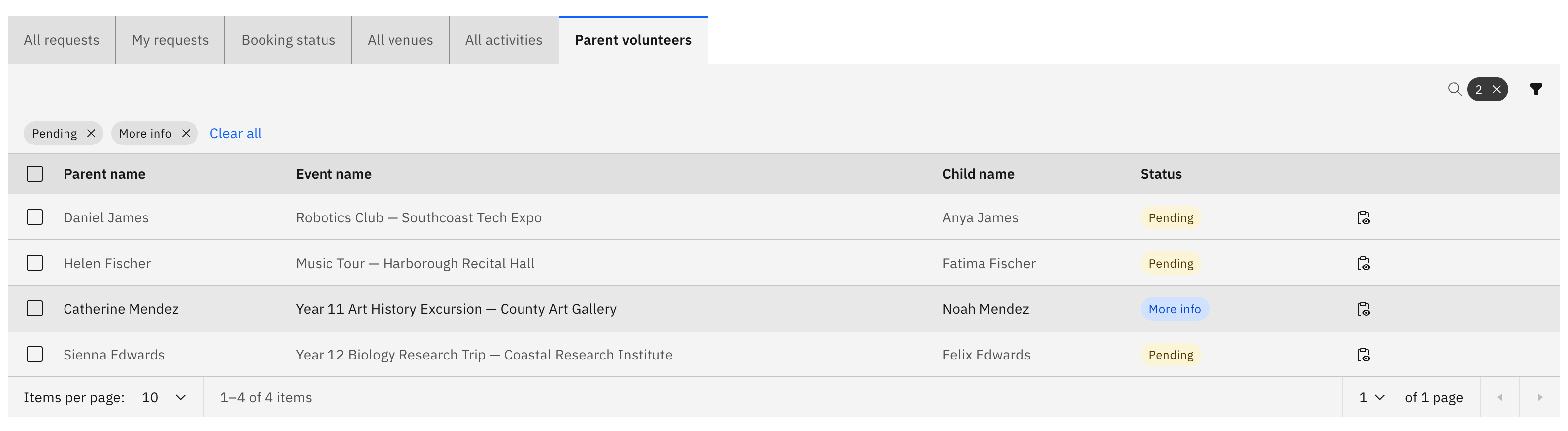
- The tab opens filtered to Pending / More info, so the sign-ups you need to action show first.
Parents can sign up to help on an activity, and their sign-ups land here for an approver to action. Reviewing and approving parent volunteers is approver-only (activity coordinator, school leader, or super admin); general staff can see the list but not the approve or decline controls.
Open the parent volunteers list
On the Activities overview, open Parent volunteers. The tab opens filtered to Pending / More info, so the sign-ups waiting on you appear first.
Read the table
Each row shows the volunteer's parent name, the event, the child, their contact details, the role they offered, and a Status tag.
Review a volunteer
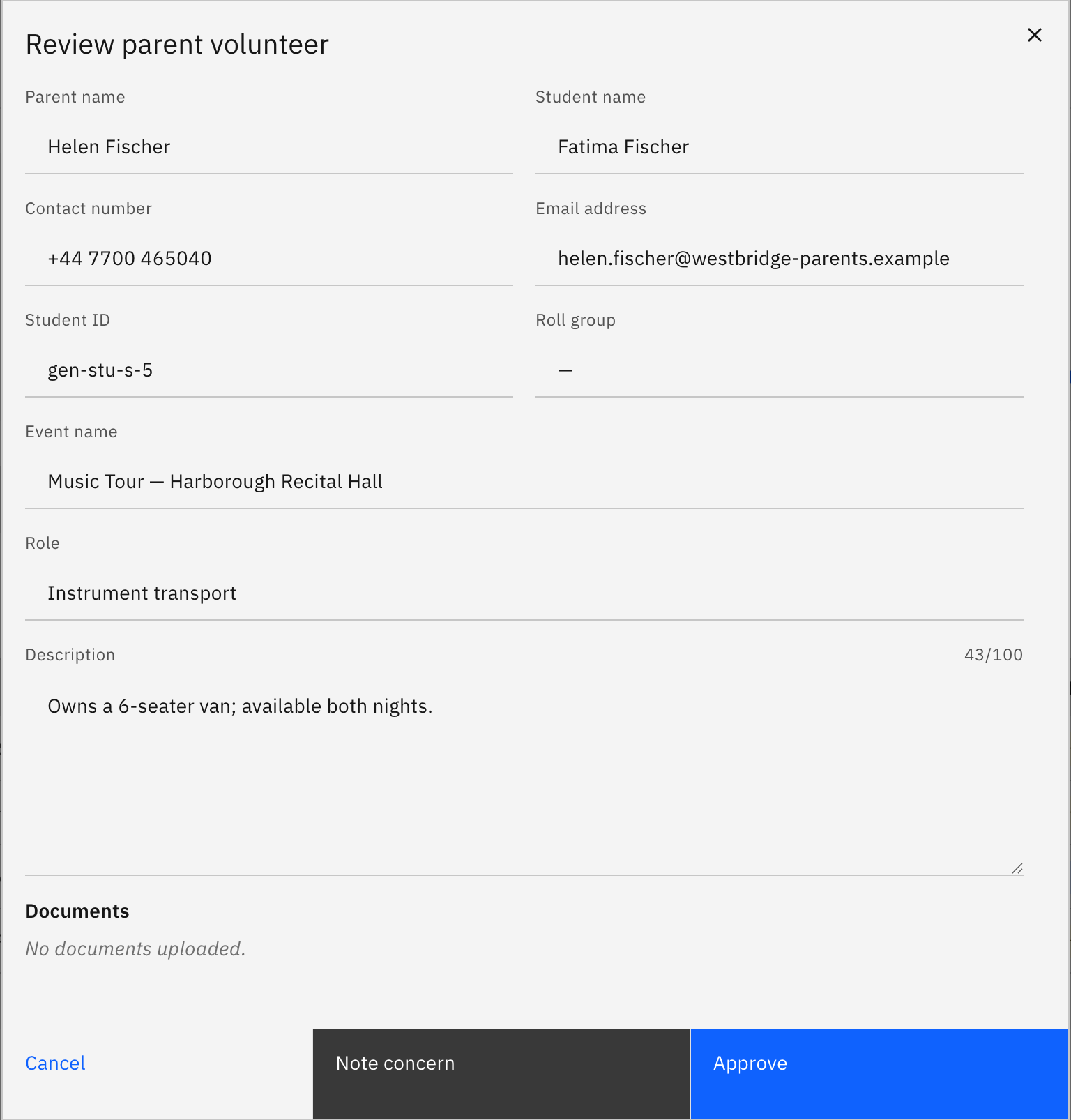
Click Review on a row to open the detail modal, where you can read the volunteer's submitted documents before you decide.
Approve or decline
In the modal, click Approve or Decline. To action several at once, select their rows and use the batch Approve / Decline actions.
Remove an approved volunteer
To withdraw someone you have already signed off, click Remove on their row.