Open the Activities overview
Quick answer
- Open Activities from the navigation.
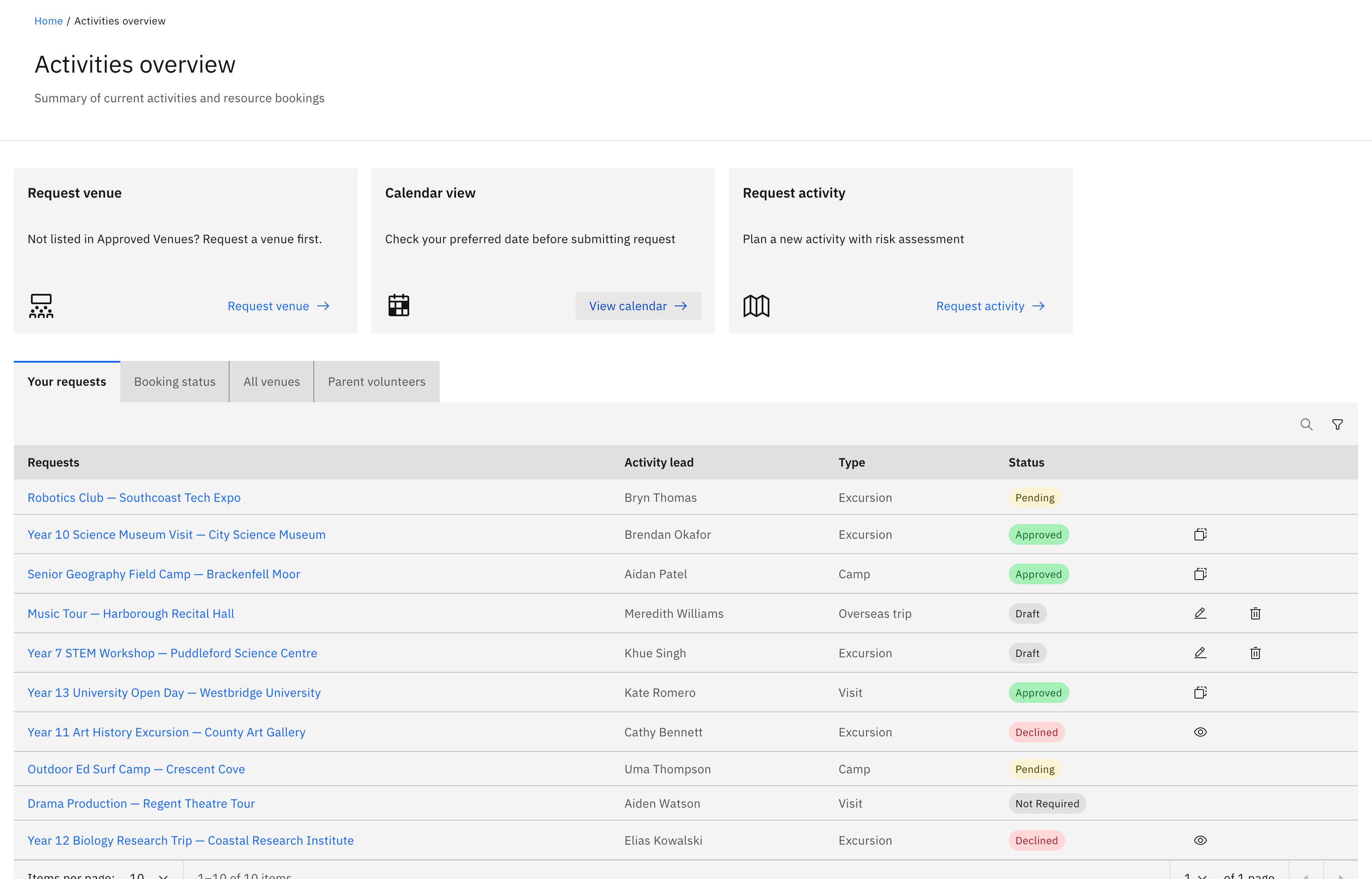
- Three action cards sit across the top — Request venue, Calendar view, Request activity.
- Below them are the tabs — your request queue, Booking status, All venues and more.
The Activities overview is the hub for out-of-class events — excursions, visits, camps and overseas trips — along with the venues and resources used for them. Three action cards sit across the top, and a set of tabs sits below.
Open Activities
Click Activities in the navigation bar. Anyone with activity access can open it. The page opens on the action cards and the tabs below.
Use the action cards
Three cards run across the top:
- Request venue — "Not listed in Approved Venues? Request a venue first." Opens the venue request.
- Calendar view — "Check your preferred date before submitting a request." Opens the read-only activities calendar so you can pick a free date.
- Request activity — "Plan a new activity with risk assessment." Opens the activity-type dropdown (excursion, visit, camp or overseas trip).
Find the request queue
The first tab is your request table. General staff see Your requests — only the requests you submitted. Activity coordinators and school leaders see All requests instead, plus a separate My requests tab for their own submissions.
Browse the other tabs
The remaining tabs are:
- Booking status — resource bookings tied to activities.
- All venues — approved and declined venues.
- All activities — every approved activity org-wide. This tab only shows for activity coordinators and super admins.
- Parent volunteers — parent helper sign-ups awaiting review.
A notification can deep-link you straight to a specific tab — for example, open the overview with All venues already in focus.