Create a new contract - Initiator
Quick answer
- Click New Contract +, complete basic contract information.
- Upload the contract, add a risk assessment and update the Applicable Mandatory Policy.
- Select the contract manager and Submit to Contract Manager.
Typically, the approval workflow starts with the contract Initiator → Contract Manager → Legal → Business → Vendor. There are four steps to initiate a contract: Basic information, Contract Specifics, Attachment, Reviews and approvers. As the creator of a new contract, you are the first step, the initiator.
Create a New Contract
Click New Contract +. A panel at the top of the page shows the current stage of the contract approval process.

Fill in the required fields
Click Next to complete all parts of the form, or you can click Save draft to complete the form later.
Generate a contract document
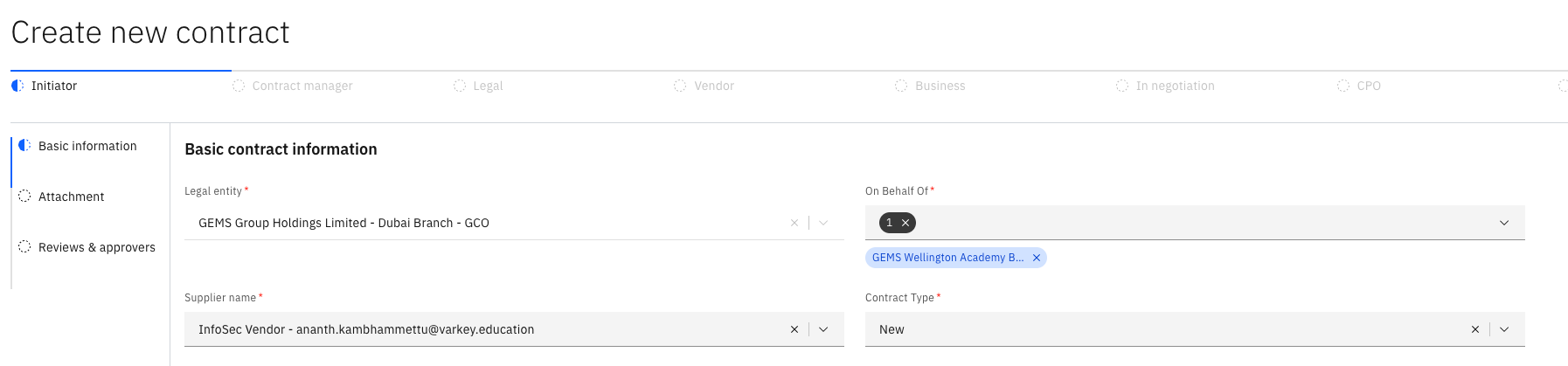
Complete the fields in the Basic contract information tab.
Attach Risk Assessment
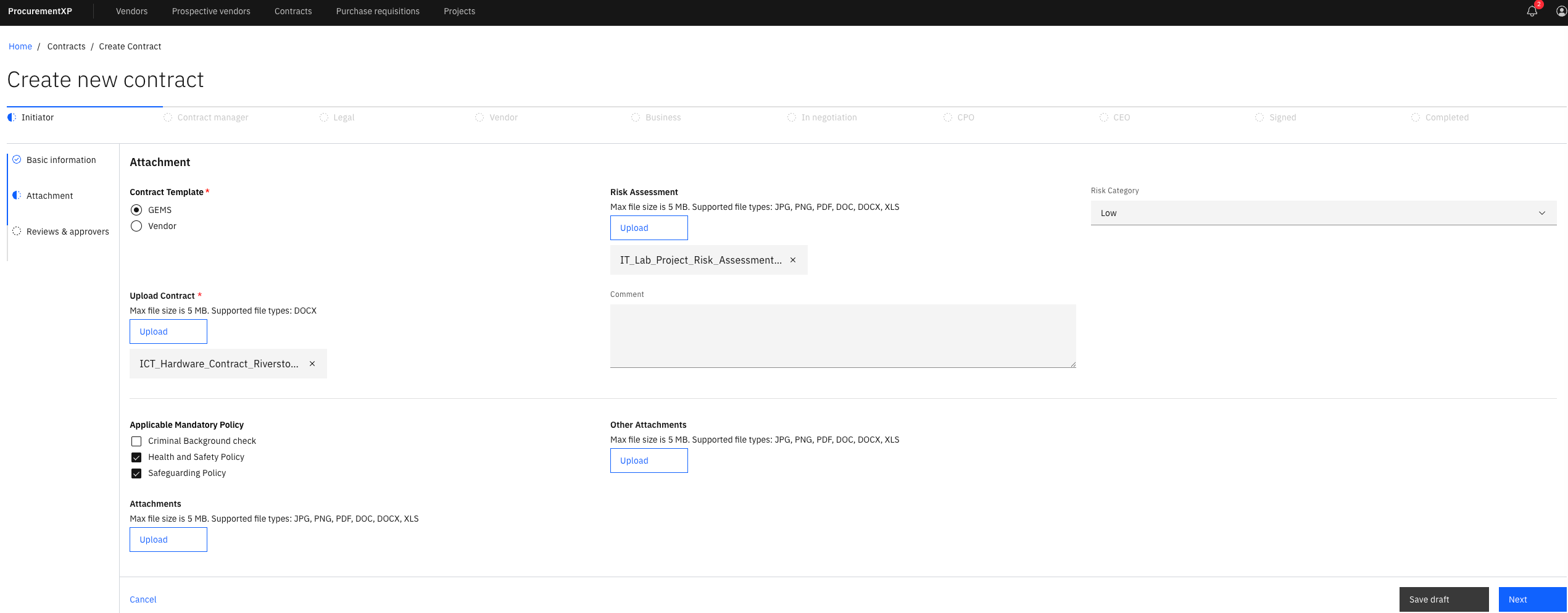
Upload a copy of the contract and Risk Assessment documents and identify the risk level in the Risk Category. Here, you can also identify the Applicable Mandatory Policy.
Select the Contract Manager
In Reviewers and approvers, the person you select will receive the contract proposal to review in the next stage. Then click Submit to Contract Manager.
Note: If any fields are missing, these will be highlighted in red, and the contract proposal cannot be submitted.