Transfer Certificate
Quick answer
- Select the School Information tile.
- Click Transfer Certificate from the suggested prompts.
- Choose the child you need the certificate for.
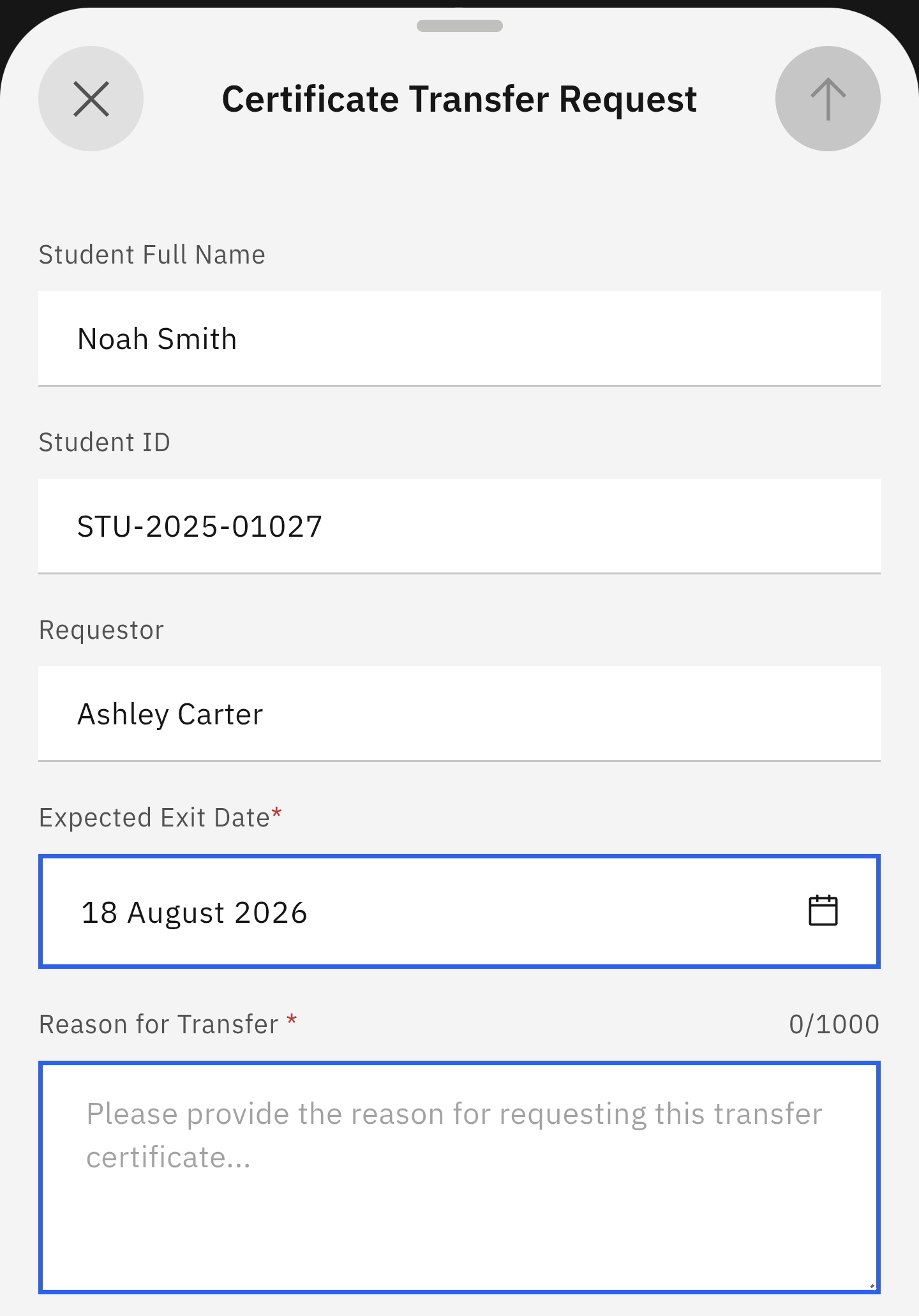
- Complete the Request transfer certificate form.
When your child moves to a new school or campus, they will need a transfer certificate and their curriculum records to present to the new school.
Select the prompt for a student transfer certificate
Select the School Information tile from the home screen. Select the Transfer Certificate prompt. A list of your children's names will appear; choose the child leaving the school.
Complete the transfer certificate request form
The app will prompt you to complete a short form. Click Request transfer certificate. Complete the form and press the arrow in the top right of the screen. A success message appears after sending the form.