View Outstanding Fees
Quick answer
- Click the Fees tile.
- Select View Outstanding Fees from the prompts.
- Select your child's name from the dropdown menu.
- Press the credit card icon to view the invoice and make a payment.
Select View Outstanding Fees from the prompt
Click the Fees tile on the home screen. Select View Outstanding Fees from the suggested prompts.
Select the child to view outstanding fees
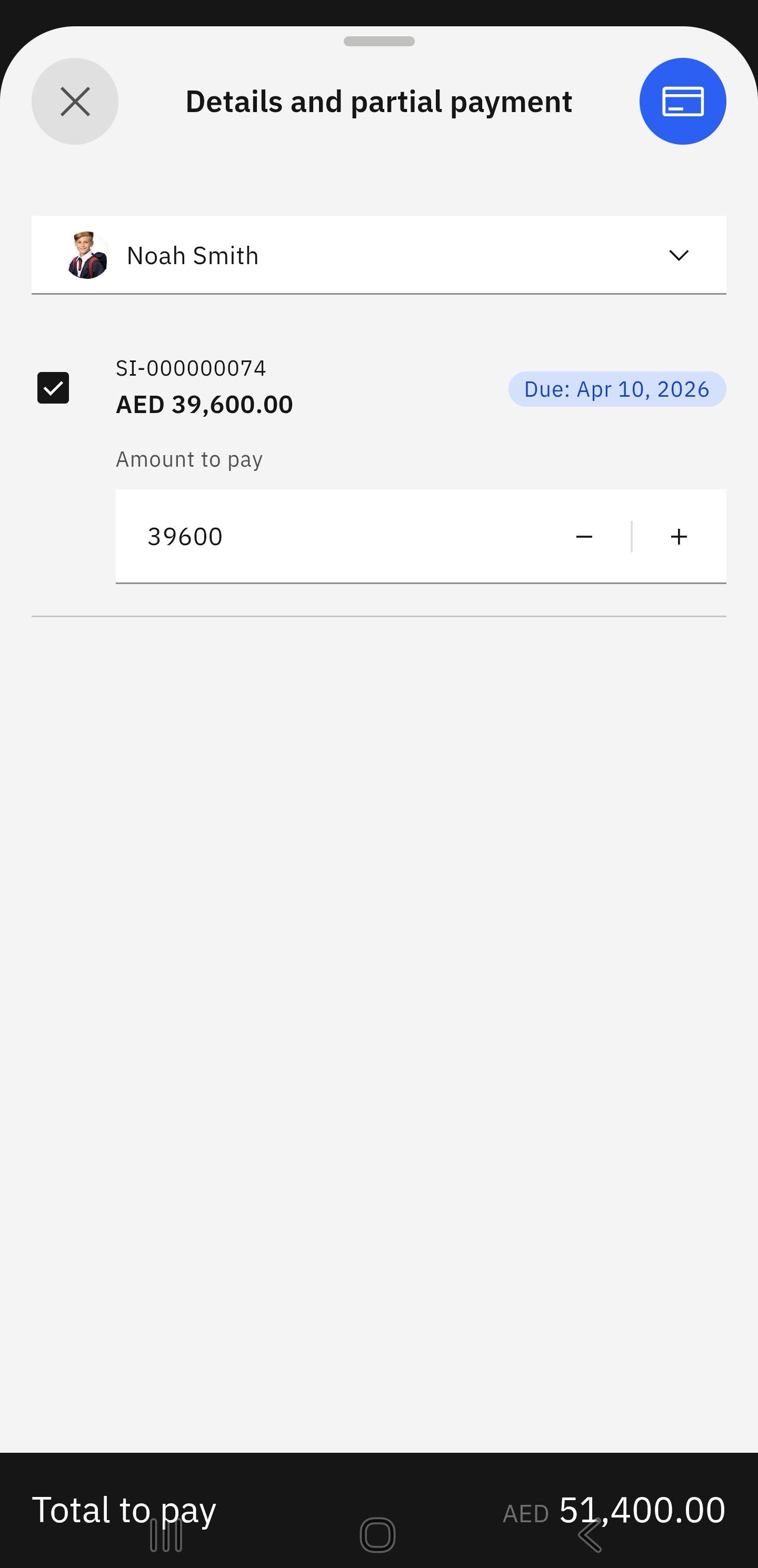
Choose your child from the dropdown menu. You can total up the fees for one or more children enrolled in the school. Select the fees in question. Click the credit card icon in the top-right corner of the screen.
View the fee breakdown
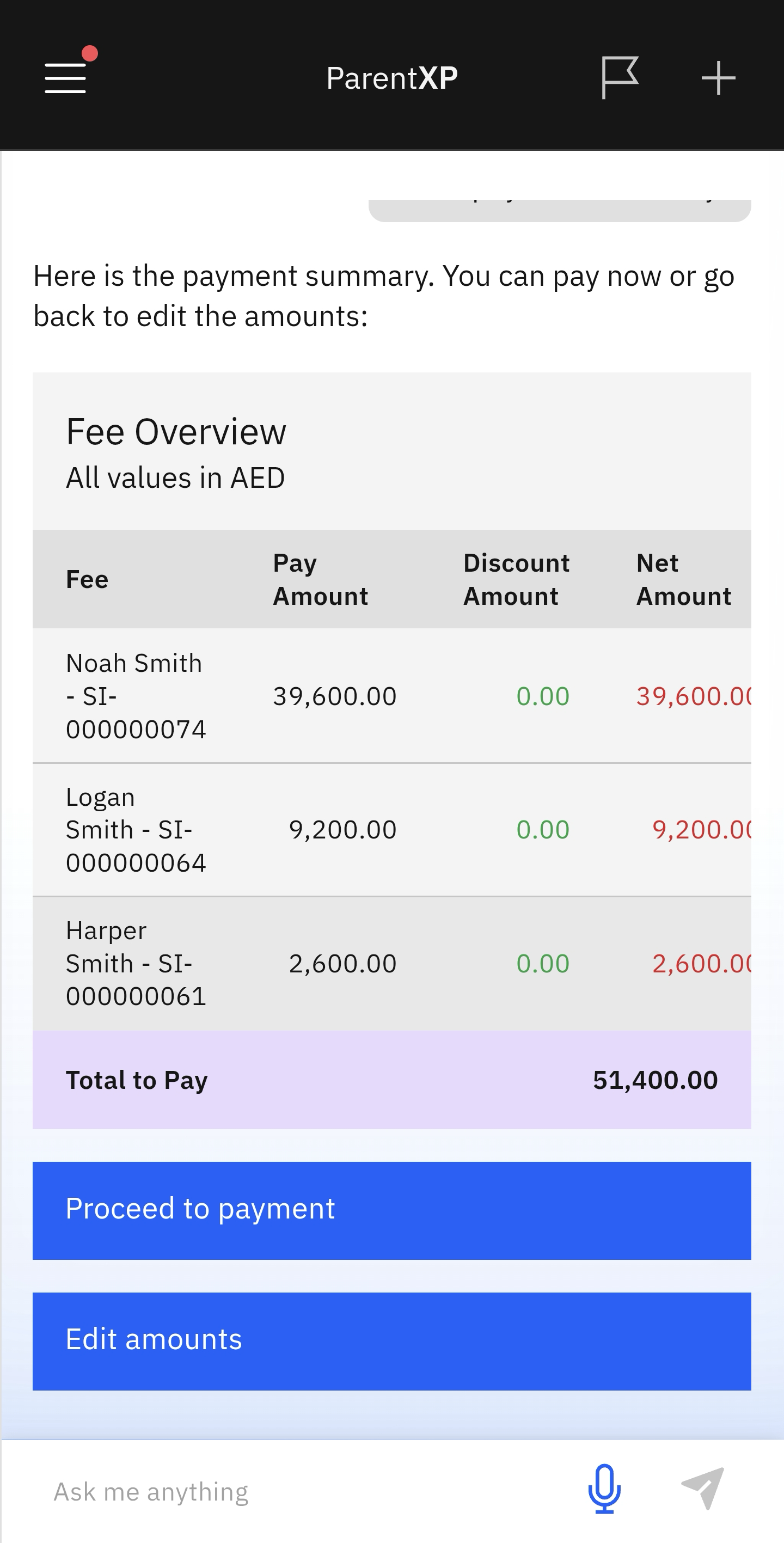
The outstanding fees will automatically display in a table by child and amount due. You can pay the outstanding fees at this point. Below the table, you can either Edit amounts or Proceed to payment.