Supported Payment Methods
Quick answer
- Tap the Fees tile.
- Select Supported payment methods from the prompts.
- Read the guidelines and information for making payments to the school.
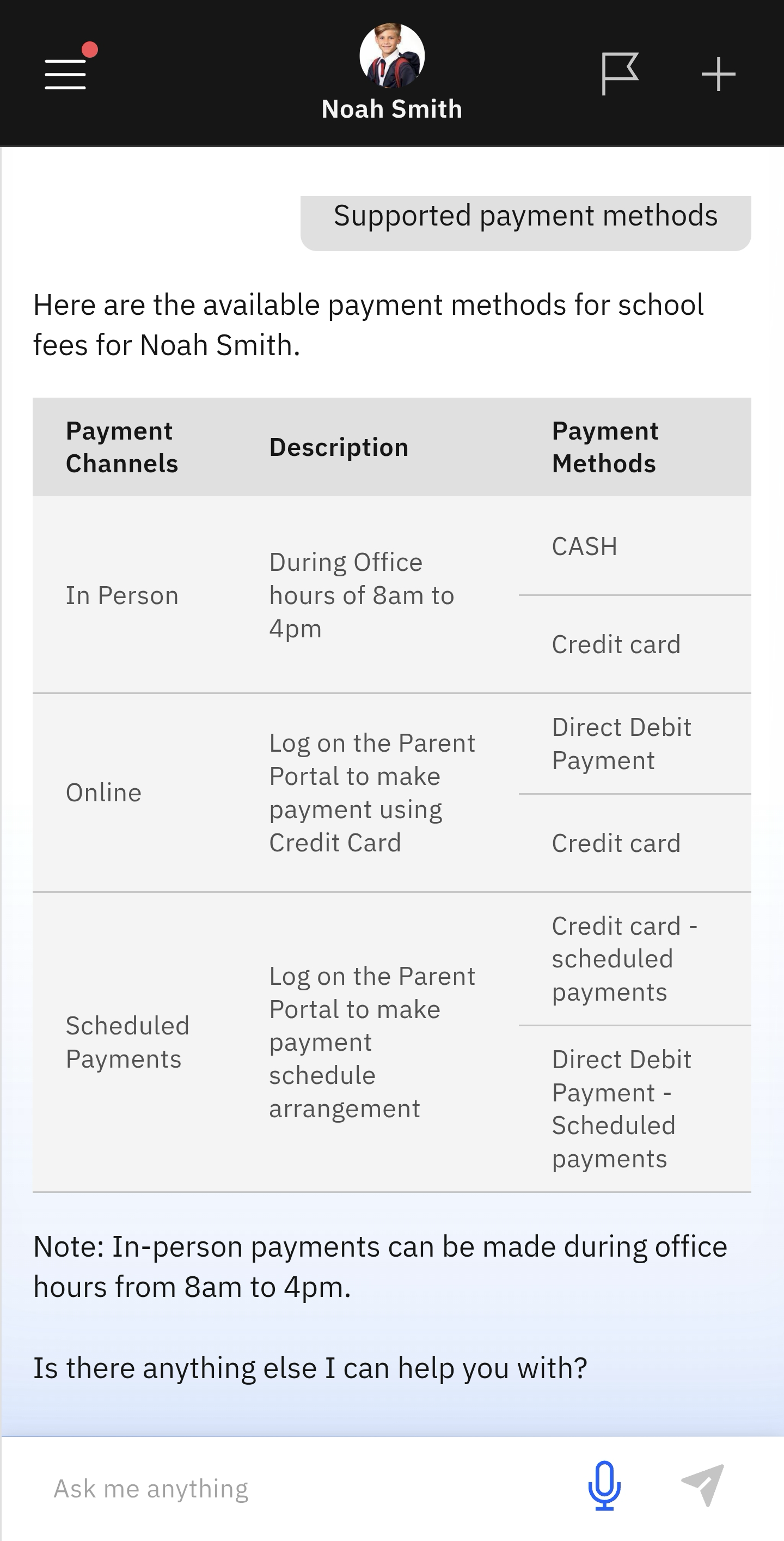
The app provides information on the payment methods the school accepts.
Select the Fees tile
Select the Fees tile on the home screen. Then select Supported payment methods from the tabs. The information will display automatically. The information includes a note on the school office hours for in-person payments.