Unexpected Absence
Quick answer
- “Click the Attendance tile on the home screen.”
- “Click the Unexpected Absence prompt.”
- “Complete and submit the Open leave request form for the appropriate child.”
For unexpected absences, you can submit a form to notify the school.
Select the Unexpected Absence prompt
Go to the Attendance tile on the home screen. Select the Unexpected Absence prompt.
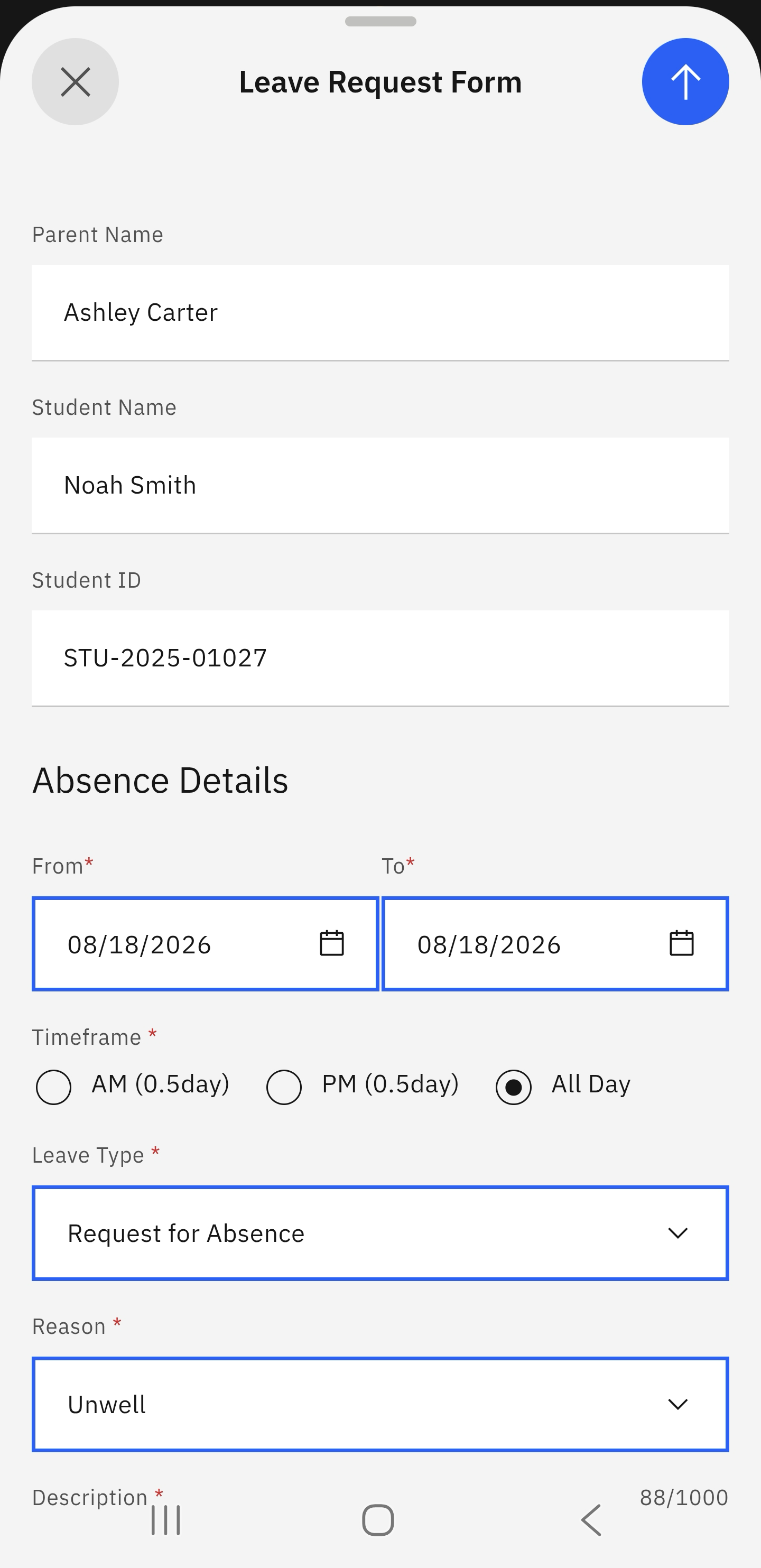
Select the child and complete the leave request form
Select the child that will be absent. Complete the Open leave request form. Optionally, upload any supporting documents for the required absence. Click the arrow in the top right to submit the form.
Note: The arrow to send the form only becomes active when all the fields are completed.