View expiring records
Quick answer
- From the ESS dashboard, locate and click the Expiring Records tile for the document type.
- Review the list of employees with expiring or expired documents.
- Take the necessary action and update the record.
The Expiring Records workspace gives HR and PRO teams a centralised view of all employee documents approaching or past their expiry dates.
Open Personnel Management
Follow the pathway Human resources ▸ Workspaces ▸ Personnel management.

Click the tile
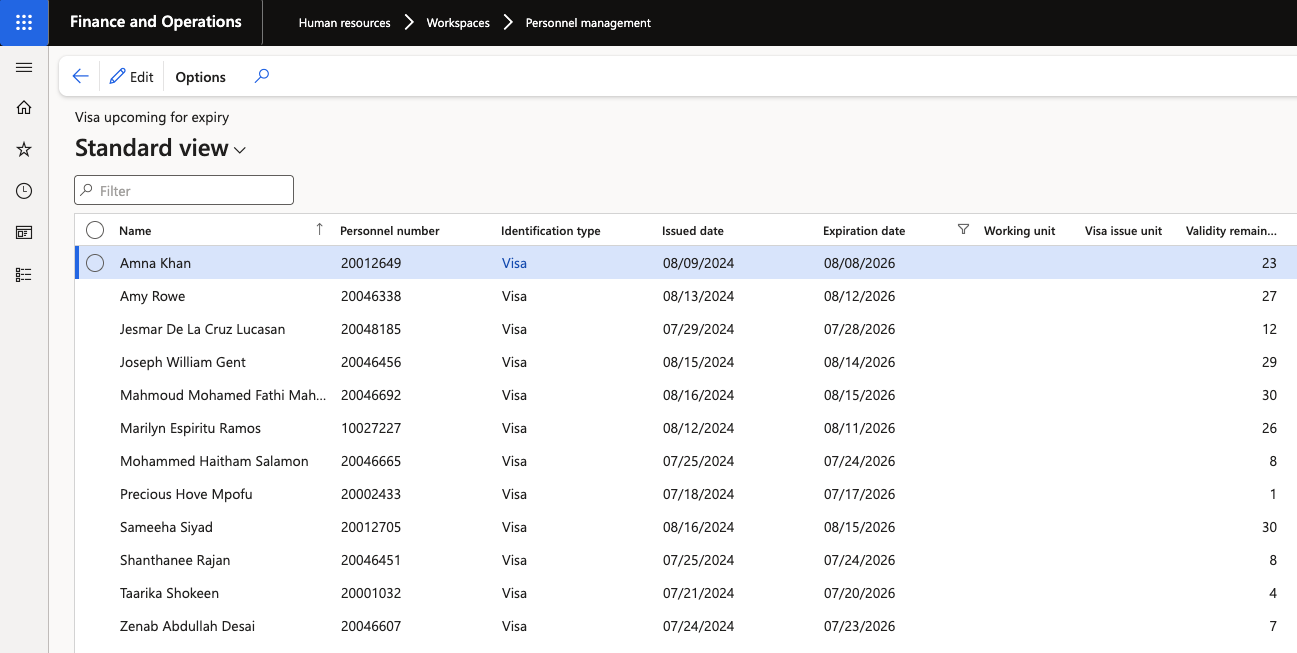
Click the tile to open the full workspace view. Each record shows:
- The employee's name and UID
- The document type and expiry date
- The number of days remaining
Expiry thresholds — how far in advance an alert is triggered — are configured per document type in the system setup. For example, a passport alert may begin 50 days before expiry, displaying 49 days remaining.
Take action
Review the list and contact or follow up with the relevant employees. Once a renewal has been processed, update the record in D365 accordingly.