Manage MOL professions
Quick answer
- Go to Visa Master ▸ MOL Profession in D365.
- Review the list of pre-loaded professions or click New to add one.
- Click Save when done.
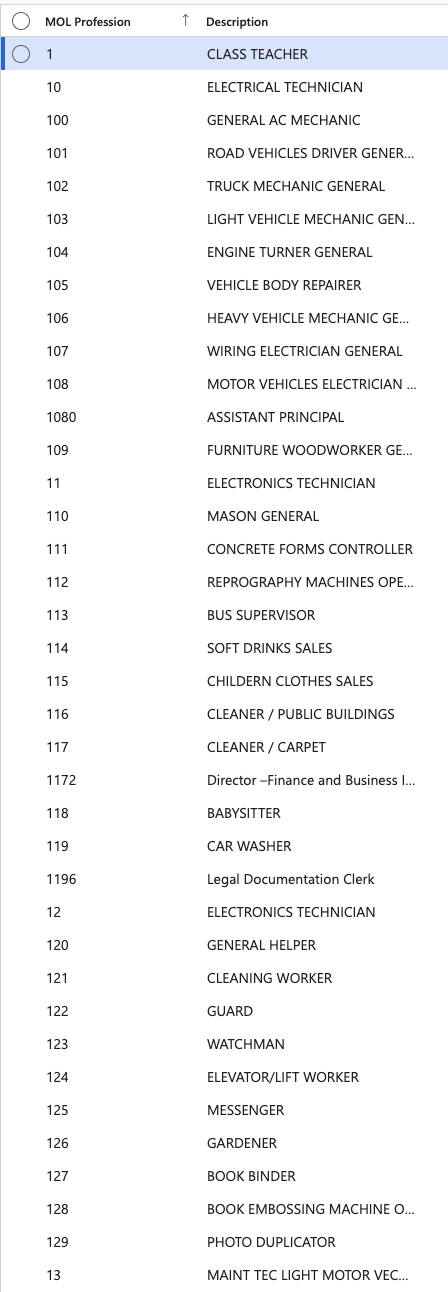
MOL (Ministry of Labour) professions define the occupational classifications required for labour regulatory compliance. All standard MOL professions are pre-loaded into the system.
Navigate to MOL Profession
From D365, go to Human Resources ▸ Setup ▸ Visa master ▸ MOL Profession. The full list of MOL professions is displayed, including profession codes and descriptions. Descriptions are shown alongside codes in all dropdown selections to ensure clarity.
Add a new profession
Click New, enter the profession code and description, then click Save.
Export the list
Click Export to Excel to download the list if needed.