Set overtime eligibility on staff levels
Quick answer
- In D365, open Staff levels and tick Overtime applicable against each category that can claim overtime.
- When a hire worker action completes for a position in that category, Eligible for overtime is set to Yes on the employment record automatically.
- The flag can be amended on the individual employee afterwards where the rule doesn't fit.
Overtime eligibility is decided by staff level, not person by person. Flag the categories that can claim overtime once, and every hire into a position in one of those categories picks up the flag automatically as their worker action completes.
Open the staff levels form
In D365, open the Staff levels form (Human resources ▸ Setup ▸ Staff levels) and find the staff position category and staff category you are setting — for example, transport support and support staff.
Tick the overtime flag
Set Overtime applicable against that category.
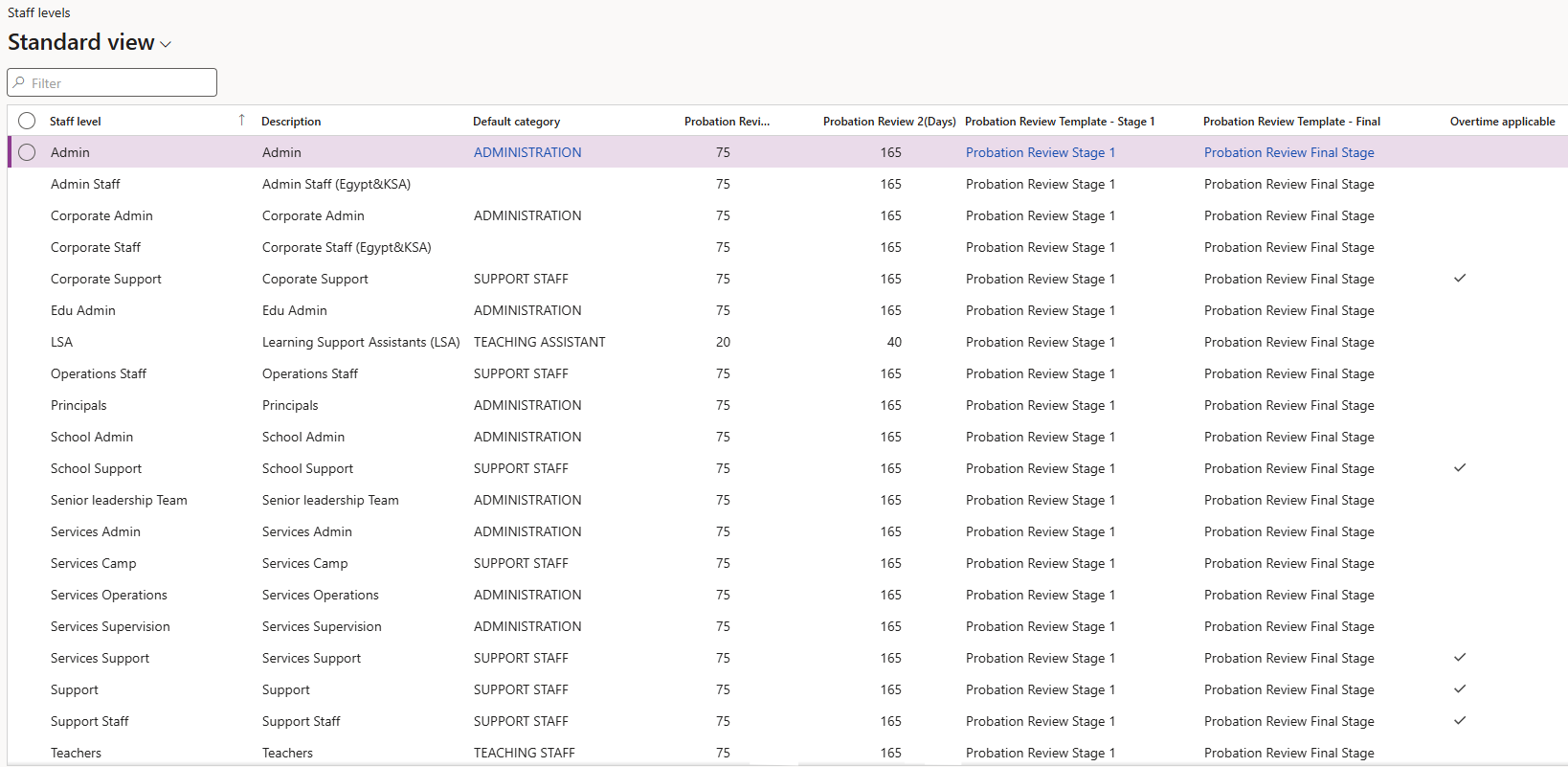
Only staff in categories flagged here are treated as eligible for overtime. Unflagged categories produce no overtime records, no matter how many extra minutes their attendance logs show.
Save
Click Save. The setting takes effect for worker actions completed from now on — it does not retrospectively update people already hired.
Complete the hire worker action as usual
Hire the employee through the normal worker action process, with a position whose staff position category and staff level match the one you flagged. Submit the action to workflow and let it be approved.
The worker action has to be completed, not just submitted. The flag is written to the employment record during action processing, so it isn't there while the workflow is still running.
Check the flag on the employee
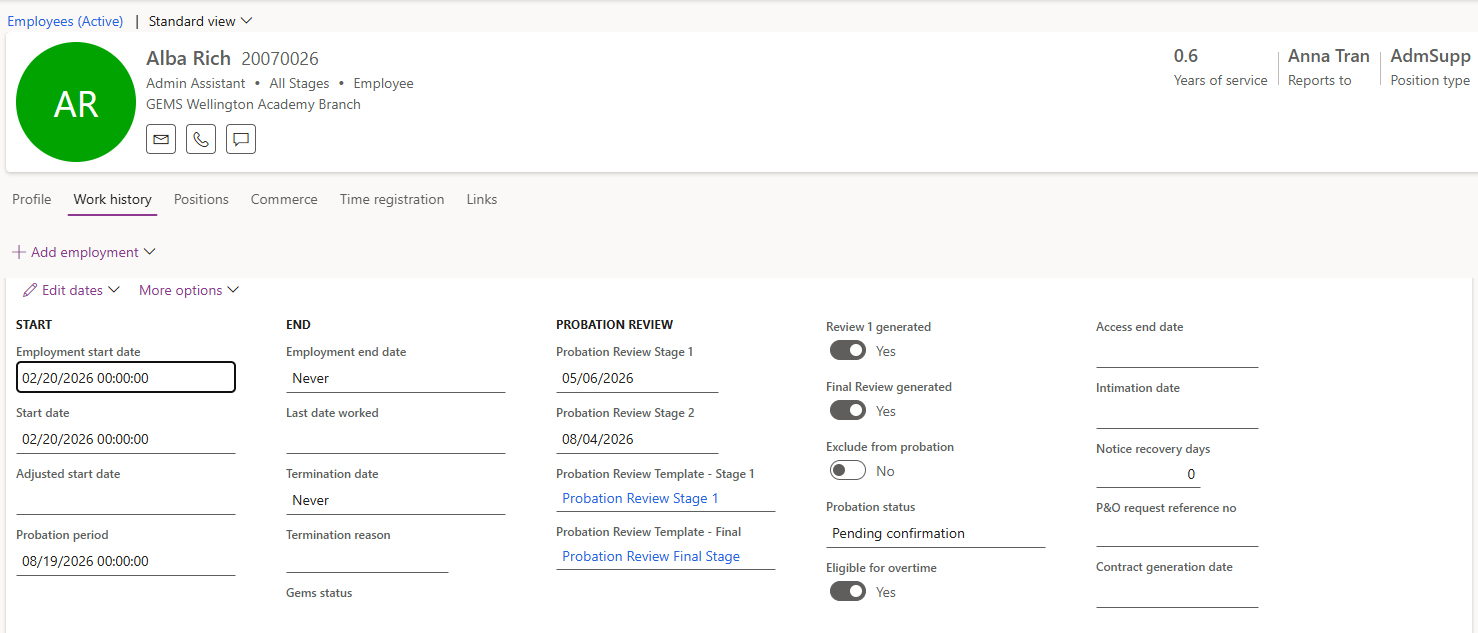
Once the employee record has been created, open it and go to the Employment history area. Eligible for overtime is set to Yes.
Amend the flag where it doesn't fit
Click Edit and change the flag on the individual employee where the staff level rule isn't right for them, then Save. The staff level sets the default; the employee record records exceptions.