Review attendance details
Quick answer
- In D365, go to Time and attendance ▸ Attendance detail to see summarised attendance by employee and day.
- Switch between the Line and Hierarchy views to change which employees you see.
- To see one person, open Human Resources ▸ Employees ▸ Work ▸ Attendance ▸ View attendance on their record.
The attendance details form is the summarised view of who worked what, one record per employee per day. The summary batch job builds it from the attendance logs, so anything you see here reflects the last time the job ran.
Open the attendance details form
In D365, go to Time and attendance ▸ Inquiries and reports ▸ Attendance ▸ Attendance detail.
Read a record
Each row shows the date, clock-in and clock-out times, work duration in minutes, regular minutes, overtime minutes, and the location, location ID, and device name the punch came from.
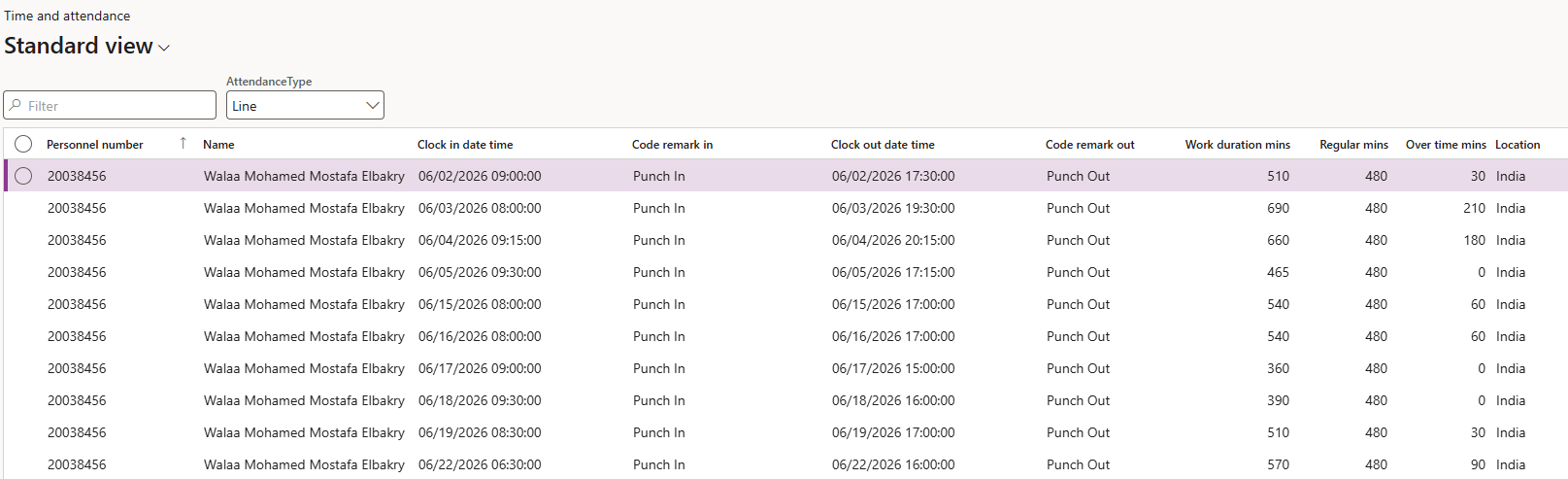
Switch between the line and hierarchy views
The form shows the employees who report to you, and you can view them in two ways. Line shows your direct reports. Hierarchy shows the people who report to you for attendance through the attendance hierarchy of their position. These are usually different sets of people, and that is the point of the two views — a designated attendance manager sees their attendance reports under Hierarchy even though those people report to somebody else on the Line.
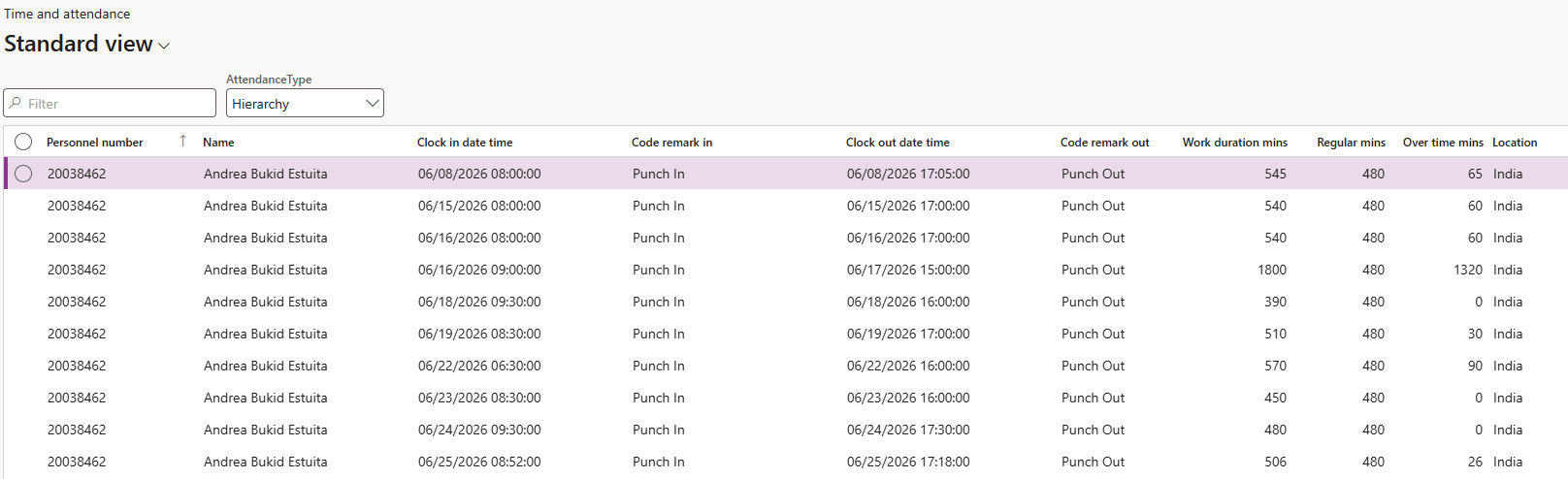
Search for a specific employee
Filter on the Name column to find one person. If the employee doesn't appear, they aren't in your line or attendance hierarchy—that is a deliberate restriction, not a data problem.
View one employee's own record
To look at a single employee's attendance from their record instead, go to Human Resources ▸ Workers ▸ Employees, open the employee, and under the Work tab in the Action Pane, go to Attendance ▸ View attendance.
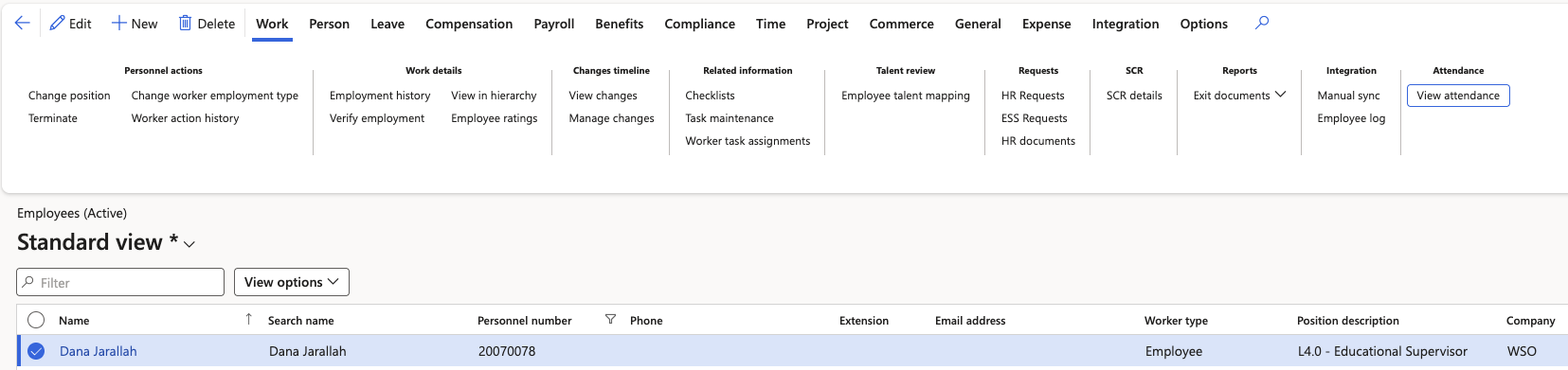
This shows all their attendance and overtime information—work duration, regular minutes, and overtime minutes—in one place, and it's the view an employee sees for themselves.