Set up review templates
Quick answer
- In D365, go to Human Resources ▸ Performance ▸ Setup▸ Review templates and create one template per stage — goal setting, mid-year review and end-of-year review.
- Add the goal templates each review should carry, so those goals are copied onto every review generated from it.
- On the General tab, set the rating model and switch on the rating weight factor used to calculate average and total scores.
A review template defines one stage of the performance cycle — what goals it carries and how it is rated. You need one for each stage you run: goal setting, mid-year review and end-of-year review.
Open the review templates form
In D365, go to Human Resources ▸ Performance ▸ Setup ▸ Review templates.
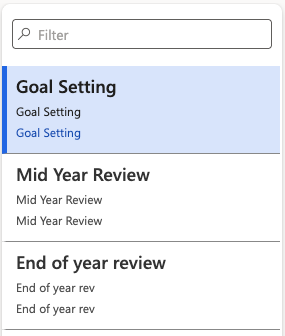
Create a template for each stage
Create as many templates as needed. For example, create three templates — one for goal setting, one for the mid-year review, and one for the end-of-year review. Name each one for the stage it covers; you select the template by name when you generate reviews, so the naming needs to be unambiguous.
Add the goal templates
Open the template and use the + Add goal template button to bring in goal templates from your goal library. You are shown the list of goals already set up — select the ones this review should carry and click OK.
Add every classification the stage needs. A goal-setting template, for example, typically includes both objectives and competencies.
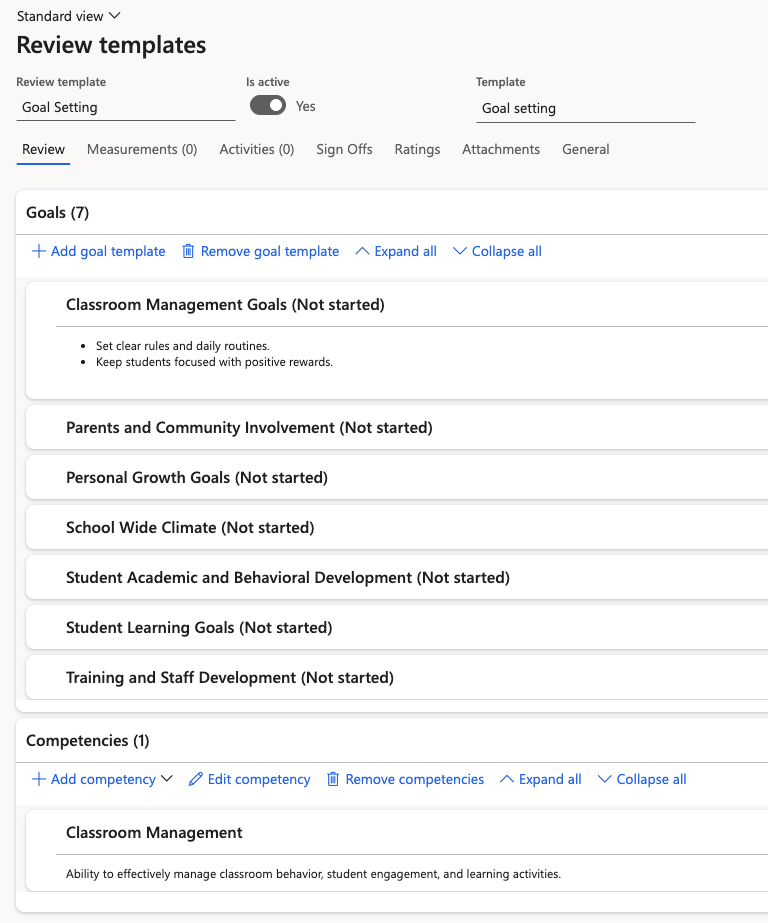
The goals you add here are copied onto each individual review when the batch job runs, so a template holding seven goals produces reviews with those seven goals already populated.
Set the rating model
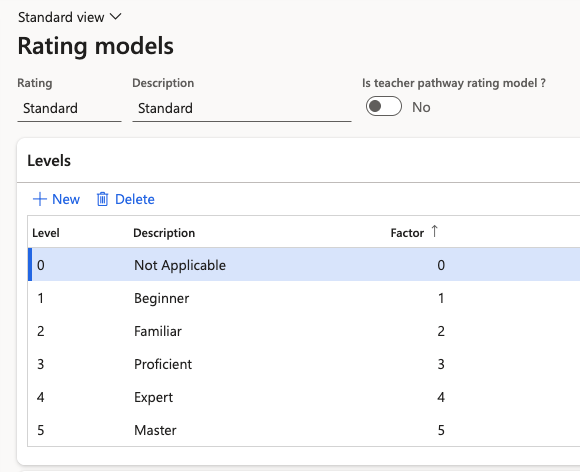
Go to the General tab and select the Rating model the stage uses. The standard model applies unless your organisation has defined its own.
Switch on the rating weight factor
On the same tab, enable the rating weight factor. This allows the system to calculate an employee's average score and total score across the performance cycle — without it, the scores shown at the end-of-year review are not produced.
Review templates are only half the setup—the system also needs to know which year and period a review belongs to. See Set up the performance year and calibration framework.