Configure a school-specific checklist task
Quick answer
- Open the onboarding checklist and select the task to scope.
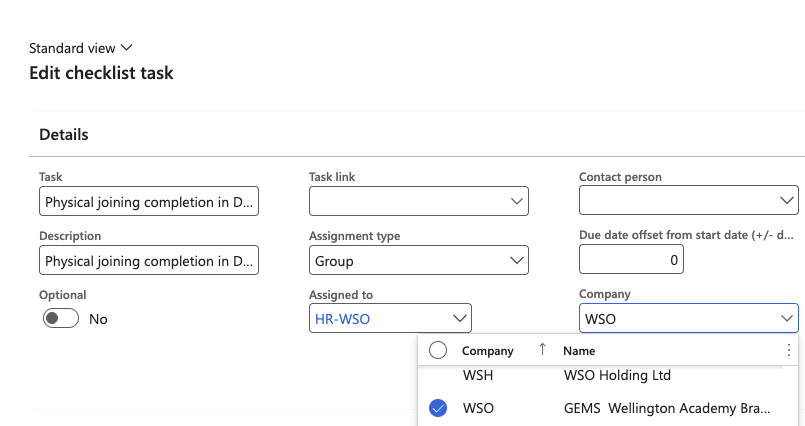
- In the Company field, select the school(s) this task applies to.
- Click Save.
Tasks within an onboarding checklist can be scoped to specific legal entities (schools), so only relevant tasks appear for employees at each school. Tasks with no company restriction apply to all schools.
Open the onboarding checklist
Go to Modules ▸ Human Resources ▸ Task Management ▸ Onboarding checklists and select the relevant checklist.
Select the task to scope
Click the task you want to restrict to specific schools.
Set the applicable companies
In the Company field, select one or more legal entities (schools) this task applies to. Employees onboarding at other schools will not see this task on their checklist.
Save
Click Save to apply the change.