View Visa Details on a Student
Quick answer
- Open the student record in Academic Management ▸ Students ▸ All Students.
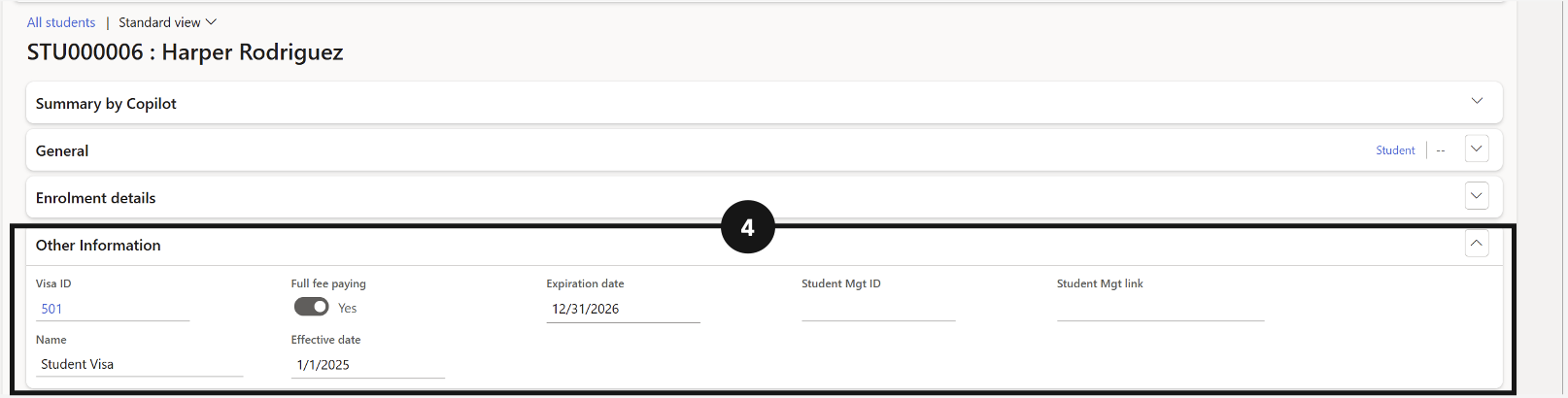
- Scroll to the Other Information tab to view the student's visa details.
Visa details for an individual student are stored on their record under the Other Information tab. Use this to check a student's visa type, issue date, and expiry date directly from the student record.
Open the student record
From the FNO dashboard, open Modules ▸ Academic Management, expand Students, and click All Students. Select or search for the student account and open their record (③).

View visa details
Scroll down to the Other Information tab (④). The student's visa details are displayed here, including visa ID, issue date, and expiry date.