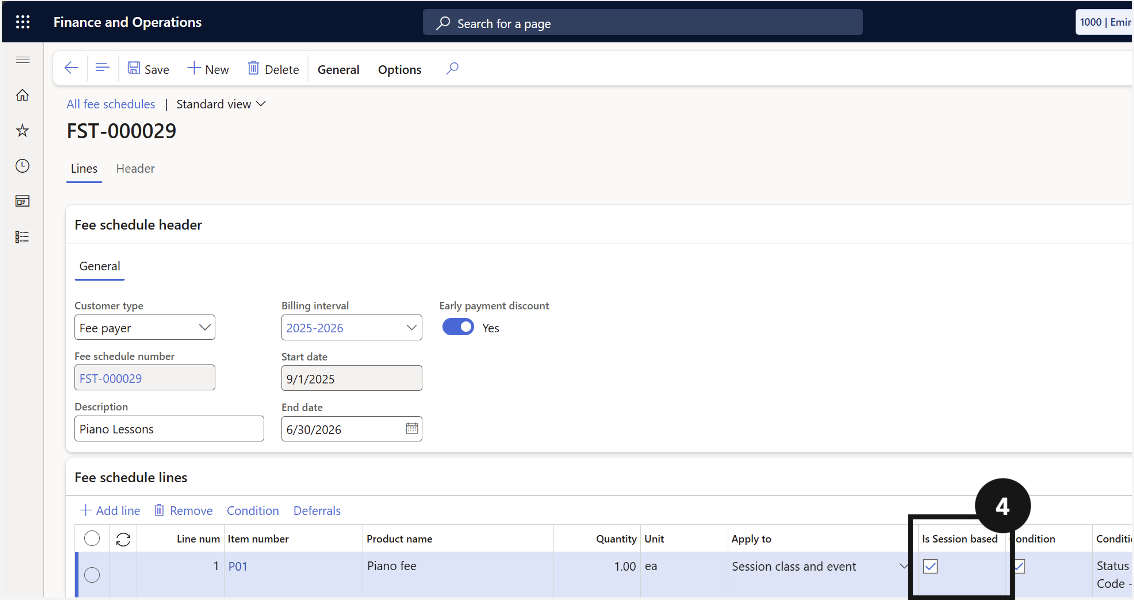
Enable Session-Based Invoicing
Quick answer
- Open the fee schedule template in All fee schedules and enable the Session Based option, then Save.
- If Session Based is not enabled, the system charges a flat fee (quantity = 1). Delete any previously generated sales order before rerunning the fee generation batch.
If Session Based is not enabled, the system charges a flat fee (quantity = 1). Delete any previously generated sales orders for this event and student before rerunning the fee-generation batch.
Open the fee schedule template
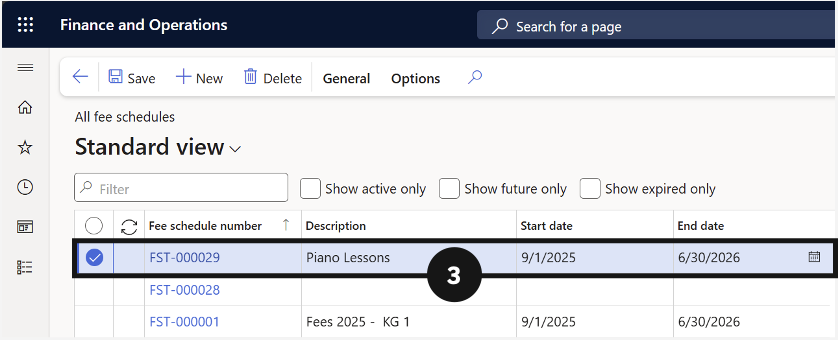
From the FNO dashboard, open Modules ▸ Academic Management, expand Fee schedules, and click All fee schedules. Find and open the relevant fee schedule template (③).
Enable and save
Click Edit in the Action Pane. Enable the Session Based option (④) and click Save. Then run the fee schedule batch to generate the invoices.