Sessional Class and Event Enrolment Cancellation
Quick answer
- Locate the enrolment record in Academic Management ▸ Inquiries and reports ▸ Fee schedules ▸ Sessional class and event details and click Cancel.
- The system generates a credit note to reverse the original invoice — the reversed sales order shows a negative quantity and amount.
When a student's enrolment in a sessional class or event needs to be cancelled after invoicing, the cancellation is performed from the Sessional class and event details form. The system automatically generates a credit note to reverse the original invoice. The credit note is recorded in the journal section with the same sales order details as the original invoice, and the quantity and total price on the reversed sales order appear as negative values.
Open the enrolment record
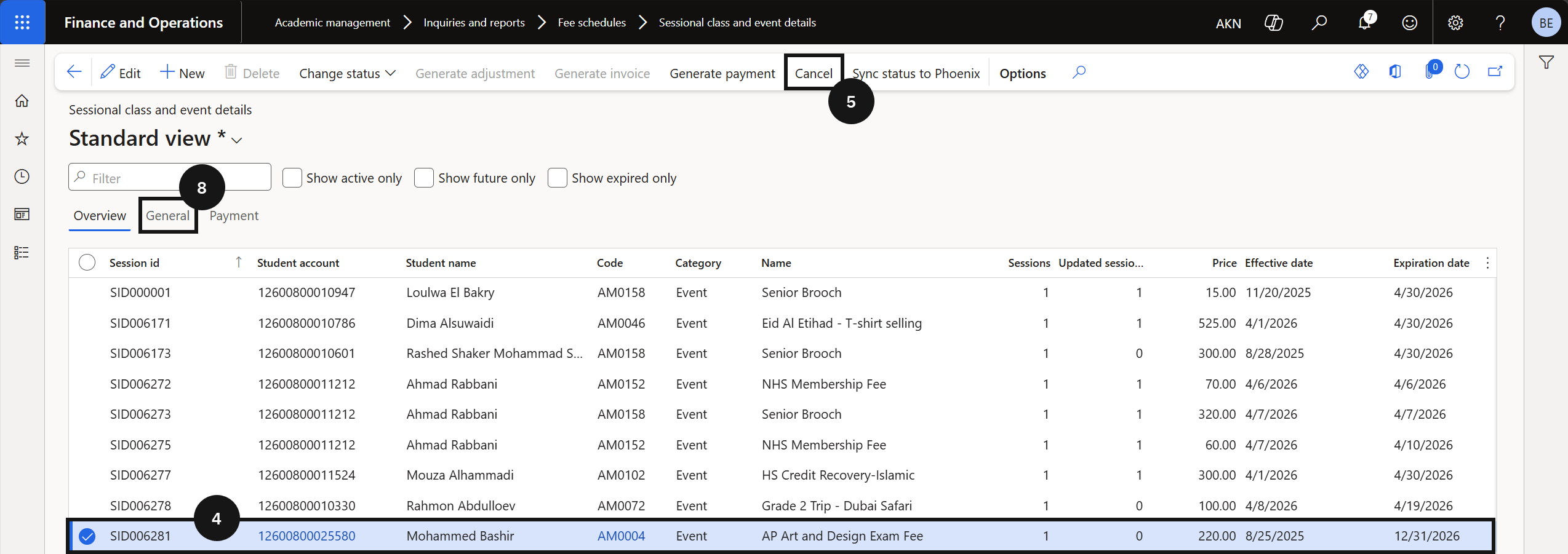
From the FNO dashboard, open Modules ▸ Academic Management, expand Inquiries and reports ▸ Fee schedules, and click Sessional class and event details. Locate the enrolment record for the student and event to cancel (④).
Cancel and confirm
Click Cancel in the toolbar (⑤). Click Yes to confirm. The system generates a credit note to reverse the original invoice.
View the credit note
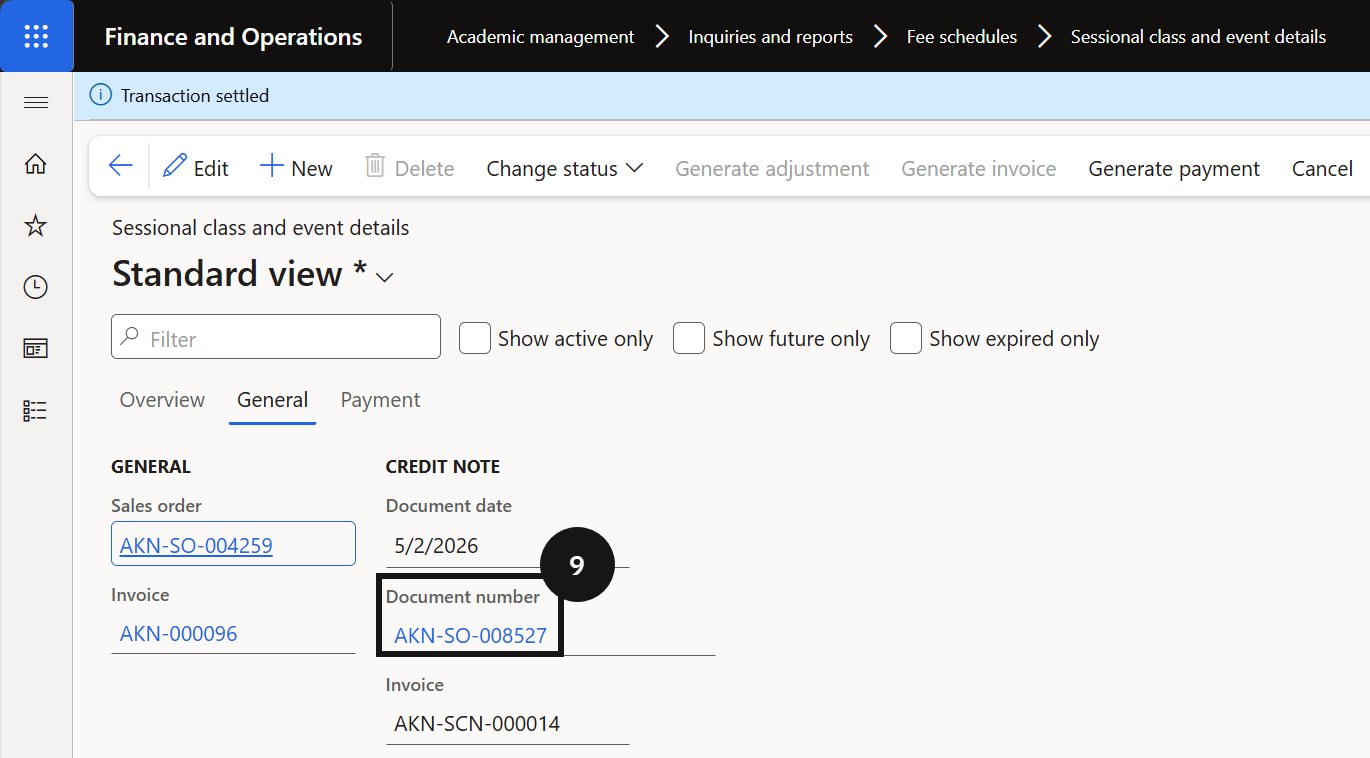
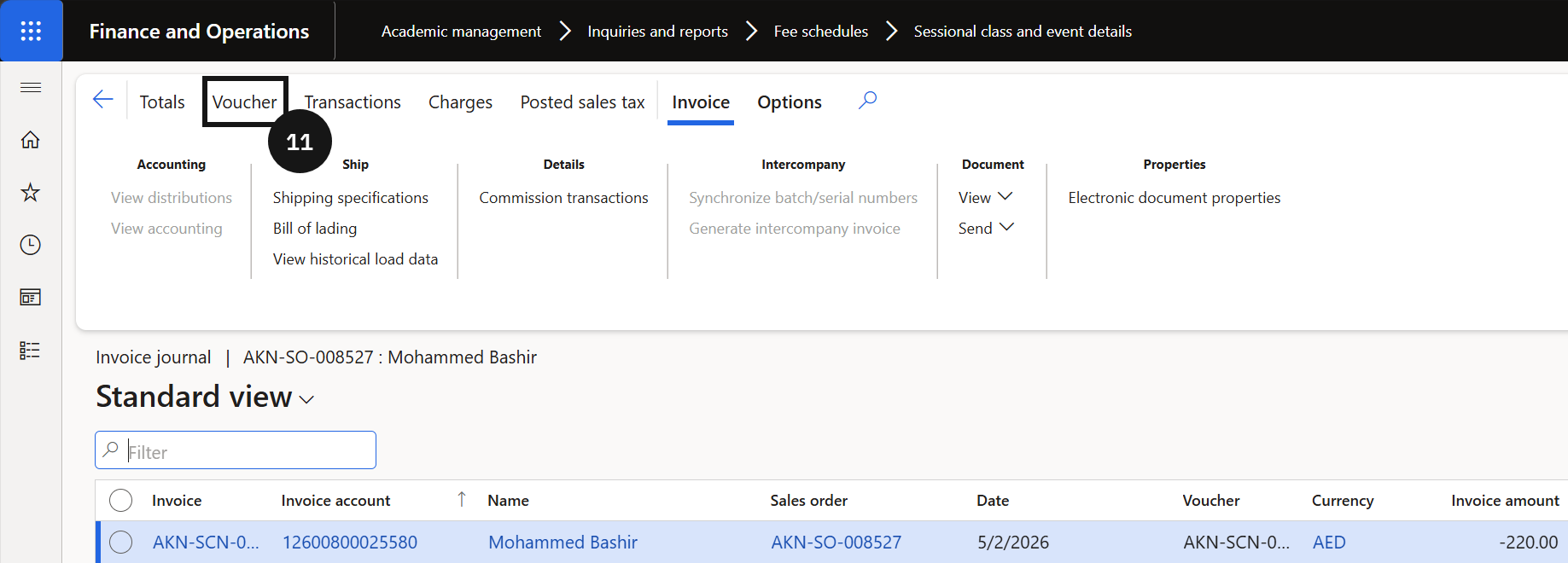
Open the General tab (⑧) and click the Document number link (⑨) to view the reversed sales order. Open the student record. Click Invoice journal (⑩) to view the posted credit note, then click Voucher (⑪) to review the posted accounting entry.