Set Up Streams
Quick answer
- Open Academic Management ▸ Setup ▸ Stream, click New, enter the stream code and description, then save.
- Stream codes must match the naming convention used in the student management system.
Streams differentiate groups of students within the same academic year who follow different curricula or learning programmes. Where a school charges different fees for different streams, the trade agreement must include a separate price line for each stream combination. Stream codes must match the naming convention used in the student management system.
Open Stream and create a new entry
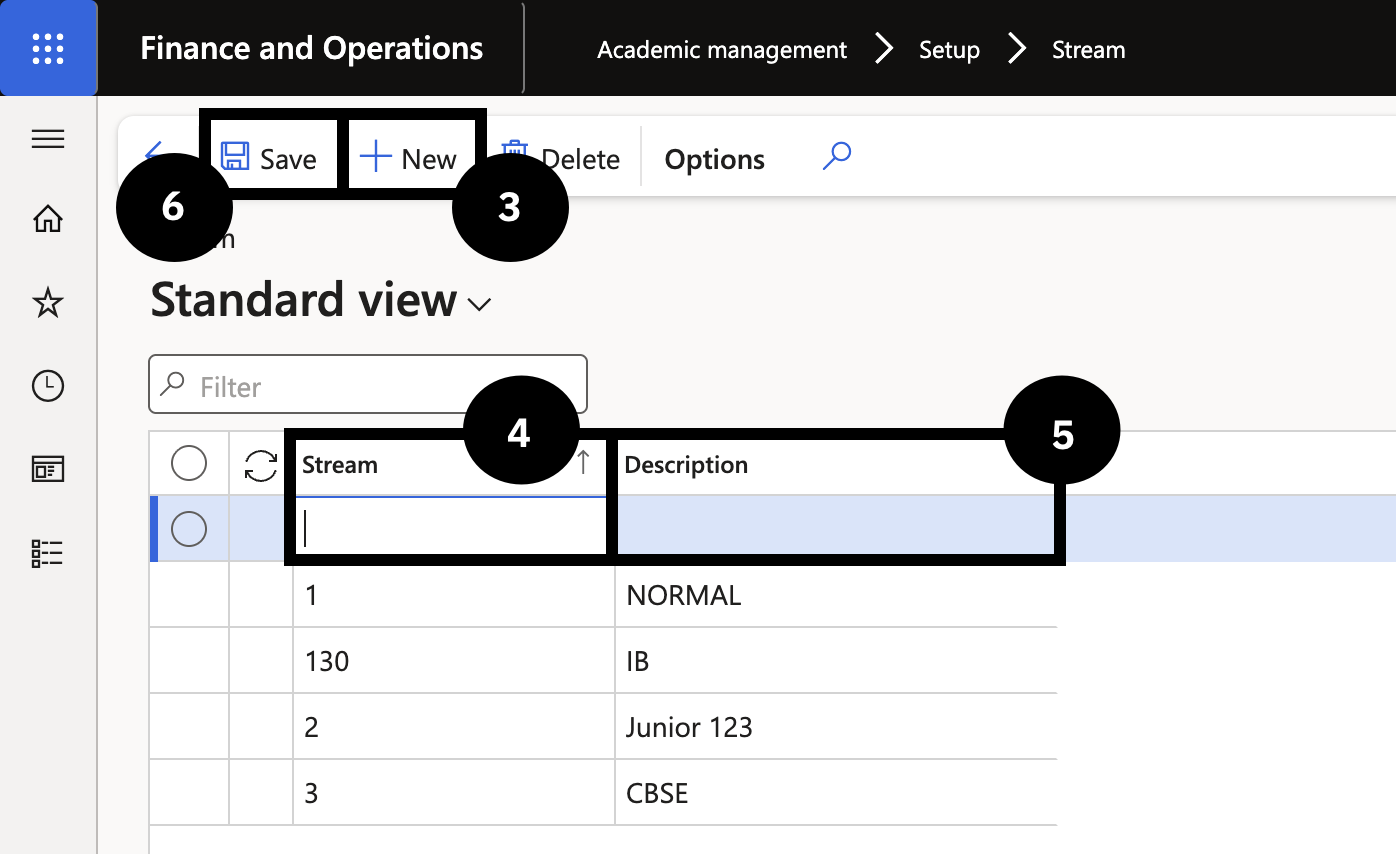
From the FNO dashboard, open Modules ▸ Academic management, expand Setup, and click Stream. Click New (③) and complete the following:
- Stream (④) — enter the stream code. Use the same naming format as the student management system.
- Description (⑤) — enter the description.
Save
Click Save (⑥).