Set Up Payment Options
Quick answer
- Open Academic Management ▸ Setup ▸ Payment option setup, click New, select the payment plan, and complete the Payment option and Description fields, then save.
- Once saved, the payment option appears on the Customer master or Student master.
Open Payment option setup and create a new entry
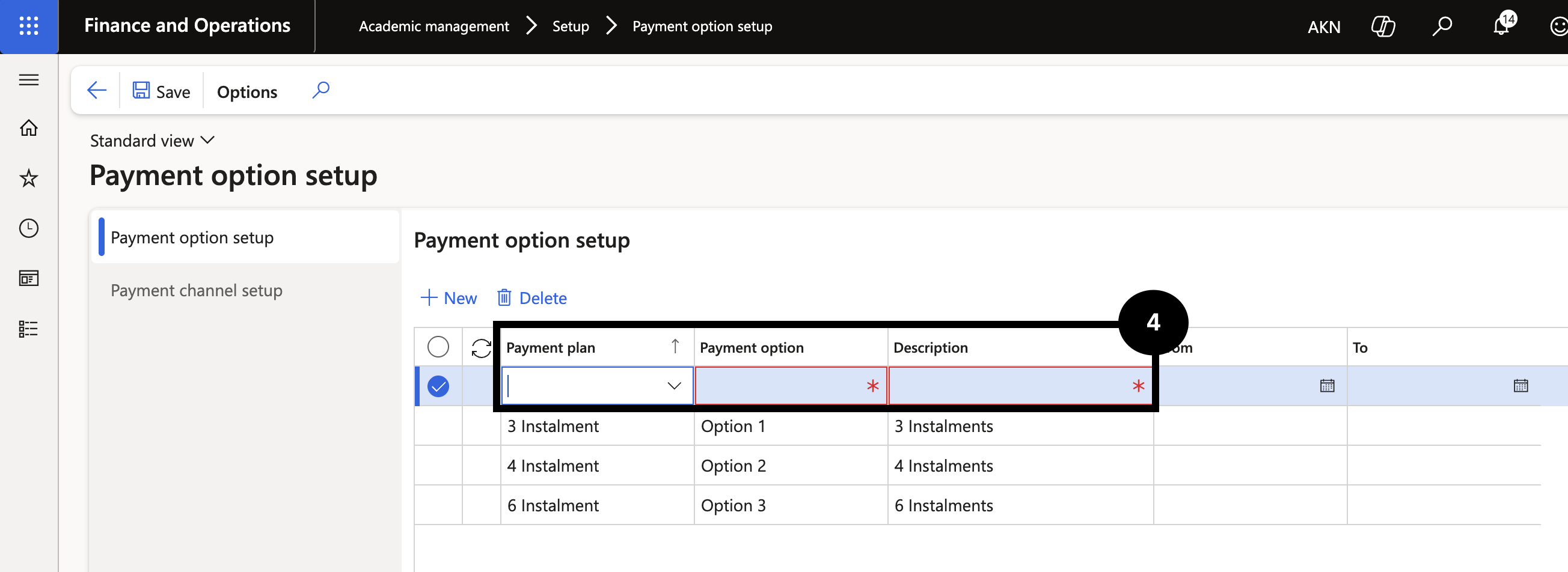
From the FNO dashboard, open Modules ▸ Academic management, expand Setup, and click Payment option setup. Click New and complete the following:
- Payment plan — select from the dropdown.
- Payment option — enter the option code.
- Description — enter a description. (④)
Once saved, the payment option appears on the Customer master or Student master.
Save
Click Save.