Set Up Non-Tuition Item Prices
Quick answer
- Create a standard trade agreement journal (without academic attributes) in Sales and marketing ▸ Prices and discounts ▸ Trade agreement journals, add lines for each item, and Post.
- Non-tuition items such as ID cards use a standard trade agreement — academic attributes should not be selected for these items.
Non-tuition items such as ID cards use a standard trade agreement. Academic attributes are not required and should not be selected for these items.
Create the trade agreement journal and add lines
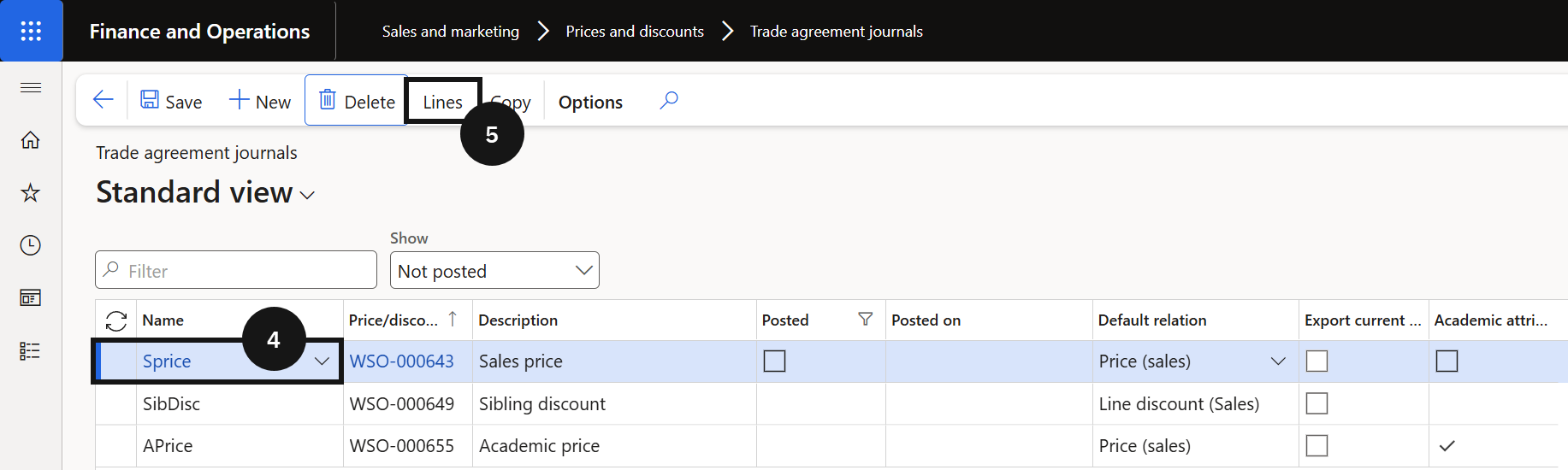
From the FNO dashboard, open Modules ▸ Sales and marketing, expand Prices and discounts, and click Trade agreement journals. Click New and in the Name field select the standard journal name (without academic attributes enabled). Click Lines (⑤).
Complete the required fields
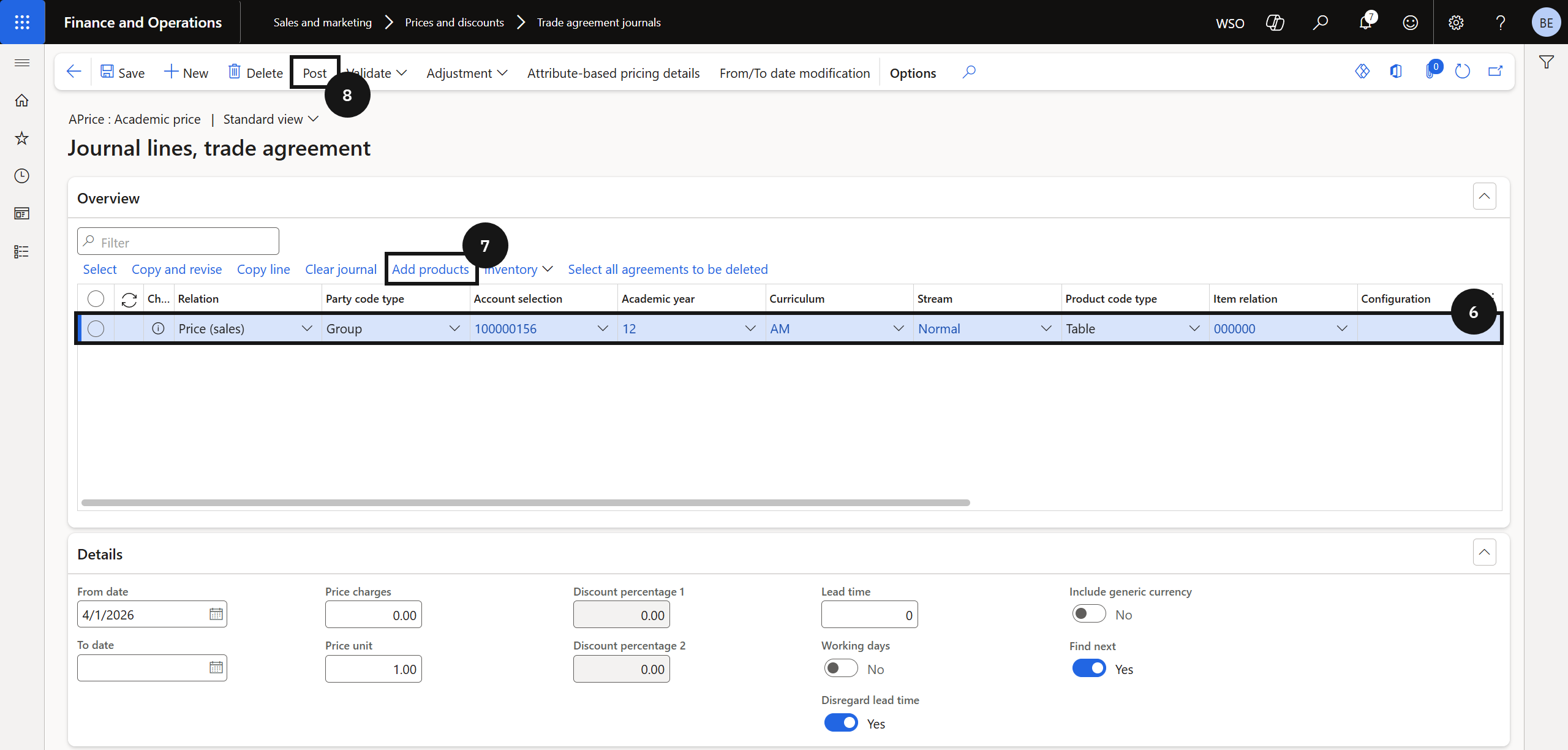
Click New and complete the required fields (⑥) for the item. Click Add products (⑦) and repeat for each additional item.
Post
Click Post (⑧) to activate the prices.