Set Up Curriculum
Quick answer
- Open Academic Management ▸ Setup ▸ Curriculum, click New, select the curriculum option and dimension, then Save.
- Curriculum codes must match the setup in the student management system.
Curriculum codes must match the setup in the student management system.
Open Curriculum and create a new entry
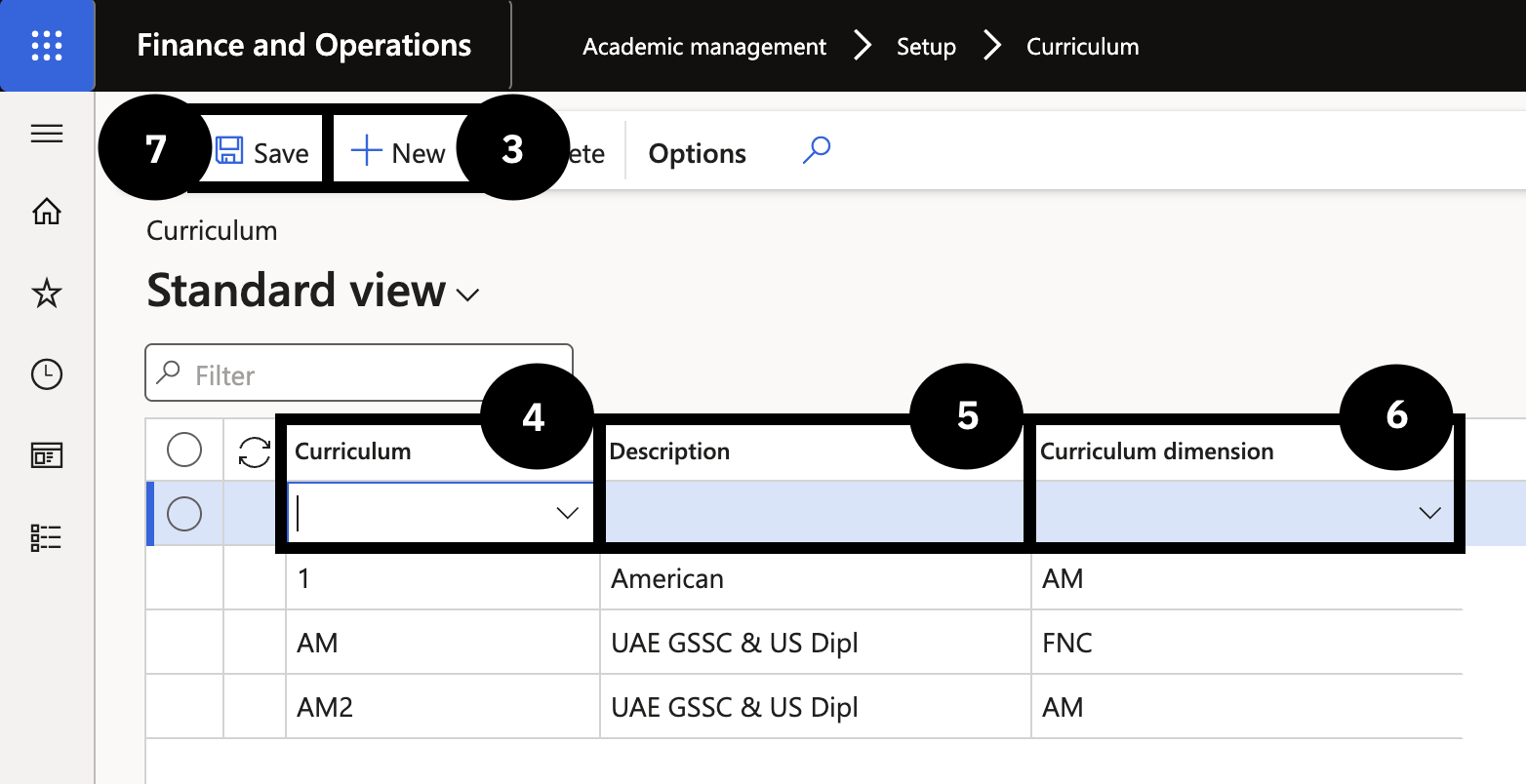
From the FNO dashboard, open Modules ▸ Academic management, expand Setup, and click Curriculum. Click New (③) in the toolbar and complete the following:
- Curriculum (④) — select the option from the dropdown (e.g., AM).
- Description (⑤) — enter the curriculum description.
- Curriculum dimension (⑥) — select the dimension from the dropdown.
Save
Click Save (⑦).