Set Up Academic Year
Quick answer
- Open Academic Management ▸ Setup ▸ Academic year, click New, enter the sequence number and remaining fields, then save.
- Select the record and click Tuition fees to add the re-enrolment deposit fee, enrolment deposit fee, and any additional tuition fee items.
- Academic year IDs must match the setup in the student management system.
Academic year IDs must match the setup in the student management system. The sequence number controls the order used for future billing calculations.
Create the academic year record
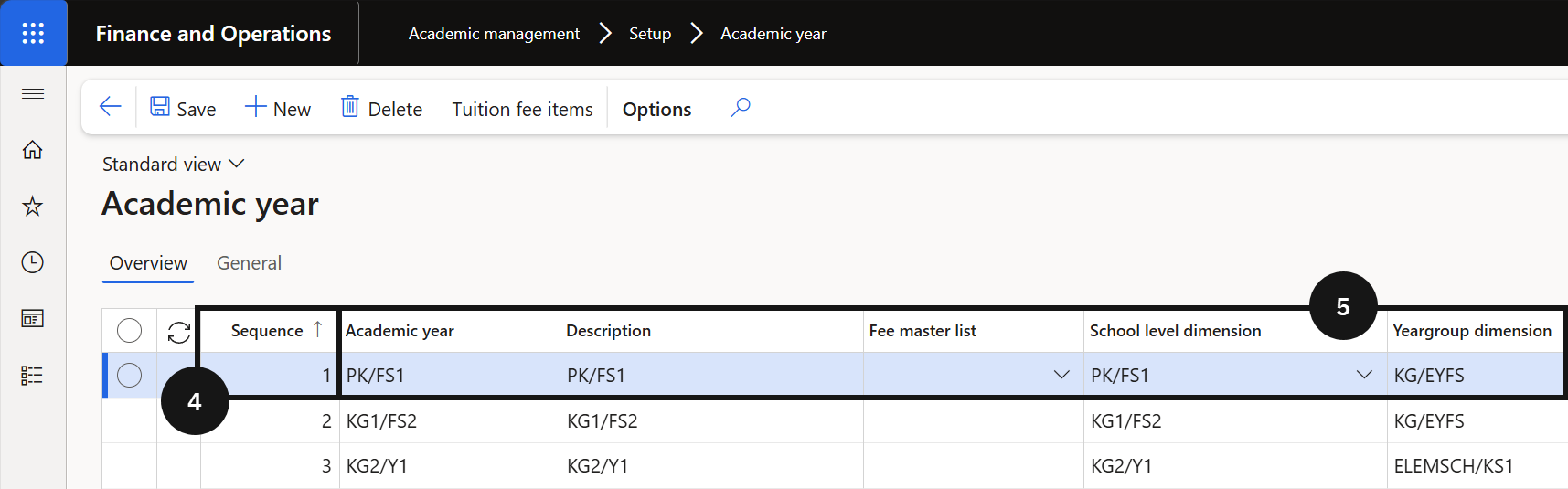
From the FNO dashboard, open Modules ▸ Academic management, expand Setup, and click Academic year. Click New in the toolbar. Enter the next sequence number (④) in order and complete the remaining fields in the row (⑤). Click Save.
Add tuition fee items
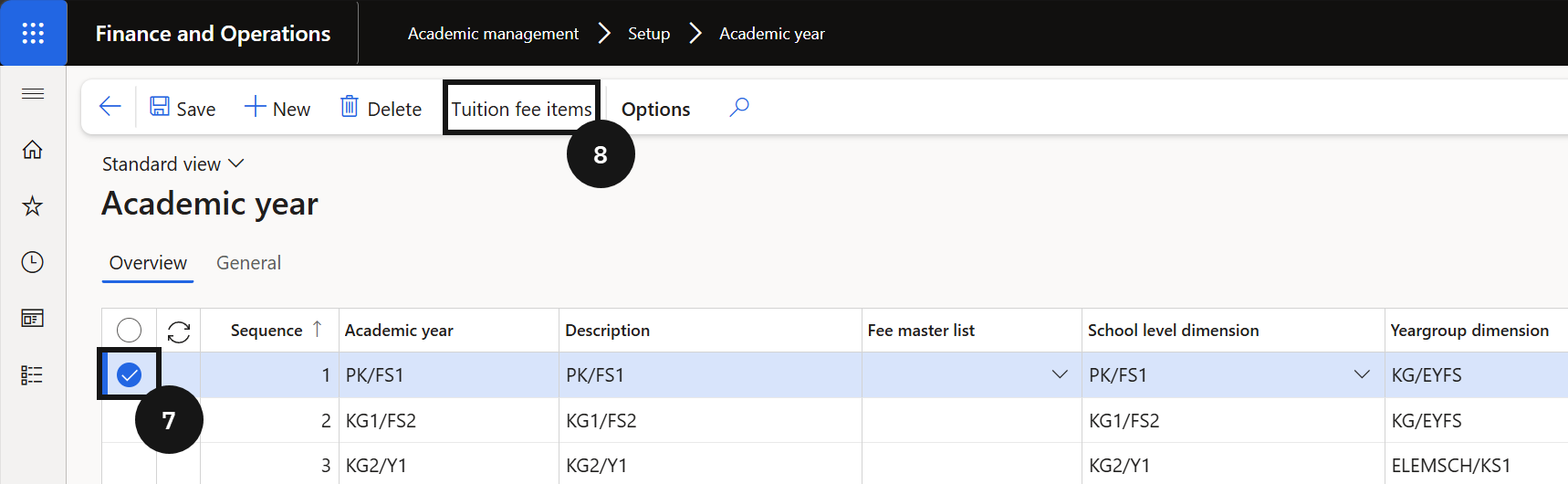
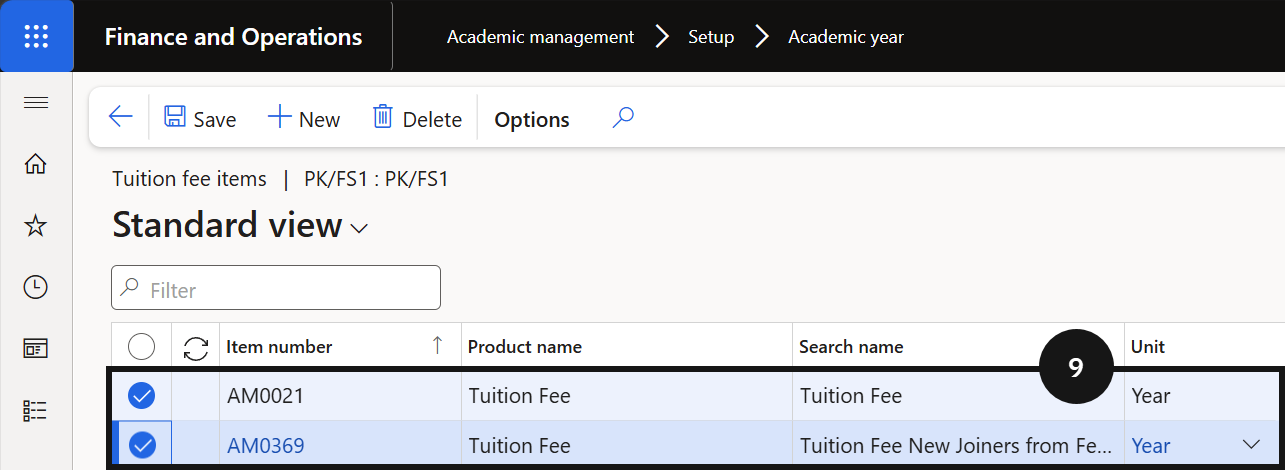
Highlight the academic year record (⑦) and click Tuition fees in the Action Pane (⑧). Add the re-enrolment deposit fee and enrolment deposit fee items. If the school has students eligible for an alternative fee structure (e.g., foundation students), add the additional tuition fee item (⑨).
Save
Click Save.