Configure Fee Schedule Parameters
Quick answer
- Open Academic Management ▸ Setup ▸ Fee schedule parameters and complete the General, Integrations, Pro rata adjustment, and Number sequences tabs.
- Relationship type = Sibling is used for brother/sister relationships and for calculating sibling order.
Open Fee schedule parameters
From the FNO dashboard, open Modules ▸ Academic management, expand Setup, and click Fee schedule parameters.
Complete the General tab
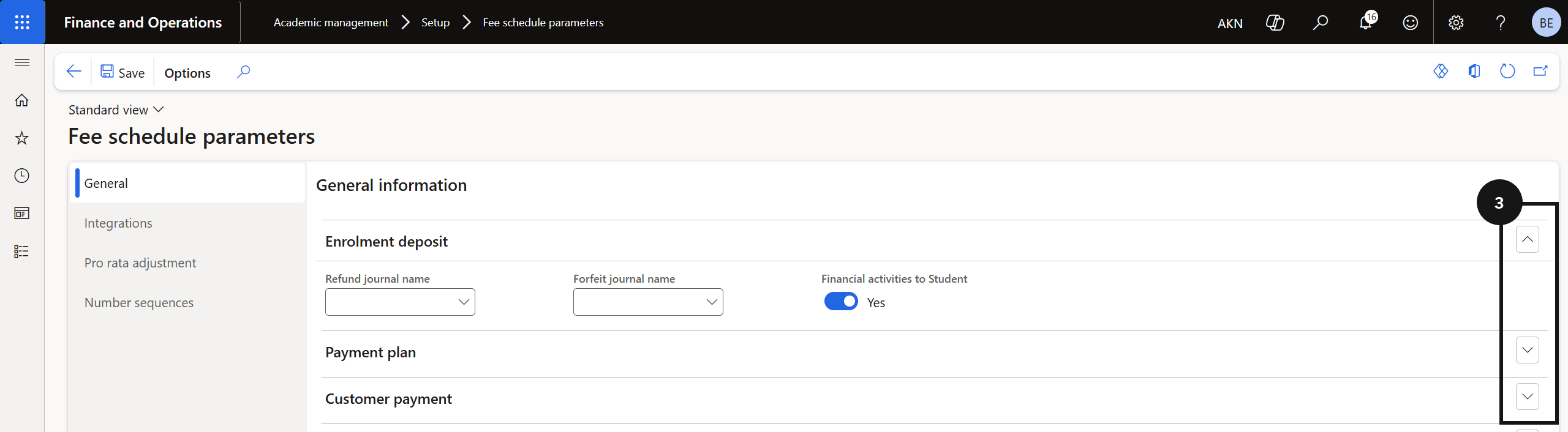
On the General tab, expand each section (③) and complete the fields based on your school's requirements.
Configure the Integrations tab
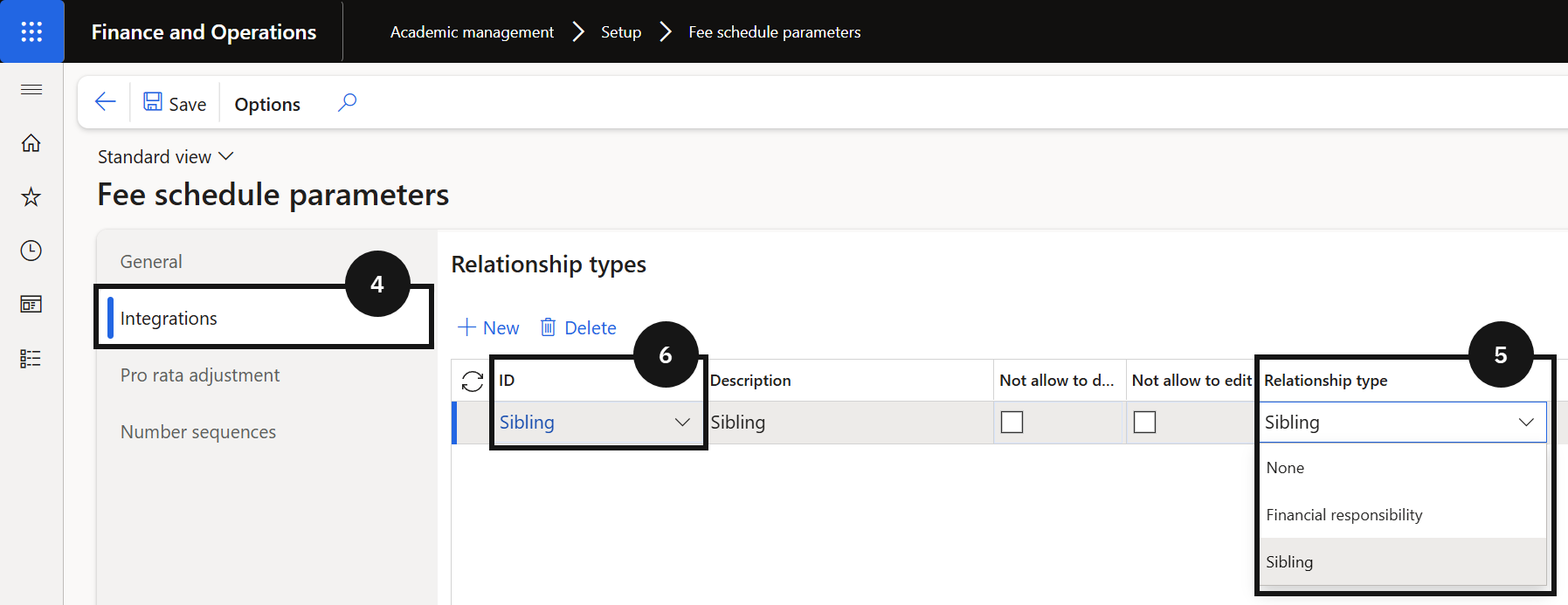
Click the Integrations tab (④). Select the Relationship type (⑤) — Sibling is used for brother/sister relationships and for calculating sibling order. Select the ID that matches the configured relationship type (⑥).
Set Pro rata and Number sequences
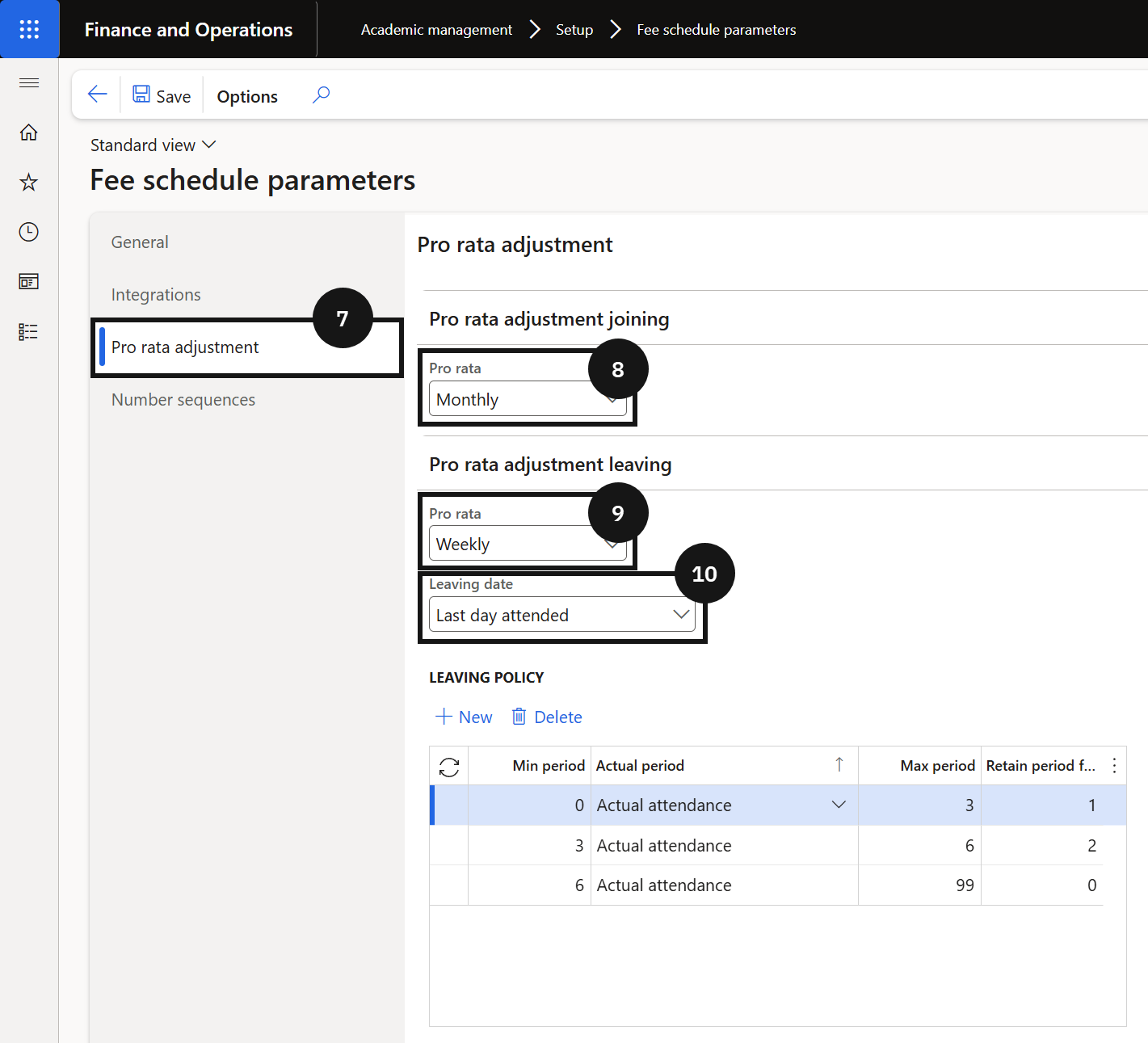
Click the Pro rata adjustment tab (⑦) and select the Pro rata adjustment joining (⑧) and Pro rata adjustment leaving options (⑨-⑩). For Leaving date, choose:
- Last day attended — when the school manages the leaving date as the last day attended.
- Expiration date — when the leaving date is the expiration date in the Academic enrolment table.
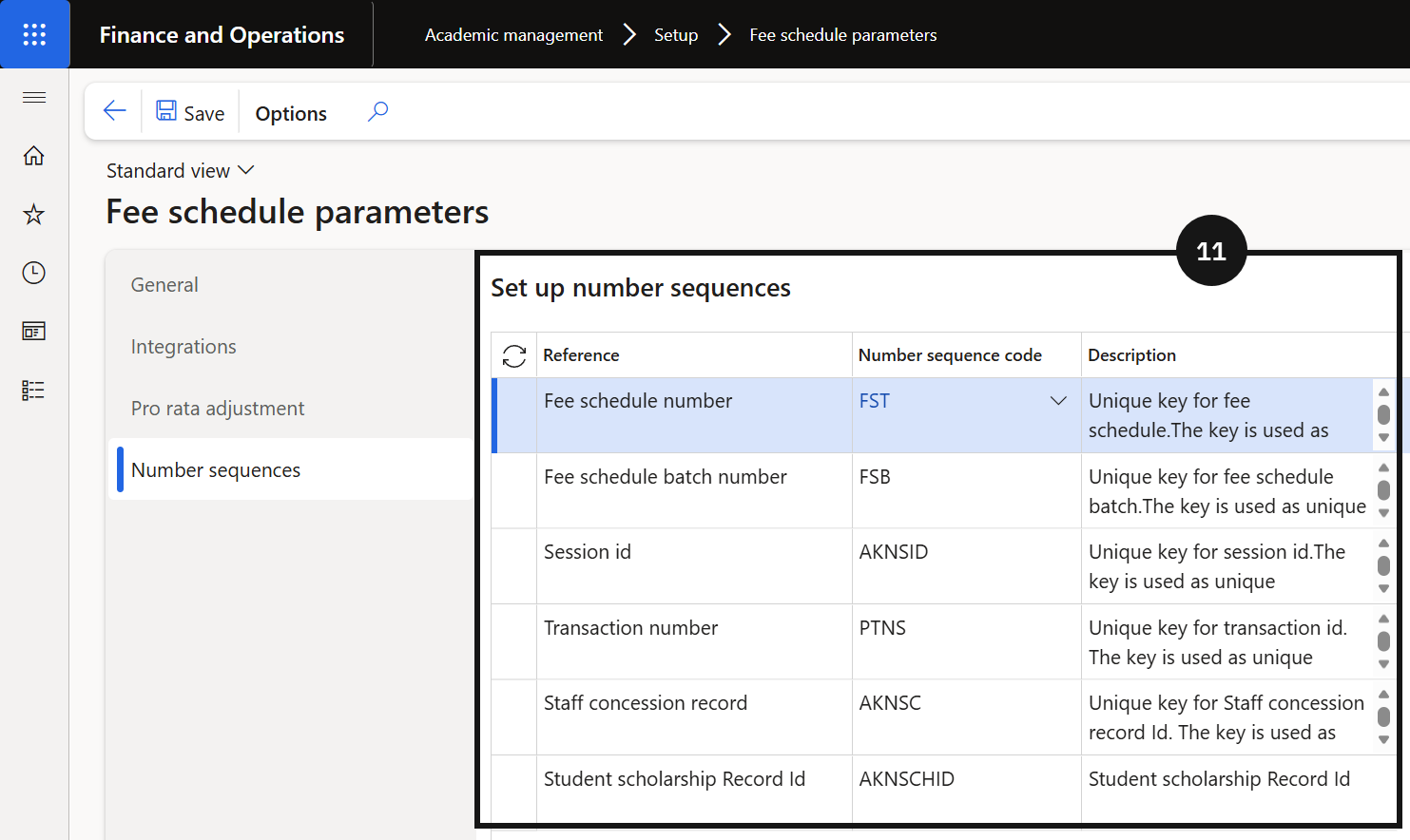
Click the Number sequences tab (⑪) and confirm all number sequences are set for all references.
Save
Click Save.