Revenue Recognition Processing
Quick answer
- Open Subscription billing ▸ Revenue and expense deferrals ▸ Periodic tasks ▸ Recognition processing.
- Set the Cutoff date and Transaction date to the last day of the month, set Override transaction date to Yes, preview, then Process.
Run this process at month-end to recognise deferred revenue across all eligible deferral schedules for the period being closed. The batch posts recognition journals for every qualifying schedule line up to the cutoff date — preview the list before processing to confirm the entries are correct.
Open Recognition processing
From the FNO dashboard, open Modules ▸ Subscription billing ▸ Revenue and expense deferrals, expand Periodic tasks, and click Recognition processing.
Set the period and processing options
Complete the following fields:
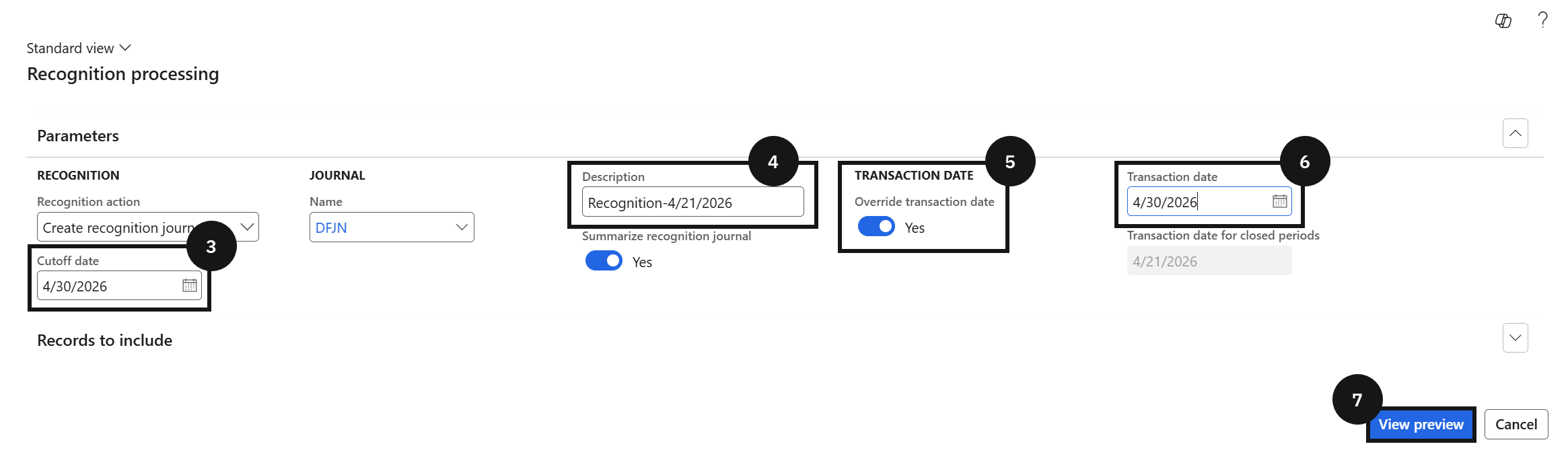
- Cutoff date (③) — enter the last day of the month being closed.
- Description (④) — enter a description for the processing run.
- Override transaction date (⑤) — select Yes.
- Transaction date (⑥) — enter the last day of the month.
Setting Override transaction date to Yes ensures the journal posts with the correct period date regardless of when the process is run. The Cutoff date and Transaction date should both be the last day of the same month.
Preview and process
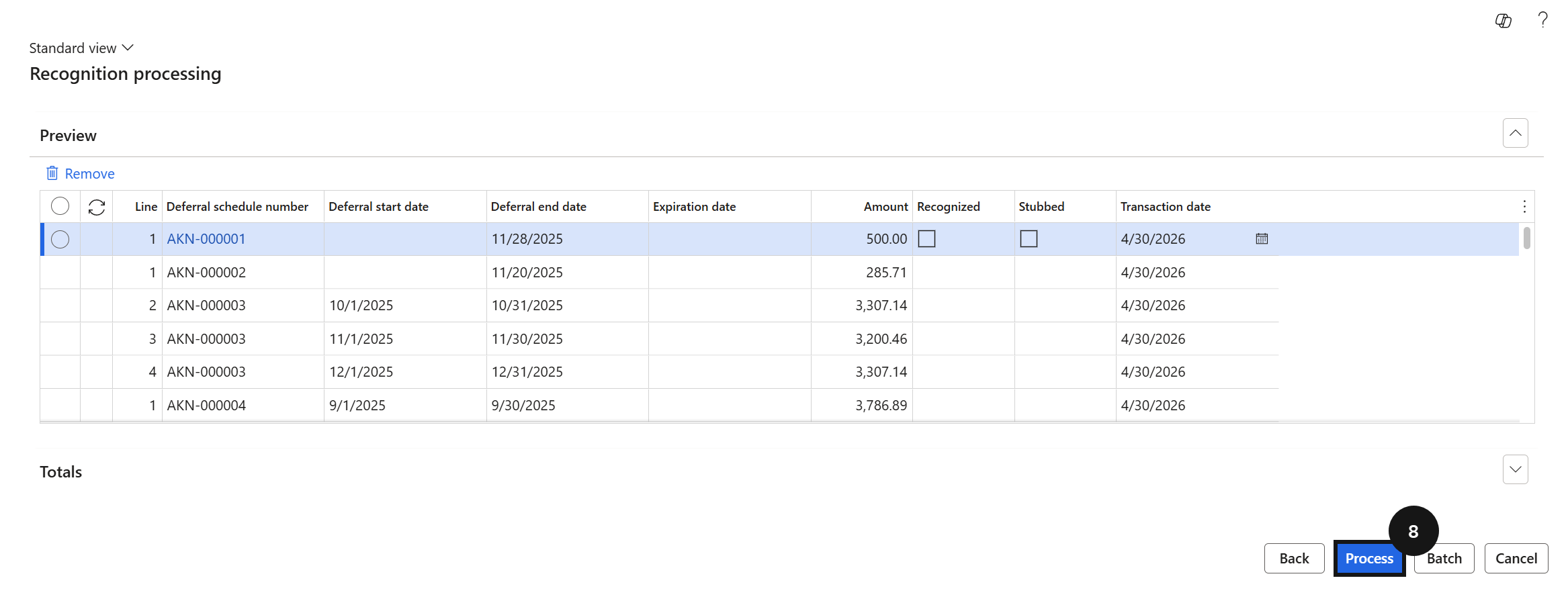
Click View preview (⑦) to review all deferral schedule lines that will be recognised up to the cutoff date. Confirm the entries are correct, then click Process (⑧) to post the revenue recognition journal.