Application / Registration Fee Process via Online
Quick answer
- The registration fee is automatically created when the student record syncs with enrolment status Prospective and application status Registered.
- Verify the fee in All pre-admission fees, check the sales order via the Document number link on the General tab, and confirm the receipt status shows Posted on the Payment tab.
The registration fee is automatically created when the student record syncs from the student management system with an enrolment status of Prospective and an application status of Registered. No manual intervention is required — the receipt is created automatically once the fee payer completes payment via the payment link sent by the student management system.
Open All pre-admission fees
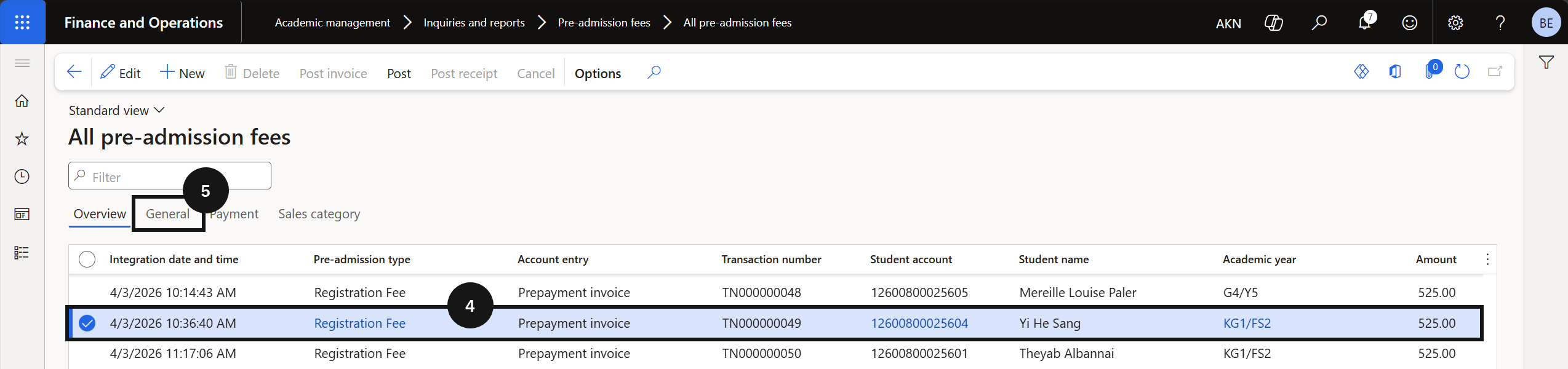
From the FNO dashboard, open Modules ▸ Academic Management, expand Inquiries and reports, then expand Pre-admission fees, and click All pre-admission fees. Search for the student by name or account number (④).
View the sales order
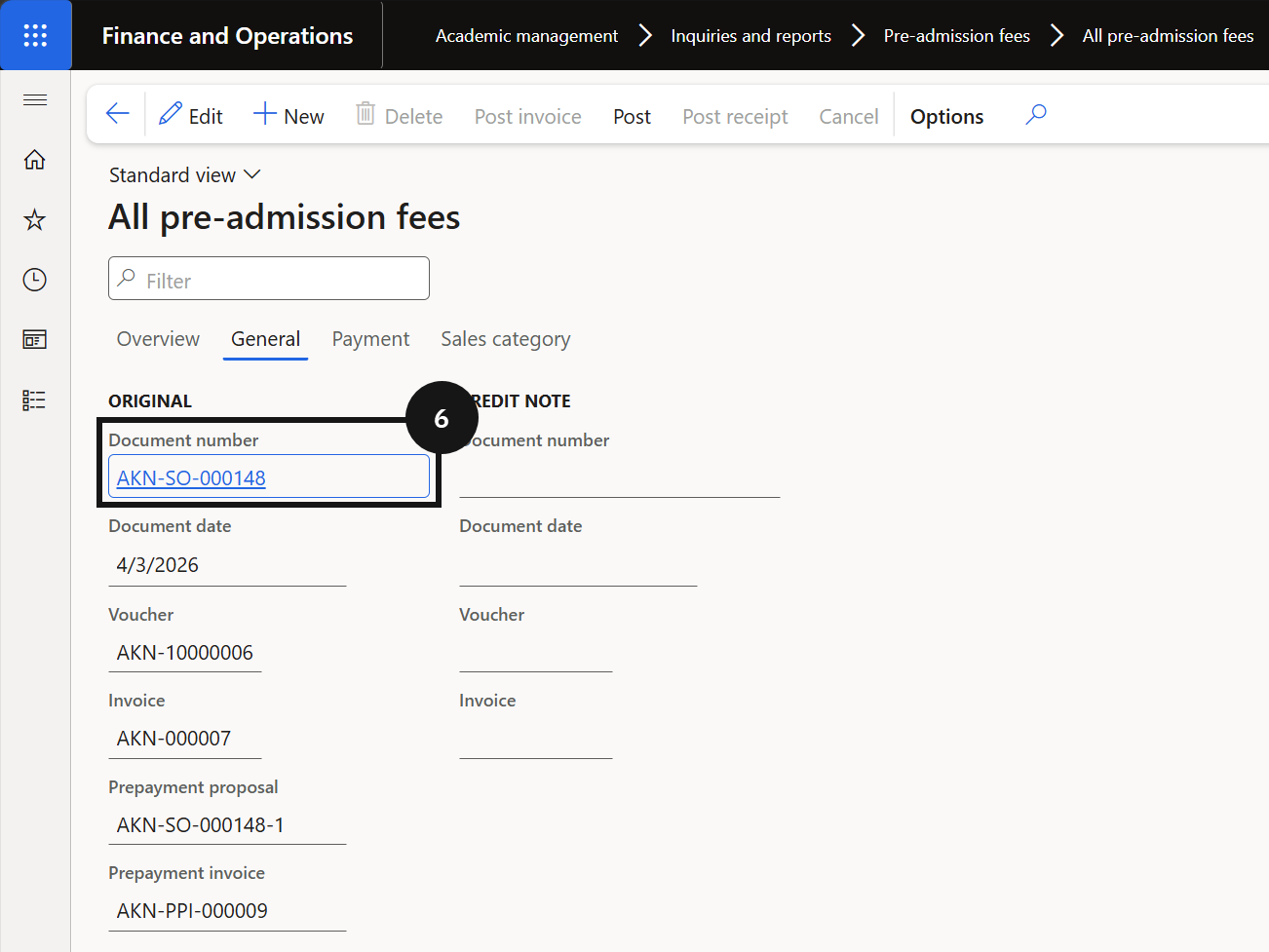
Click the General tab (⑤) and click the link in the Document number field (⑥) to open the sales order (⑦) for the registration fee. Click Back to return.
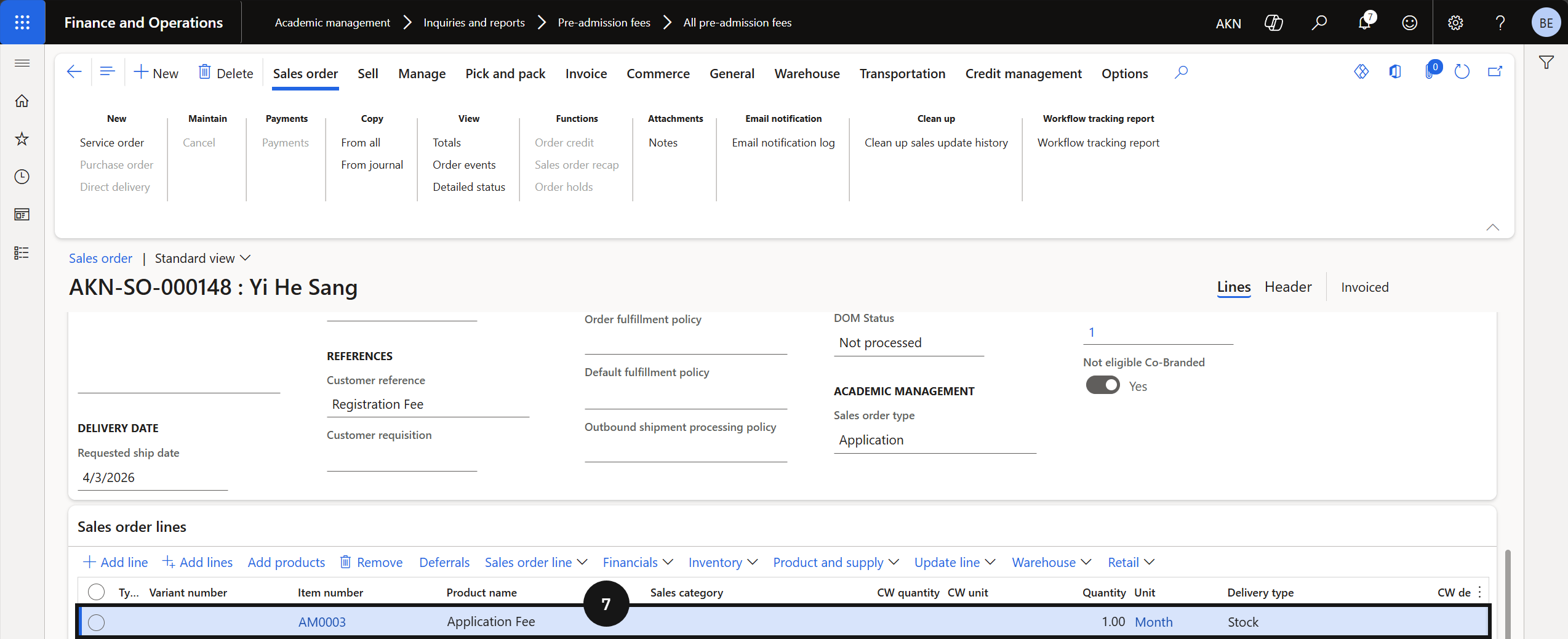
Verify the payment receipt
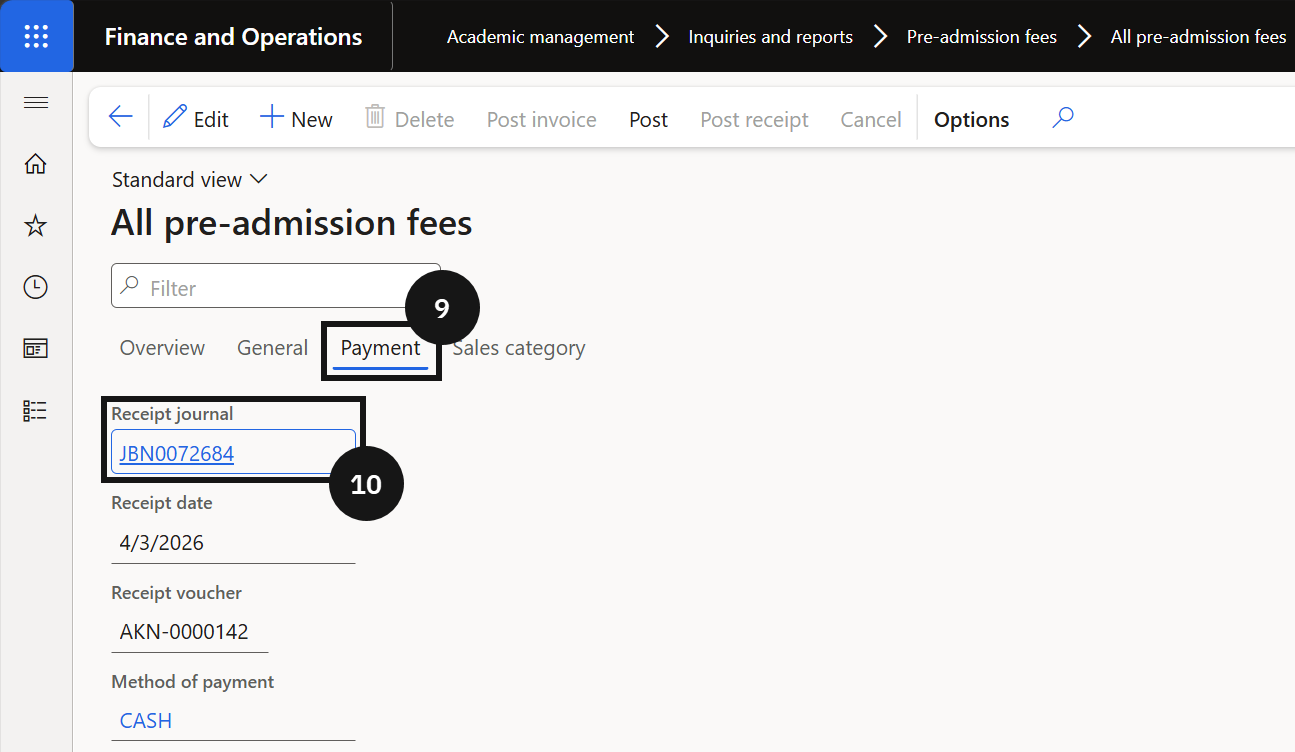
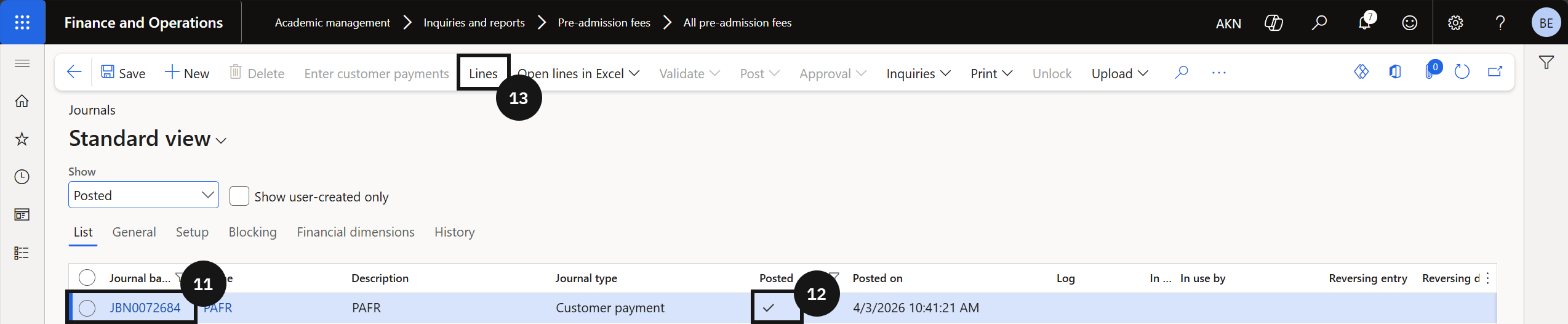
Click the Payment tab (⑨) and click the link in the Receipt journal field (⑩). Locate the student's receipt journal record (⑪) and verify the status shows Posted (⑫). Click Lines in the Action Pane (⑬) to view the posting detail for the registration fee.