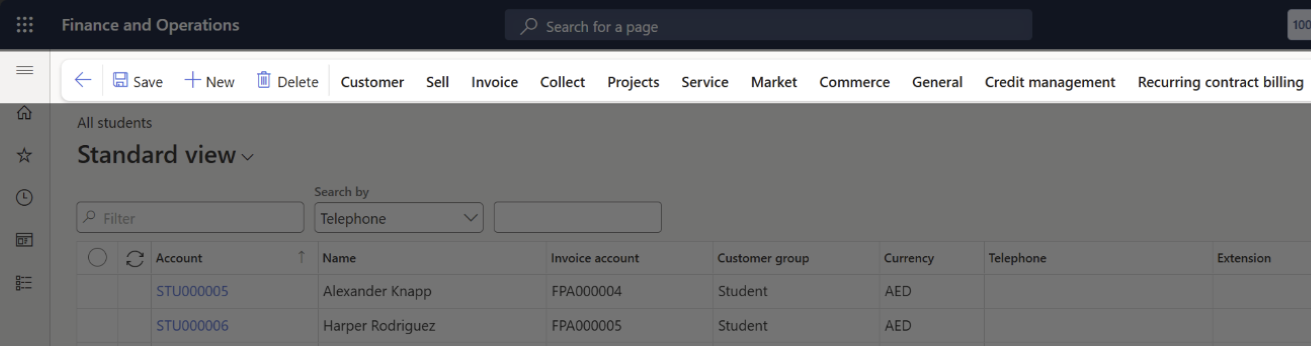
The Toolbar in F&O
Quick answer
- The Action Pane toolbar appears at the top of every page in F&O.
- Back, Save/Edit, and New are always present on the far left, regardless of which page you're on.
Once you've navigated into a module or opened a specific page, like a vendor record, journal entry, or purchase order you'll notice a toolbar at the top of the screen. This is called the Action Pane, and it's where most of your interaction happens.
At the far left of the Action Pane, you'll find three key buttons that are always present, no matter which page or module you're in:
| Button | Function | Why it matters |
|---|---|---|
| Back | Returns you to the previous page or list view | Keeps navigation smooth and intuitive |
| Save/Edit | Toggles between editing mode and saving changes to the current record | Lets users switch into edit mode and commit updates without hunting for controls |
| New | Creates a new record (e.g., a new invoice, customer, or journal) | Starts fresh entries without needing to re-navigate |
These buttons are anchored in place; they won't shift or disappear as you move through tabs or sections within a form. That consistency helps users stay oriented and confident, especially when multitasking or working quickly.