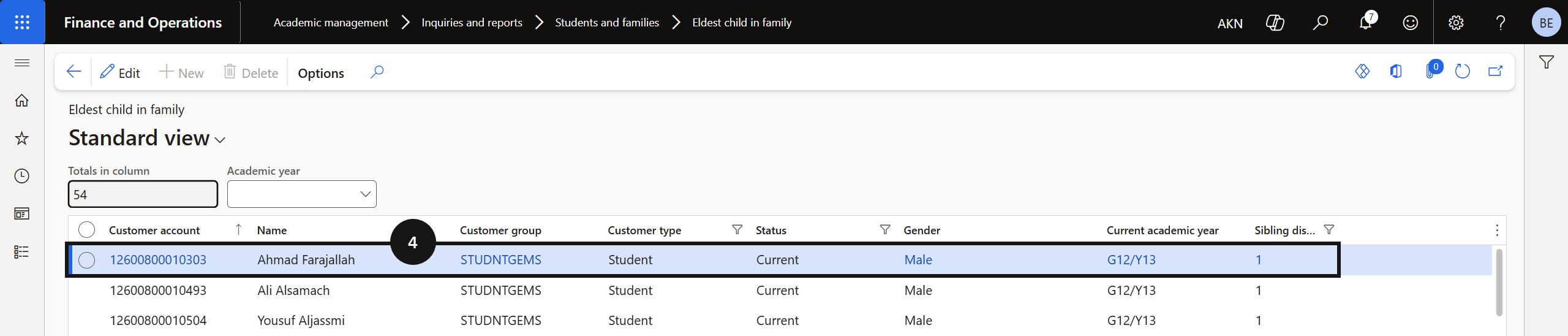
View Eldest Child in Family
Quick answer
- Open Academic Management ▸ Inquiries and reports ▸ Students and families and click Eldest child in family.
- The report shows the eldest sibling per family, used to support sibling discount processing.
The Eldest Child in Family report identifies the eldest sibling in each enrolled family. Use this to confirm sibling order before applying family-based fee discounts.
Open the report
From the FNO dashboard, open Modules ▸ Academic Management, expand Inquiries and reports, expand Students and families, and click Eldest child in family.
Review the data
The report lists the eldest sibling per family (④). Use this to confirm sibling order before running fee batches or applying family discounts.