Student Setup — Financial Responsibility
Quick answer
- In the student record's Relationships section, confirm at least two fee payers are assigned with split percentages that total 100%.
- If Fee Payer is managed as a customer, financial responsibility is set in the Student Management System and synchronised to D365 F&O — the steps below show how to view that setup.
Financial responsibility defines which fee payers are liable for a student's invoices and in what proportion. Where the fee payer is managed as a customer (not a student), these percentages are set in the Student Management System and synchronised to D365 F&O — the steps below show how to view that setup.
Open the student record
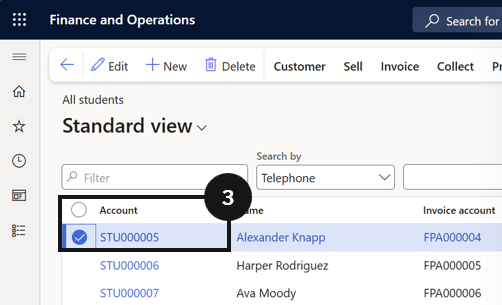
From the FNO dashboard, open Modules ▸ Academic Management, expand Students, and click All students. Select the student profile (③).
Confirm fee payers and split percentages
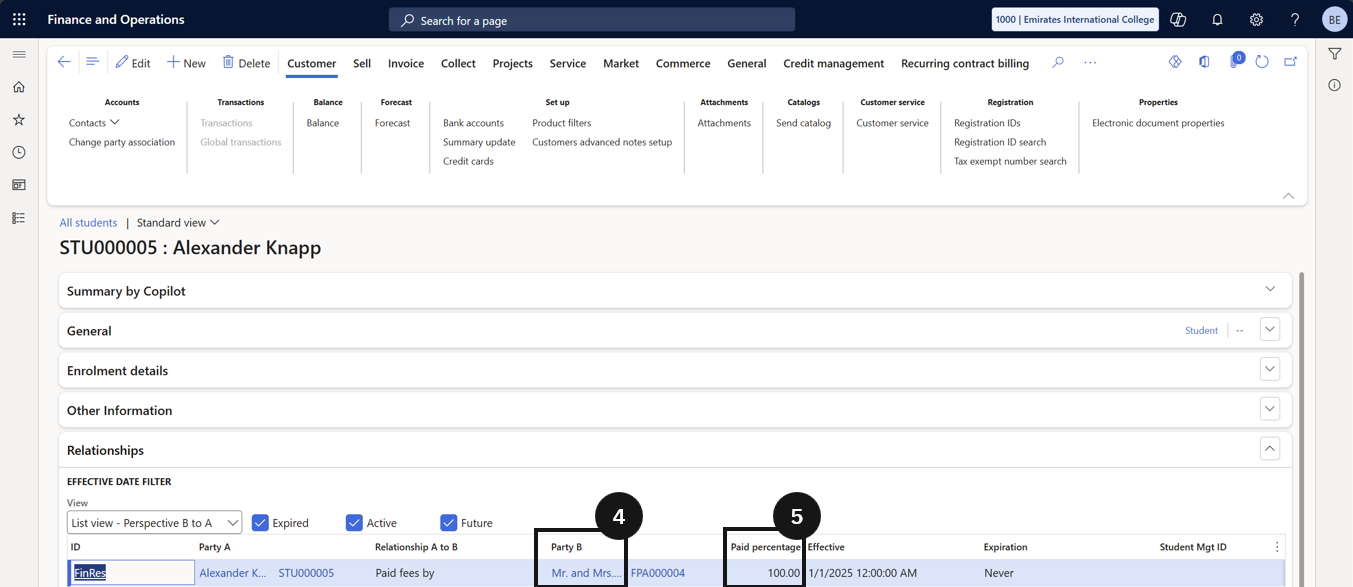
In the Relationships section, confirm at least two fee payers are assigned (e.g., Mum and Dad) (④). Verify that default split percentages are set for each payer (e.g., 50% each) and that the total equals 100% (⑤). This is the baseline split for all fees unless overridden at item level.