Record Debtor Notes
Quick answer
- Open the Collections coordinator workspace, locate the debtor, and click View customer detail.
- Click New activity, complete the event details and notes, then click Create event.
- Review all notes via Collect ▸ Collections ▸ All activities ▸ Open and closed ▸ Notes tab.
Debtor notes record interactions with fee payers — such as phone calls or payment promises — directly against the customer's account. Each entry can be dated, and future dates can be set to schedule follow-up activities.
Open the customer detail
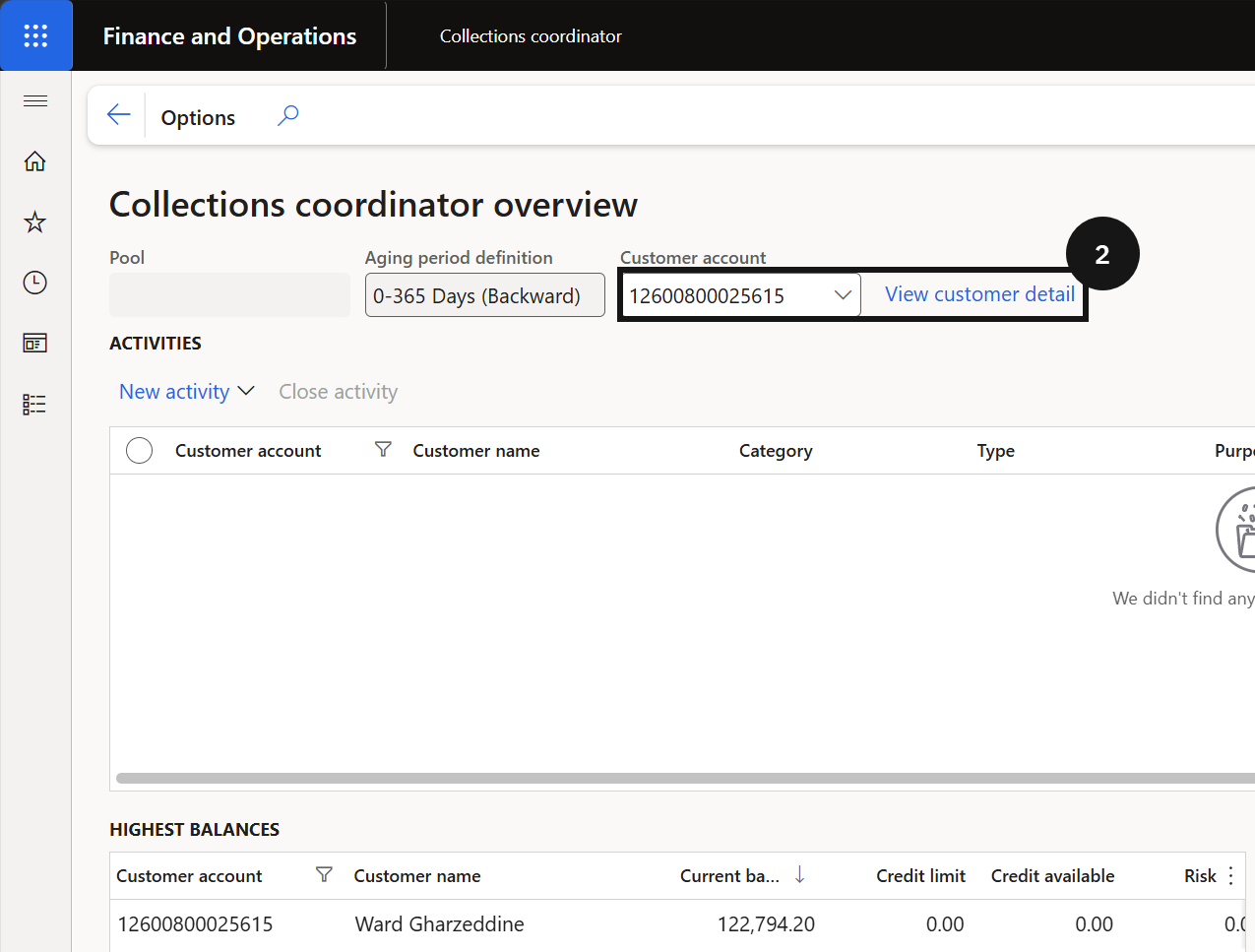
From the FNO dashboard, open Modules ▸ Credit and collections ▸ Workspaces ▸ Collections coordinator. Locate the relevant debtor account and click View customer detail (②).
Create the note
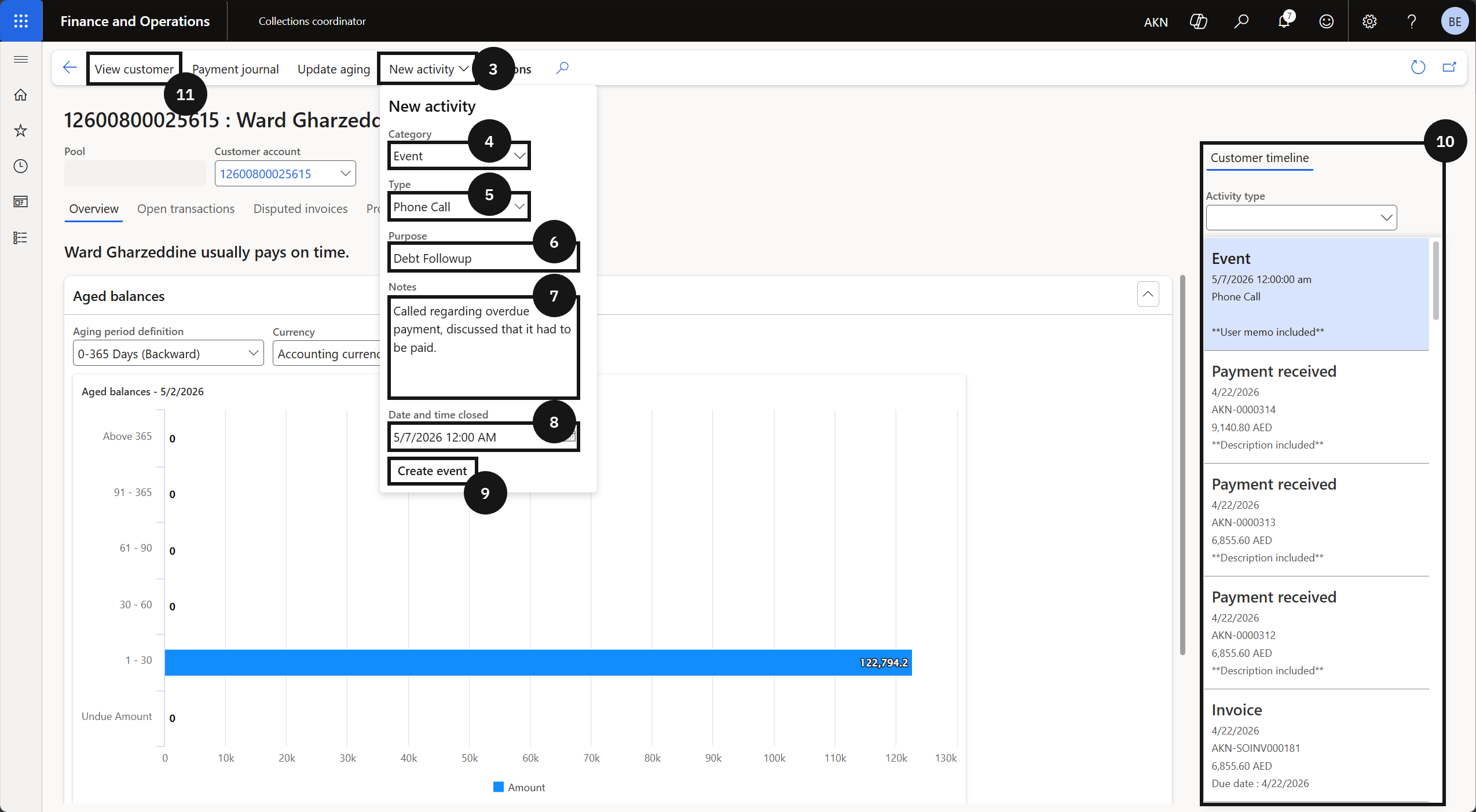
Click the New activity dropdown (③) and complete the following:
- Event category (④) — select the category that matches the interaction type.
- Type (⑤) — select the specific event type.
- Purpose (⑥) — enter the purpose of the interaction.
- Notes (⑦) — enter the details of the interaction.
- Date and time (⑧) — set the date and time; use a future date to schedule a follow-up.
Click Create event (this will change to match the category selected above) (⑨). The new note appears in the Customer timeline screen (⑩) — hover over a note to preview the content without opening the full record.
Review all notes
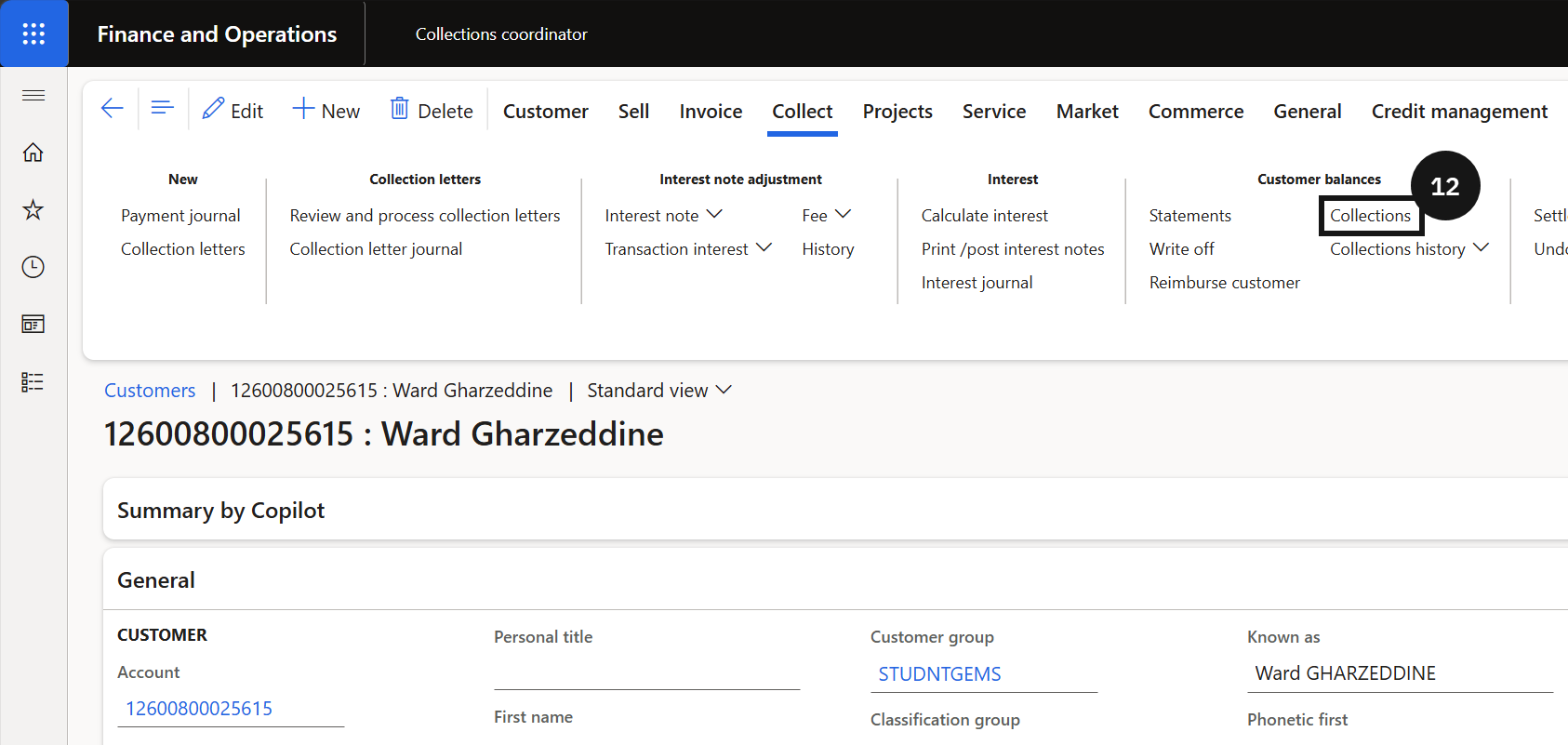
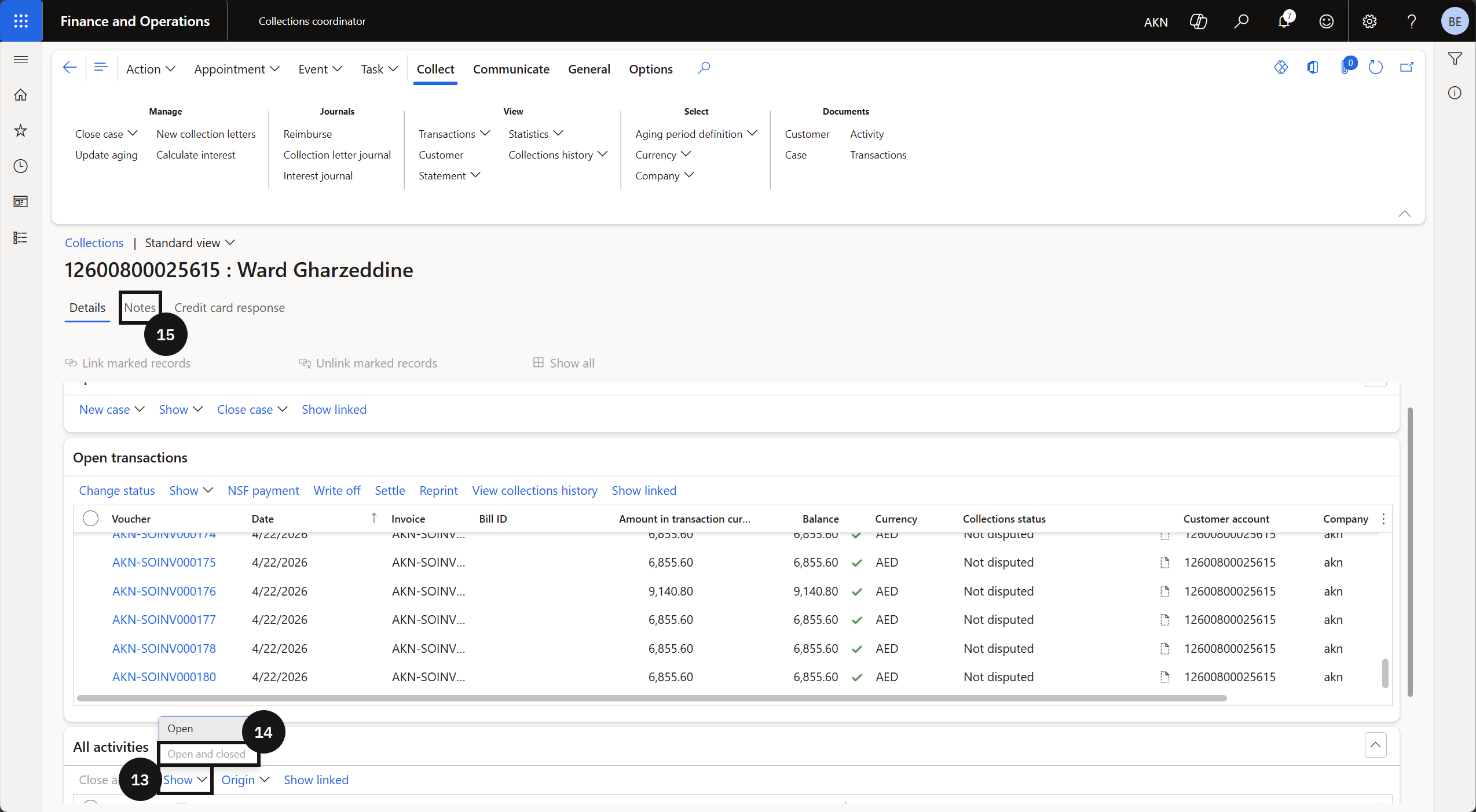
Click View customer (⑪) to open the full note history. Click Collect in the Action Pane, click Collections (⑫), then click Show (⑬) in All activities. Select Open and closed (⑭) to display all notes including resolved items, then click the Notes tab (⑮) to review.