Customer Bulk Write-Off
Quick answer
- Open the Customer credit and collections workspace and click Write Off.
- Enter the write-off date, reason code, and description, confirm the posting account, and click OK.
- Locate the generated journal in General ledger ▸ Journal entries ▸ General journals, review it, then post (or submit for workflow).
The bulk write-off process removes unrecoverable debt balances from accounts receivable by posting an offsetting journal entry to the configured bad debt account. Ageing definitions, reason codes, and the posting account must already be in place before running a write-off.
Review ageing and identify overdue accounts
From the FNO dashboard, open Modules ▸ Credit and Collections, expand Setup, and click Aging period definitions. Review the ageing criteria and identify the overdue customers or transactions to write off.
Run the write-off
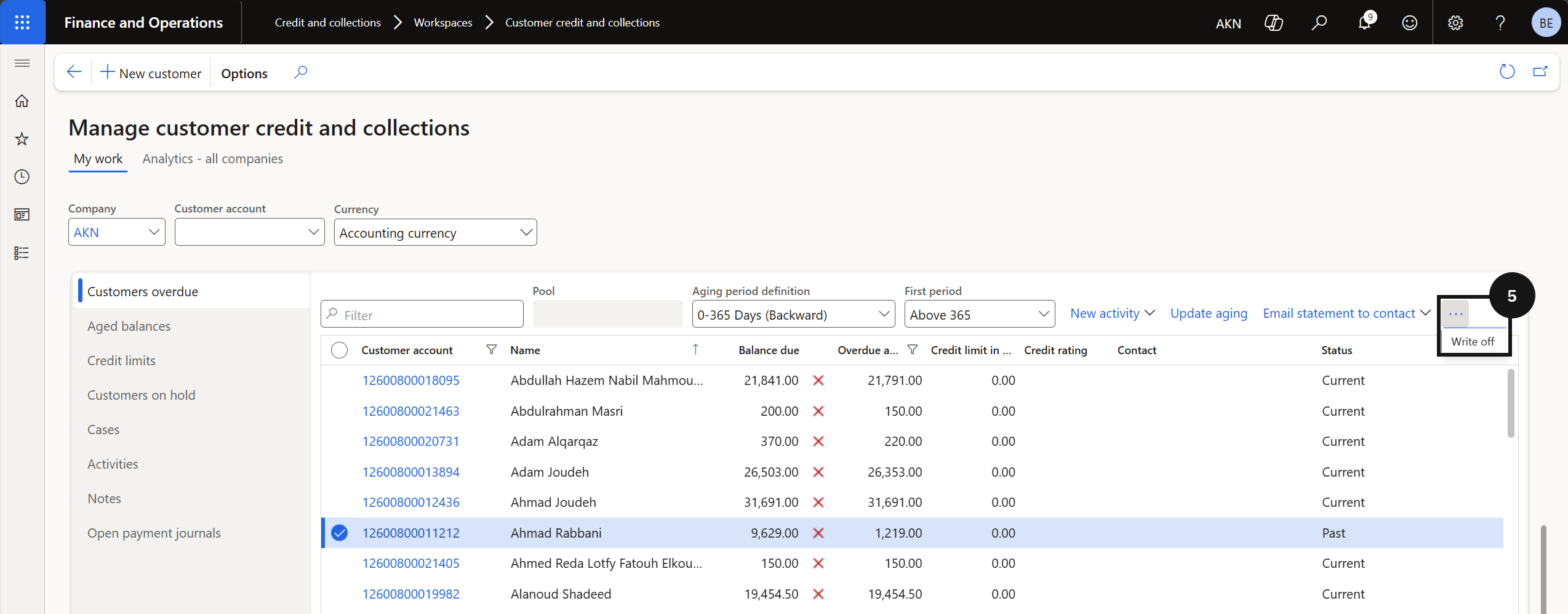
Open Modules ▸ Workspaces ▸ Customer credit and collections and click Write Off (⑤). Complete the following:
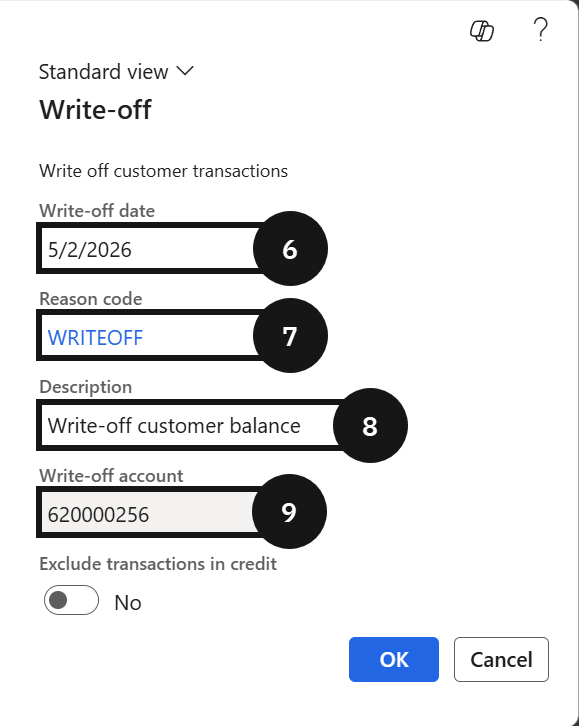
- Write Off Date (⑥) — enter the date for the write-off.
- Reason Code (⑦) — select the applicable reason.
- Description (⑧) — enter a description.
- Posting account (⑨) — confirm the bad debt account is correct.
Click OK to create the write-off journal.
Review and post the journal
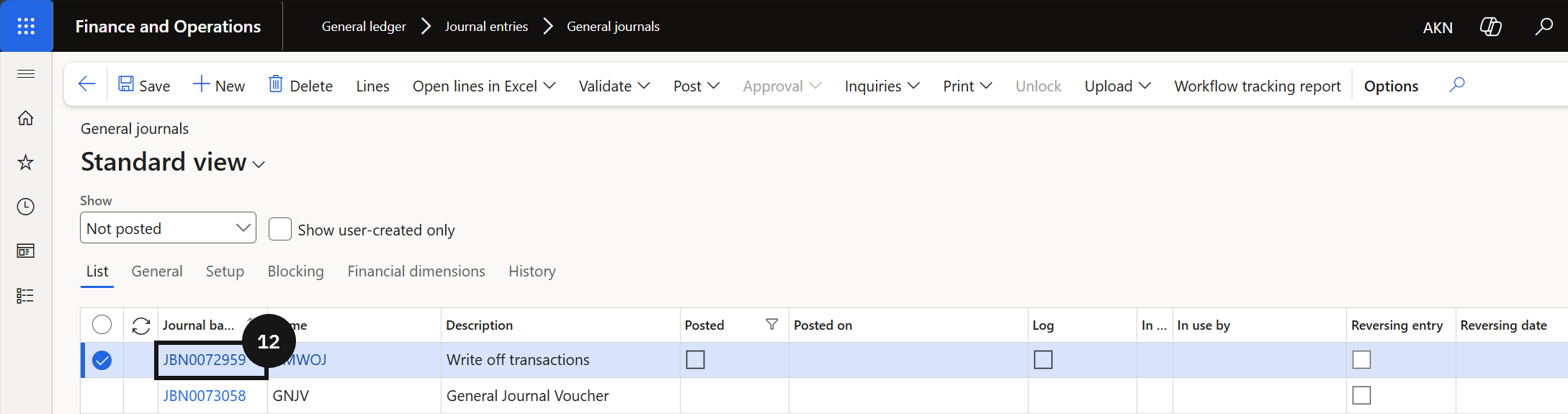
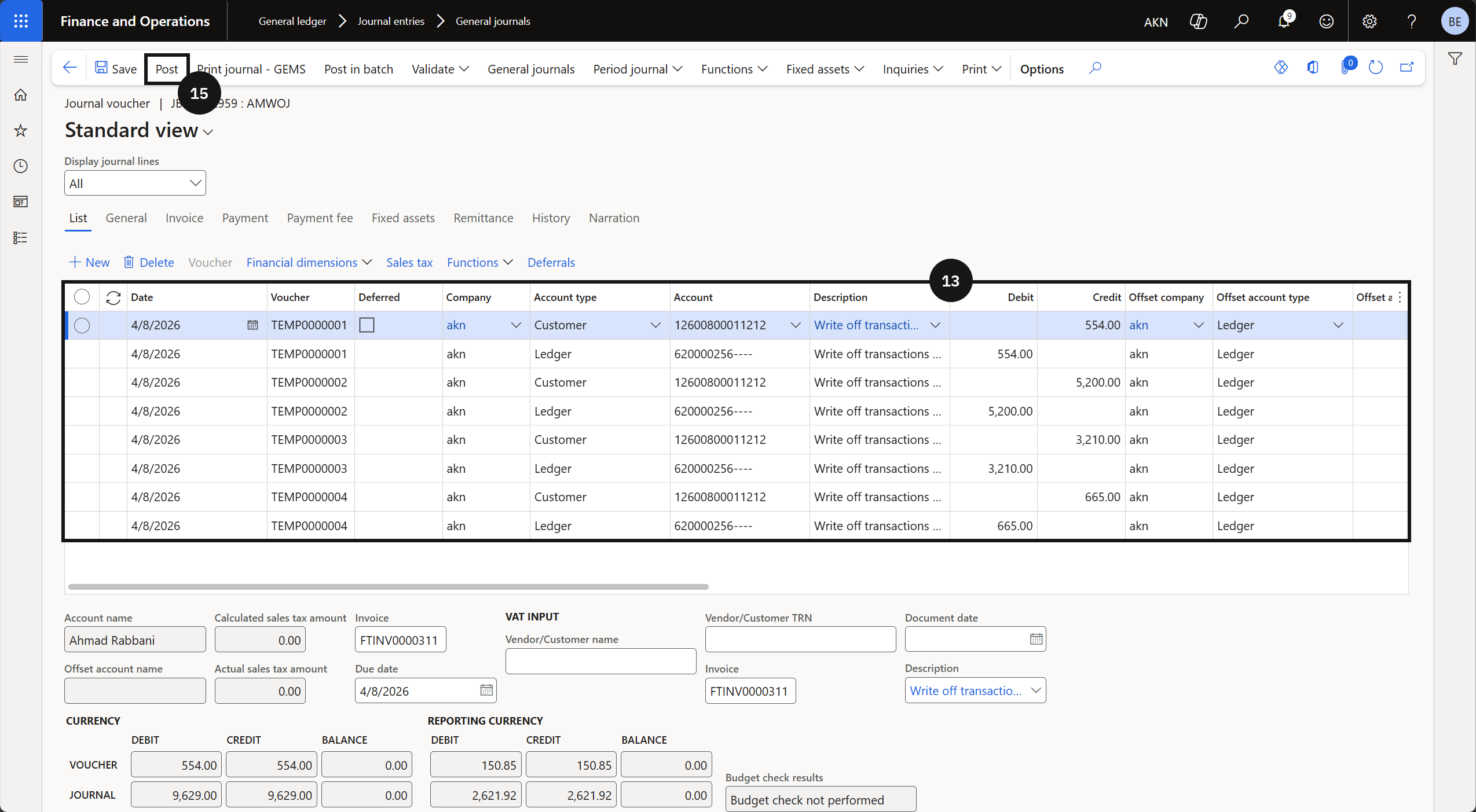
Go to Modules ▸ General Ledger ▸ Journal entries ▸ General journals, locate and open the new journal (⑫), and review the entries (⑬). If workflow is enabled, submit the journal for approval. Once approved (or if workflow is not enabled), click Post (⑮) to finalise the write-off.