View a Student's Scholarships and Discounts
Quick answer
- Open Academic Management ▸ Students ▸ All Students and find the student.
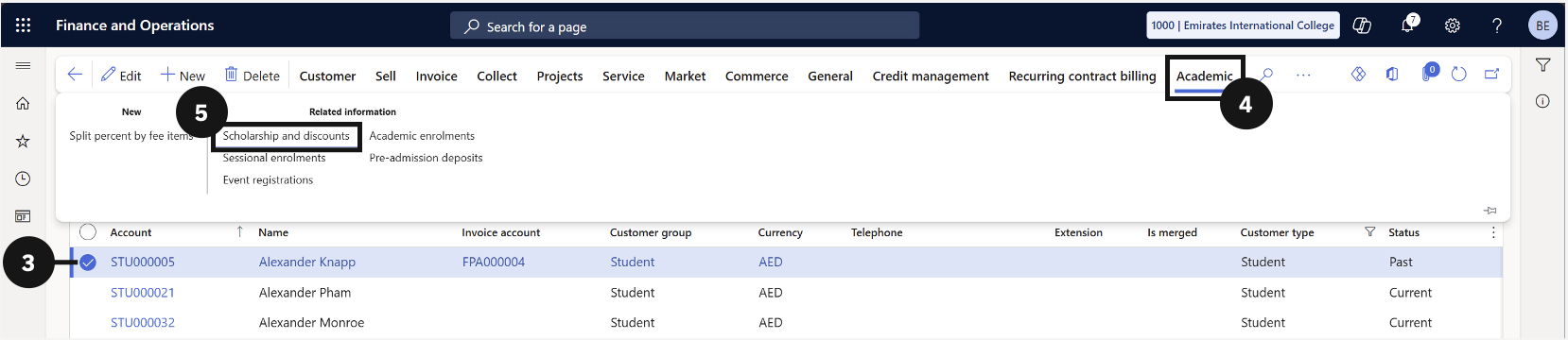
- Click the Academic tab, then under Related information click Scholarship and discounts.
- Use the checkbox to filter by activity status.
Open the student record
From the FNO dashboard, open Modules ▸ Academic Management, expand Students, and click All Students. Search for and select the student (③).
Open the Scholarships and Discounts panel
Click Academic in the Action Pane (④). Under Related information, click Scholarship and discounts (⑤).
Filter the results
Use the checkboxes (⑥) to filter the list by activity status.
