Set Up a Charge Code
Quick answer
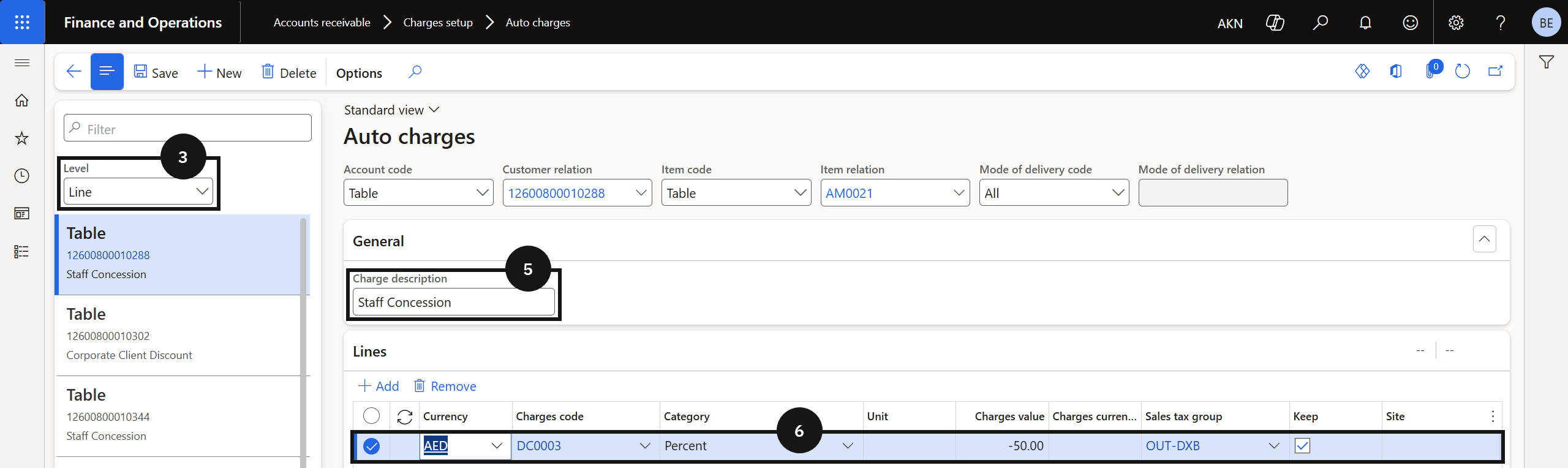
- Open Accounts Receivable ▸ Charges setup ▸ Auto charges and set the Level to Line.
- Click New, enter the Charge description, and configure the charge settings.
- Click Save.
Staff concession discounts are applied to fee invoices through the auto charges table. A charge code defines how and where the concession amount posts in the ledger. Create one charge code per concession type — for example, separate codes for staff concessions and commercial concessions.
Open Auto Charges
From the FNO dashboard, open Modules ▸ Accounts Receivable, expand Charges setup, and click Auto charges.
Set the level and create a new record
Change the Level to Line (③). Click New in the toolbar.
Configure the charge code
Enter the Charge description (⑤), then configure the required charge settings for the concession type (⑥).
Save
Click Save.