Approve or Reject a Discount
Quick answer
- Open Academic Management ▸ Setup ▸ Scholarships and discounts and select the discount code.
- In the Students tab, select the student record requiring action.
- Open the Approval dropdown, choose Approve or Reject, and click Save.
Open Scholarships and Discounts
From the FNO dashboard, open Modules ▸ Academic Management, expand Setup, and click Scholarships and discounts.
Select the discount and open the student record
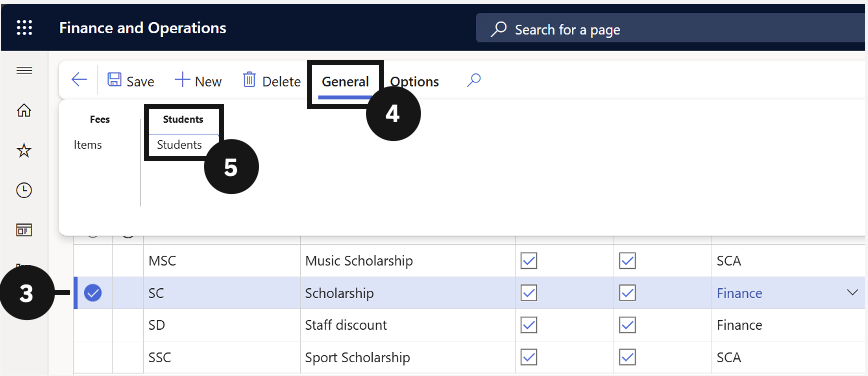
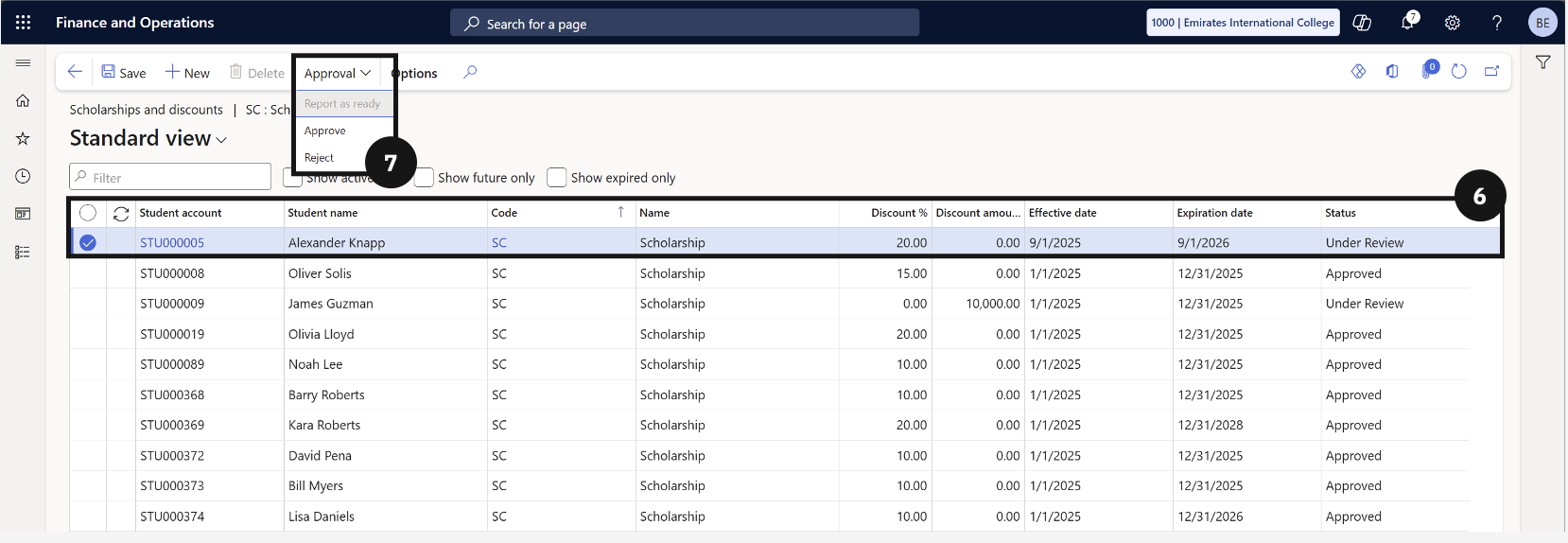
Check the circle to the left of the scholarship or discount (③). Click General in the Action Pane (④), choose Students under the Students tab (⑤), then select the student whose discount requires action (⑥).
Set the approval status
Click the Approval dropdown and choose Approve or Reject. Click Save (⑦).