View Payment Plan Details
Quick answer
- Open the student record, click Academic ▸ View payment plan, change the filter to All, select a payment plan record, then click Invoices and Split invoice detail to view the instalment breakdown.
Use the student's payment plan view to check how their invoices have been split and confirm the instalment schedule.
Open the student's payment plan
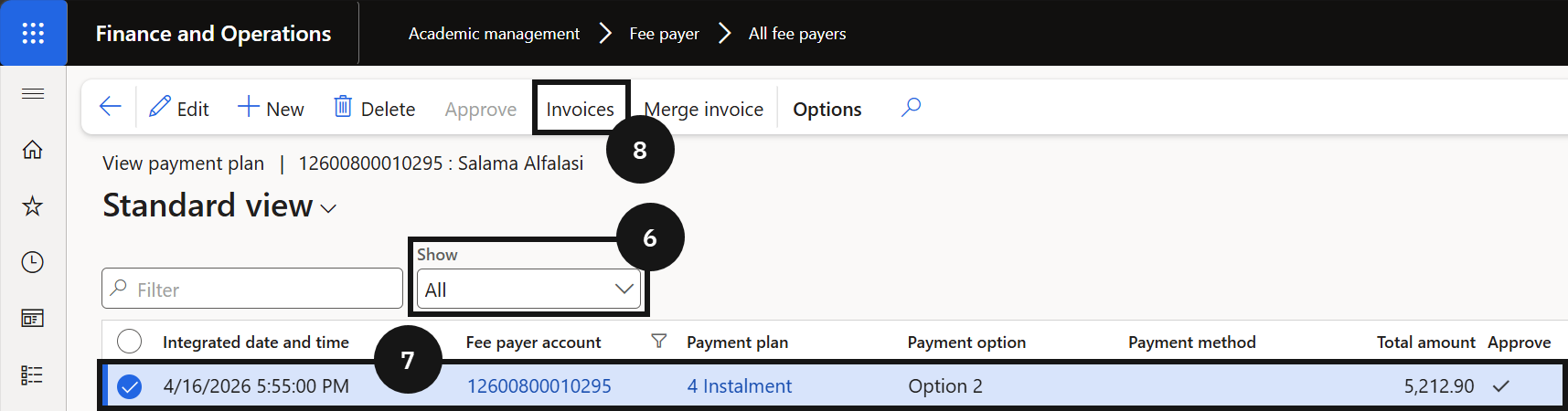
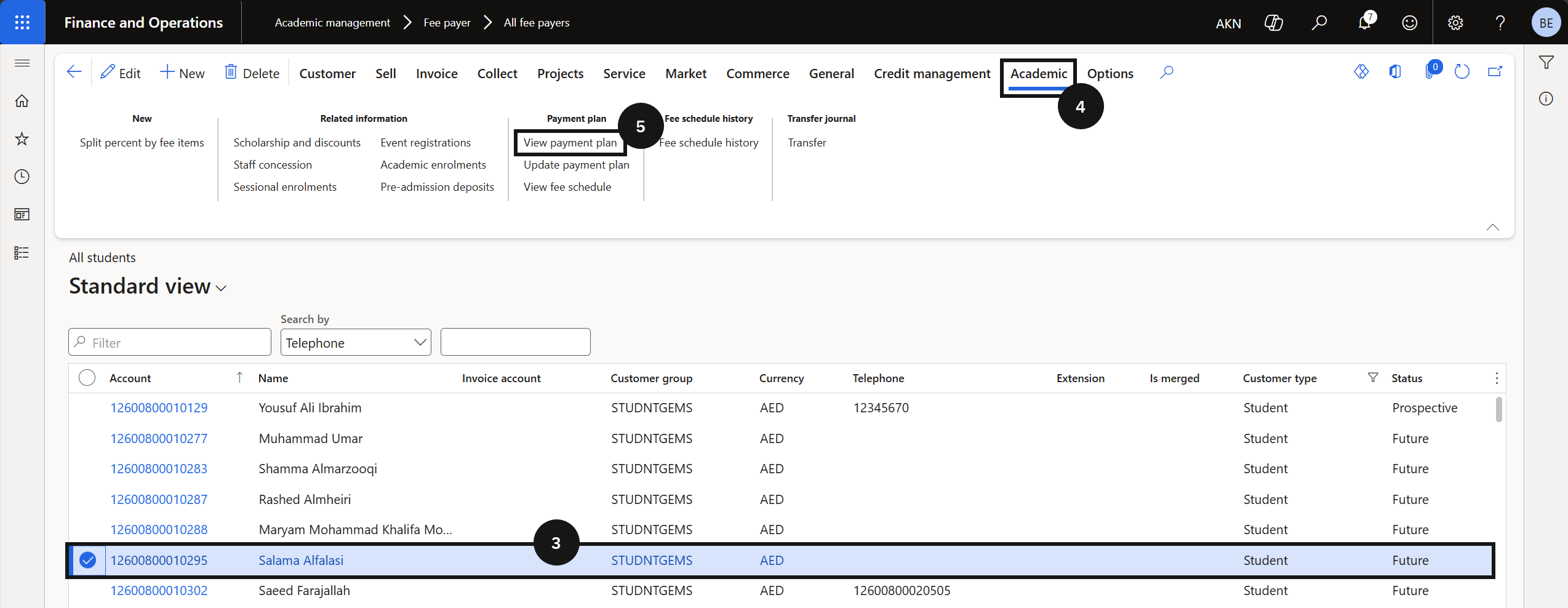
From the FNO dashboard, open Modules ▸ Academic management, expand Students, and click All Students. Select the student record (③). Click the Academic tab (④) and click View payment plan (⑤). Change the filter to All to review all payment plans (⑥).
Review the instalment breakdown
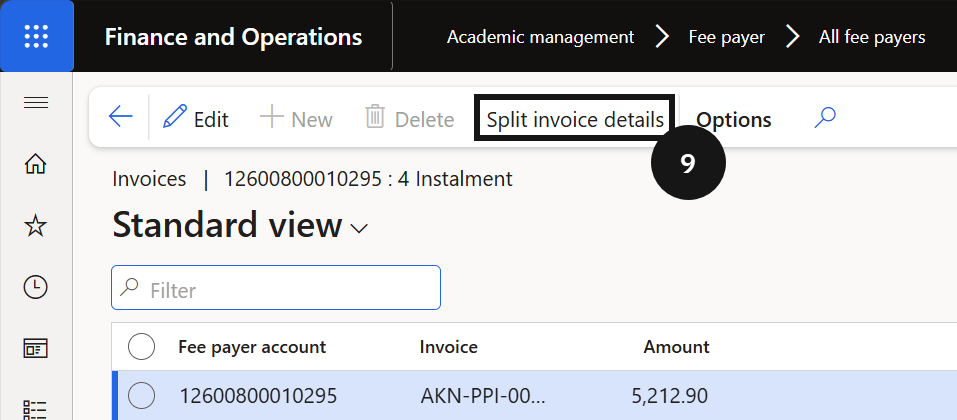
Select a payment plan record (⑦) and click Invoices (⑧) to view all invoices linked to it. Click Split invoice detail (⑨) to view the instalment breakdown for each invoice.