Send a Customer Statement Email
Quick answer
- Open Workspaces ▸ Customer credit and collections, click Aged balances, find and select the customer, click Email statement to contact, configure the Excel statement criteria, complete the email form, and click Send.
- Use this to send a statement directly to a fee payer who is not part of the automated collection letter workflow.
Use this process to send balance or transaction details to customers or fee payers who are not part of the automated collection letter workflow.
Find the customer in Aged balances
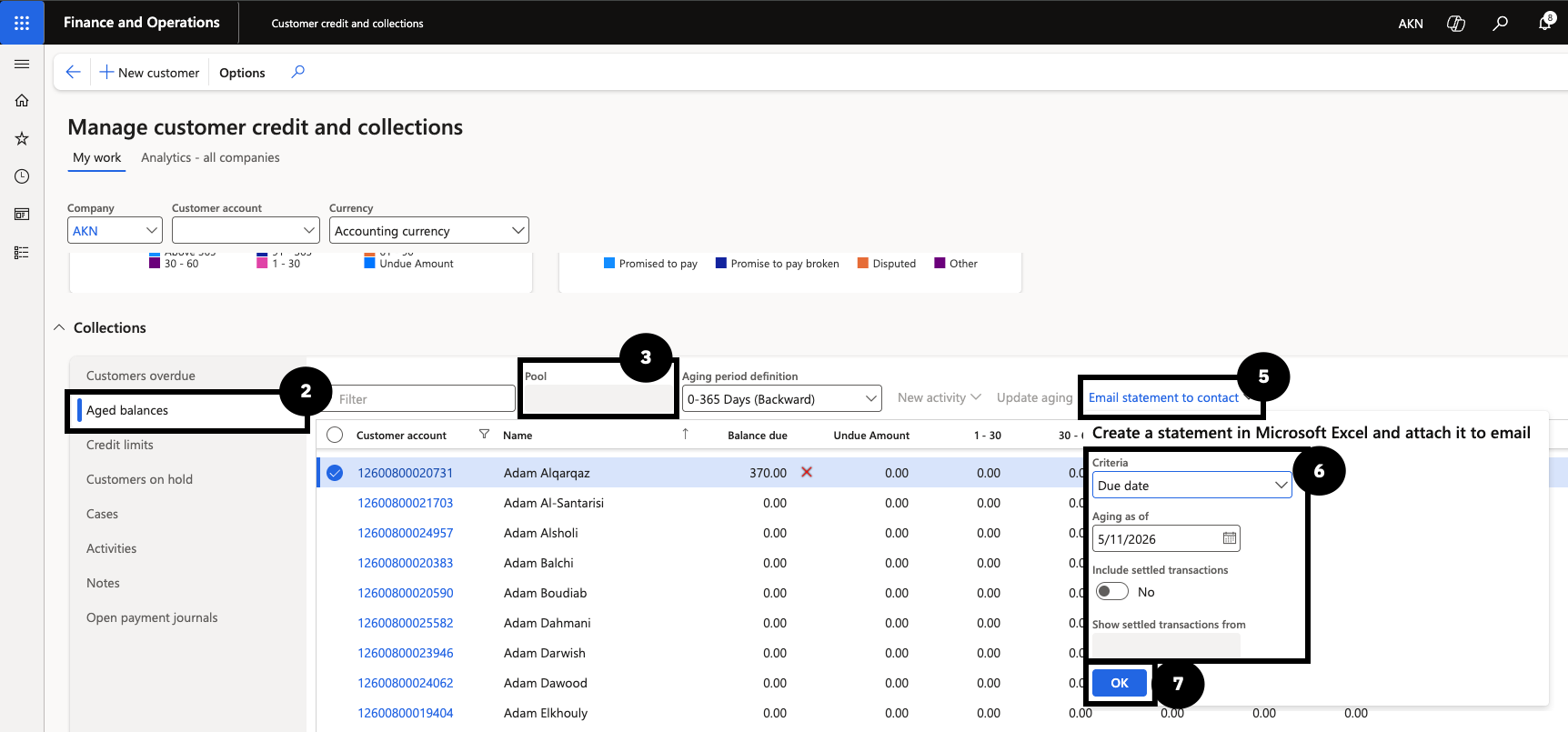
From the FNO dashboard, open Workspaces ▸ Credit and collections. In Collections, click Aged balances to view the customer list and balances. Filter the list by Pool to find the customer and select them.
Configure and send the statement email
Click Email statement to contact. In the Create a statement in Microsoft Excel and attach it to email dialog, set the following:
- Criteria — select Due Date to attach transactions as of the selected date.
- Include settled transactions — select Yes if required.
- Show settled transactions from — set to the required date (typically the aging date).
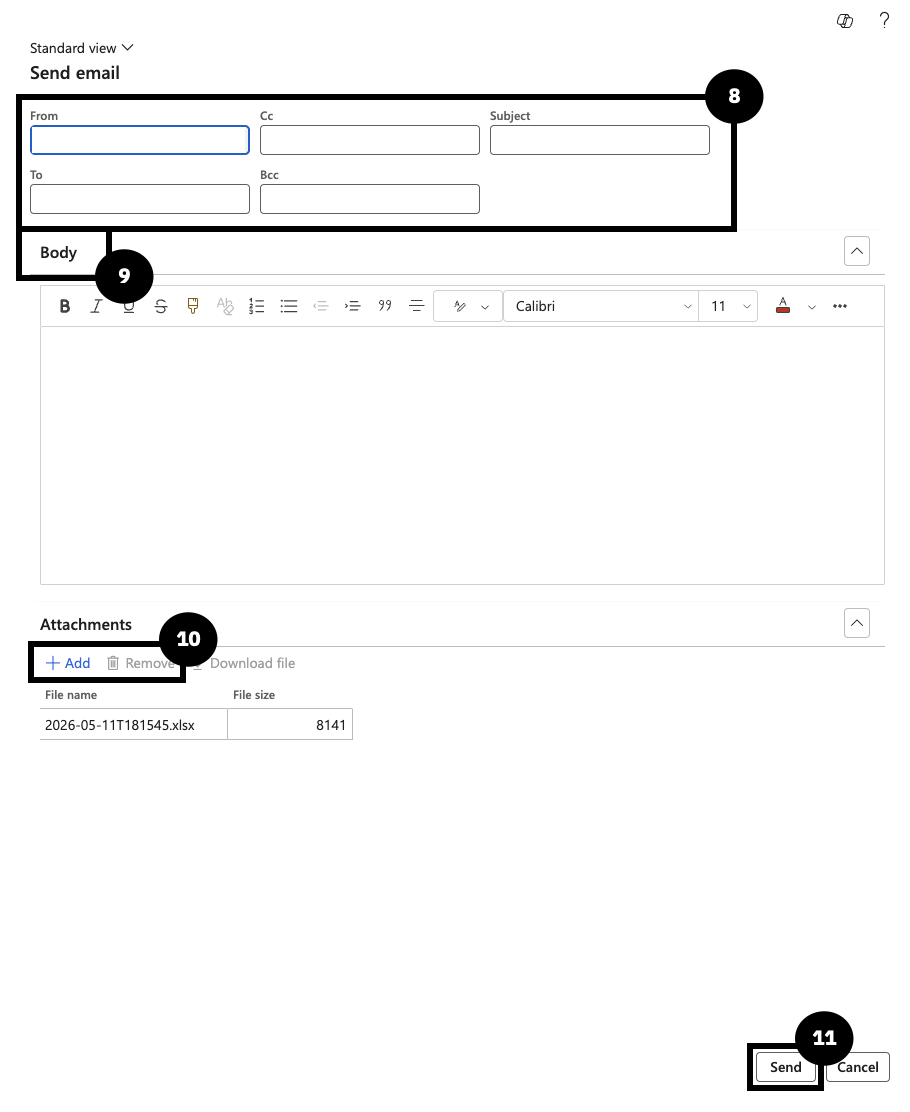
Click OK. In the Send email form, verify the From address, confirm the To recipient, enter the Subject, and enter the email Body. Use + Add to include additional attachments or Remove to delete one. Click Send.