Process a Pre-Admission Fee Payment
Quick answer
- Open Accounts Receivable ▸ Payments ▸ Cashier receipt, click + Cashier receipt, select the student account, tick the prepayment invoice in the Pre-admission fee section, enter the amount and method, then Post.
Use this process to receipt a payment against a pre-admission fee invoice at the cashier counter.
Create the cashier receipt
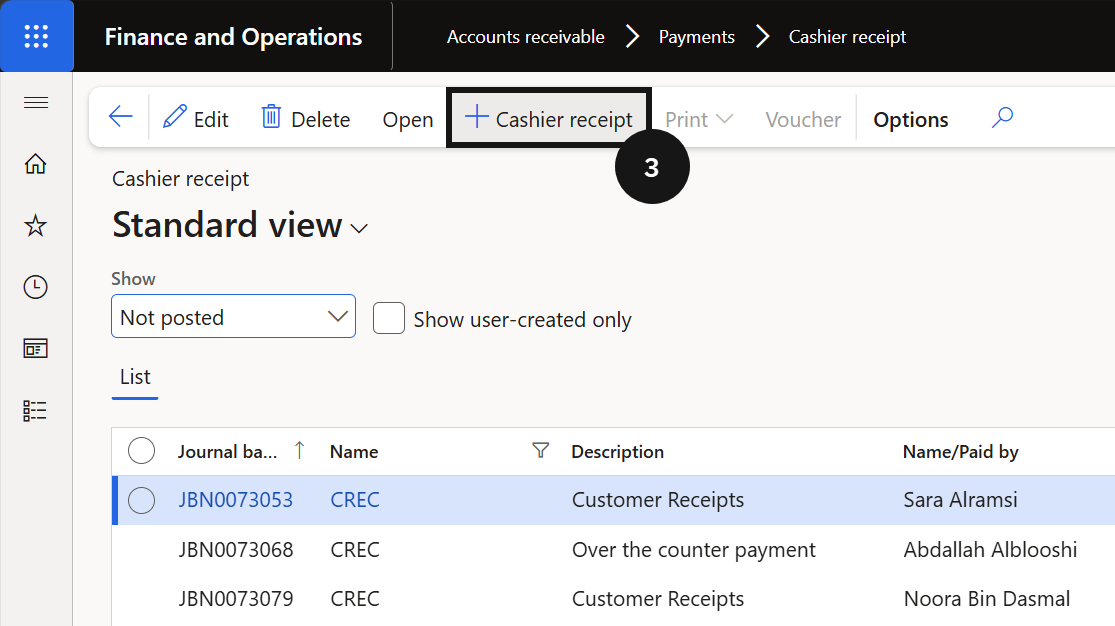
From the FNO dashboard, open Modules ▸ Accounts Receivable, expand Payments, and click Cashier receipt. Click + Cashier receipt (③) and complete the following:
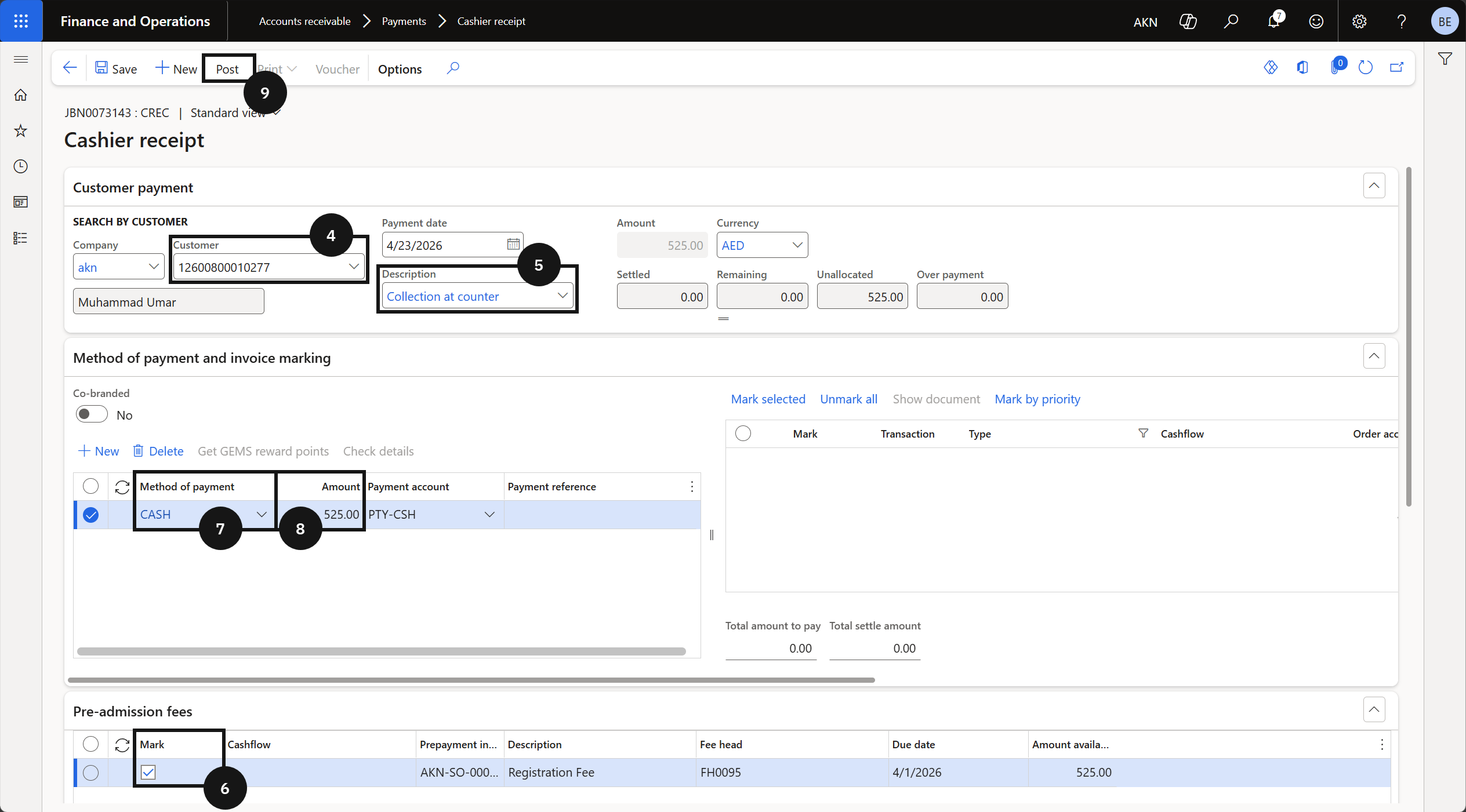
- Customer (④) — select the student account.
- Description (⑤) — enter a description for the transaction.
- Open the Pre-admission fee section and tick the Mark checkbox (⑥) to select the prepayment invoice.
- Method of payment (⑦) — select the payment method.
- Amount (⑧) — enter the pre-admission fee amount.
Post and deliver the receipt
Click Post (⑨). Enable the Print receipt toggle to preview the posted receipt. Click OK to post the journal.