Process a Payment with an Early Payment Discount
Quick answer
- Create a customer payment journal, click Lines, select the fee payer, click Settle transactions, set the payment date before the discount due date, settle the invoice, enter the reference, then Post.
- The system automatically applies the discount when the payment date is before the discount due date. Verify via the voucher using All related vouchers.
The system automatically applies the discount when the payment date is before the discount due date.
Create the payment journal
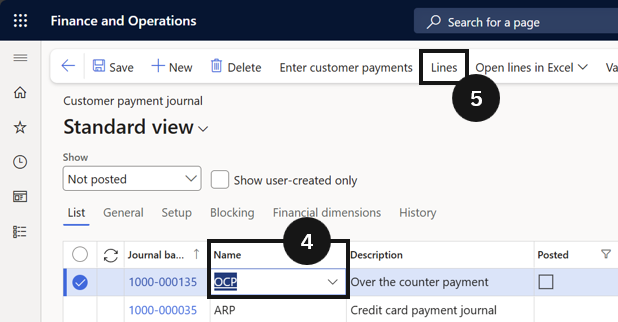
From the FNO dashboard, open Modules ▸ Accounts receivable, expand Payments, and click Customer payment journal. Click New, select the Name (④), then click Lines in the Action Pane (⑤).
Settle the invoice with the discount
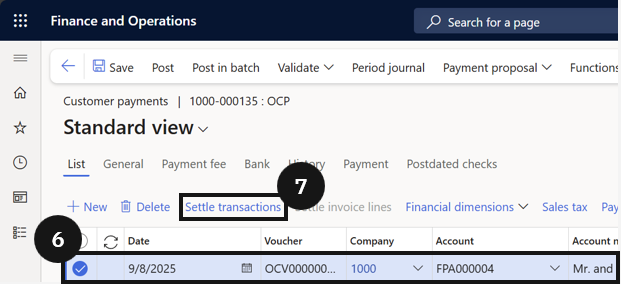
Select the fee payer (⑥) and click Settle transactions (⑦). Set the payment Due date to a date before the discount due date (⑧). Settle the invoice(s) by clicking OK (⑨) — the system automatically applies the discount, reducing the payable amount. Enter the Payment reference (⑩), then click Post (⑪).


Verify the discount
Check the voucher to confirm the discount was posted. Click the three dots in the toolbar and choose All related vouchers to see the discount amount.