Process a Miscellaneous Receipt
Quick answer
- Open Accounts Receivable ▸ Payments ▸ Miscellaneous receipt, click + Miscellaneous receipt, enter the received from name, method of payment, amount, fee type, and credit amount, then Post.
- Used for payments not linked to a specific student invoice — for example, event fees, lost property charges, or sundry income.
Used to record incoming payments not linked to a specific student invoice or customer account — such as event fees, lost property charges, or sundry income.
Create the miscellaneous receipt
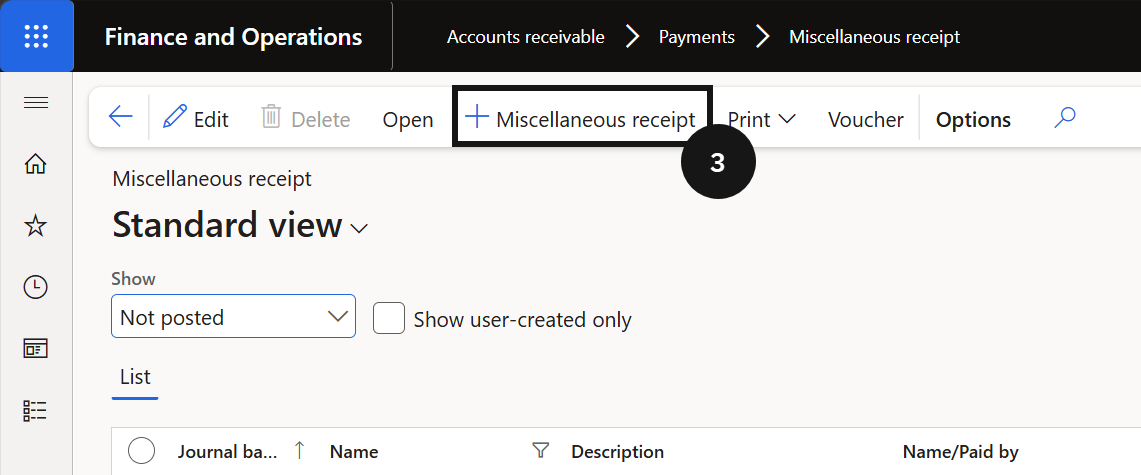
From the FNO dashboard, open Modules ▸ Accounts Receivable, expand Payments, and click Miscellaneous receipt. Click + Miscellaneous receipt (③) and complete the following:
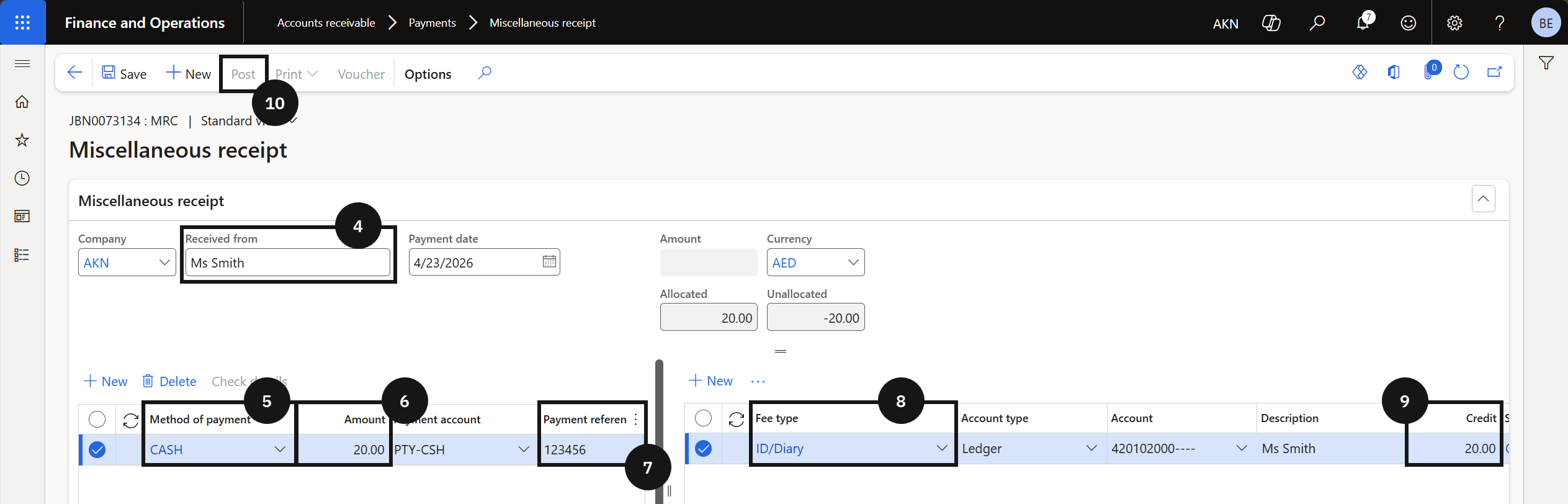
- Received From (④) — enter the cashier or payer name.
- Method of payment (⑤) — select the method. The Payment account populates automatically.
- Amount (⑥) — enter the amount.
- Payment reference (⑦) — enter a reference.
- Fee type (⑧) — select from the dropdown. The Account, Description, and Sales tax group fields populate automatically.
- Credit (⑨) — enter the amount in the Credit field.
Post and deliver the receipt
Click Post (⑩). Enable the Print receipt toggle if a printed receipt is required. Click OK to complete the transaction.