Pay at Any School
Quick answer
- Open Accounts receivable ▸ Payments ▸ Cashier receipt, create a new receipt, select the receiving Company and Customer, mark the invoice, enter payment details, then Post.
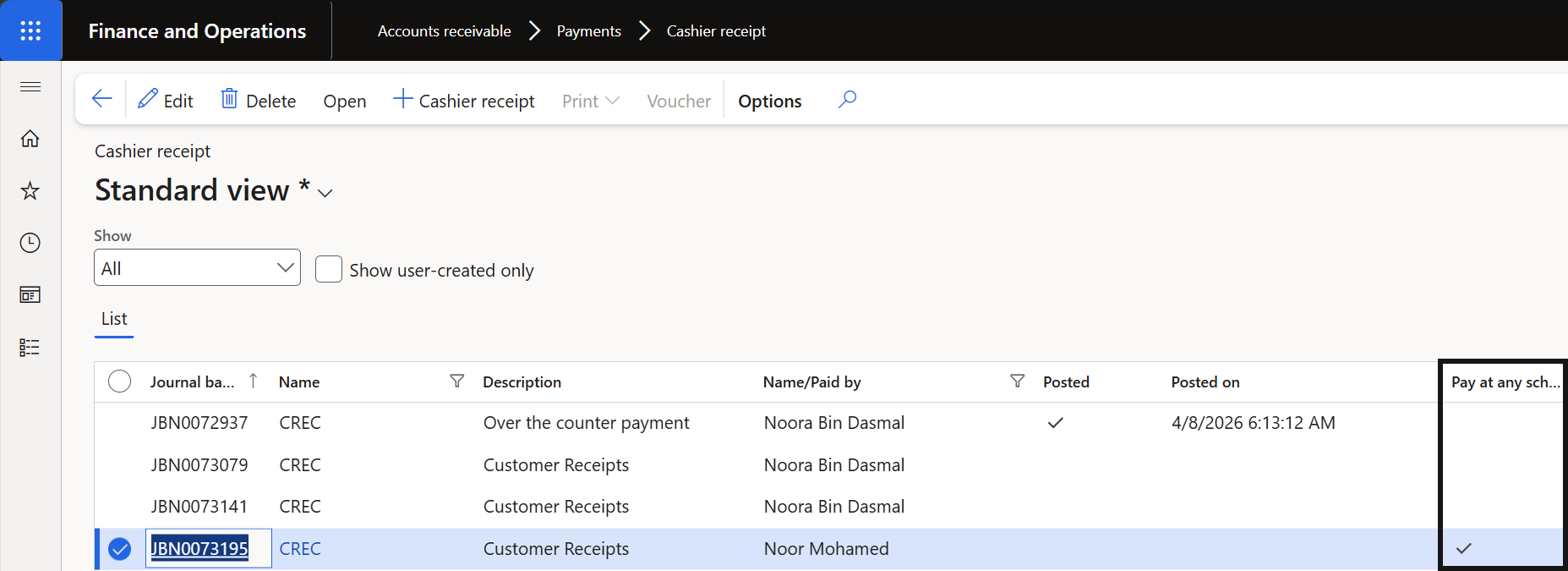
- Once posted, the Pay at Any School column on the header is ticked, flagging it as an intercompany receipt.
The pay at any school process allows staff to receive and record fee payments on behalf of any school within the group, regardless of which school the student is enrolled at.
Create the cashier receipt
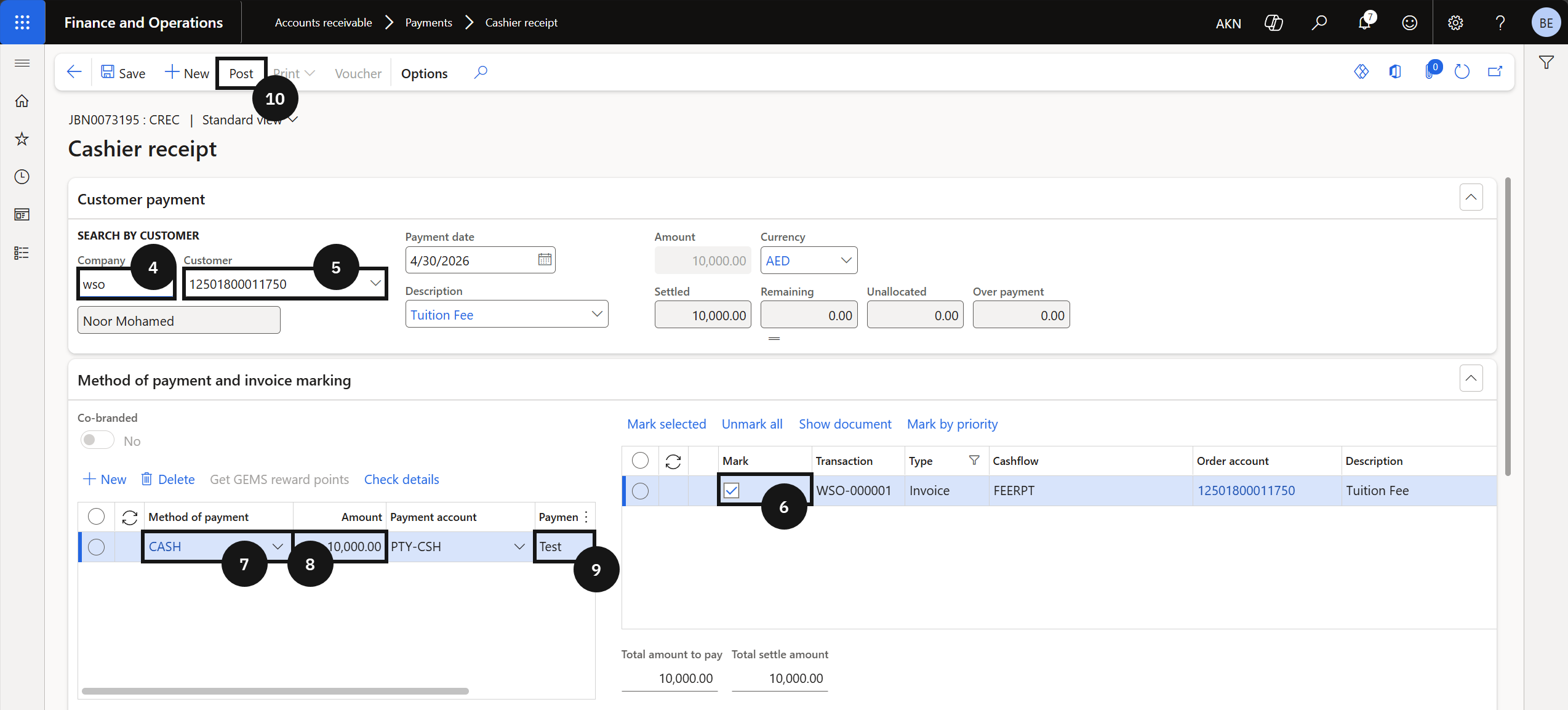
From the FNO dashboard, open Modules ▸ Accounts receivable, expand Payments, and click Cashier receipt report. Click + Cashier receipt and complete the following:
- Company (④) — select the school receiving the payment.
- Customer (⑤) — select the student the payment is being received for.
- Mark the invoice to be paid (⑥).
- Method of payment (⑦) — select from the dropdown.
- Amount (⑧) — enter the payment amount. The Payment account autofills based on the method selected.
- Payment reference (⑨) — enter a reference.
Post and deliver the receipt
Click Post on the Action Pane (⑩). Enable the Print receipt toggle if a receipt is required. Click OK to post the transaction.
Once posted, the Pay at Any School column in the header is ticked, indicating the record is a Pay at Any School transaction.