Apply the Payment Schedule to Payment Plans
Quick answer
- Open Academic Management ▸ Setup ▸ Payment option setup, click New, select the required payment plan, enter an option name, description, and start and end dates, then save.
- This process defines the payment options available to parents and controls valid plans displayed on PXP and the customer statement.
This process defines the payment options available to parents and controls which valid plans are displayed on PXP and published on the customer statement.
Open Payment option setup and create a new entry
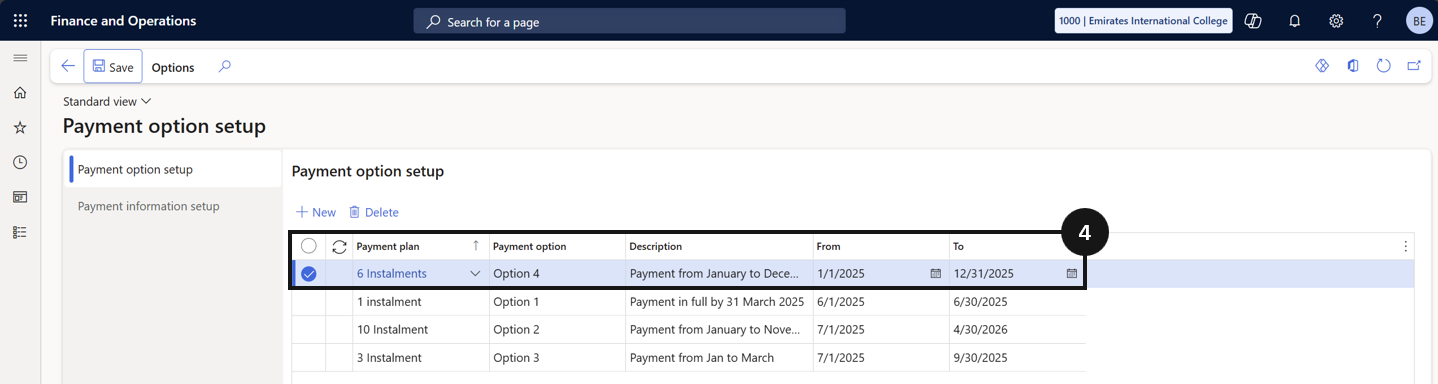
From the FNO dashboard, open Modules ▸ Academic Management, expand Setup, and click Payment option setup. Click New and complete the following (④):
- Payment plan — select the required payment plan.
- Payment option — enter a name.
- Description — enter a description.
- Start date and End date — set the dates for when this payment option is available.
Save
Click Save.